Ⅰ. 插件描述
Code search plugin for Vim powered by rg / sift / pt.Ⅱ. 基本信息
|
Ⅲ. 安装方法
使用Vundle管理器安装
在你的.vimrc下添加:Plugin 'adonis0147/searcher-vim':source %
:PluginInstall对于Vundle版本 < 0.10.2,请用上面的Bundle替换Plugin。
使用NeoBundle管理器安装
在你的.vimrc下添加:NeoBundle 'adonis0147/searcher-vim':source %
:NeoBundleInstall使用VimPlug管理器安装
在你的.vimrc下添加:Plug 'adonis0147/searcher-vim':source %
:PlugInstall使用Pathogen管理器安装
在终端中运行以下命令:cd ~/.vim/bundle
git clone https://github.com/adonis0147/searcher.vimⅣ. 文档说明
# searcher.vim
Code search plugin for Vim powered by rg / sift / pt.
Dependencies
Quick Start
- Type
:Searcher [options] <keyword> <path>in command mode. - Explore the results.
<c-j>==> Jump to the next result
<c-k> ==> Jump to the previous result
Jump to the corresponding position.
<c-o>   to open (same as Enter)
go      to preview file, keeping focus on the results
<c-t>   to open in new tab
gt      to open in new tab, keeping focus on the results
<c-h>   to open in horizontal split
gh      to open in horizontal split, keeping focus on the results
<c-v>   to open in vertical split
gv      to open in vertical split, keeping focus on the results
q       to close window
Commands
Searcher [options] <keyword> <path>
Start searching.SearcherCWD [options] <keyword>
Start searching in the current working directory (as given by :pwd).SearcherStop
Stop searching.SearcherClearAllCaches
Clear all caches which are stored in `$HOME/.cache/searcher`.
Example
Type :Searcher -t vim func . (Use rg as the search tool and the options -t vim for rg is to search vim files.)
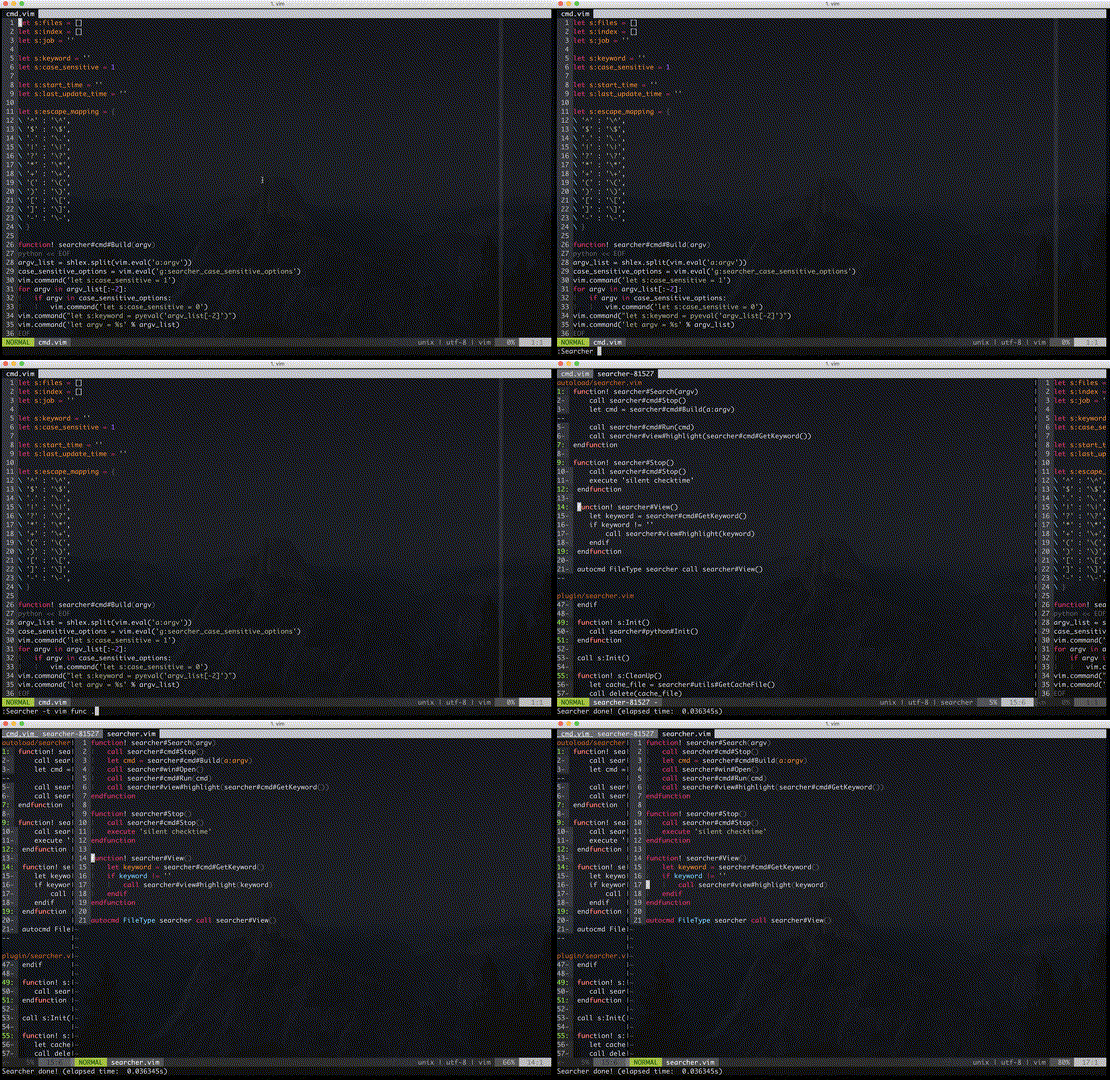
Note: The input options must be valid for the chosen search tool (default: rg).
Extras
- For convenience, you can add a shortcut by setting
nnoremap <leader>a :Searcher -t %:e -S <C-R><C-W> .. As a result, you can search the word under the cursor in files with the same extension. - search tool: rg