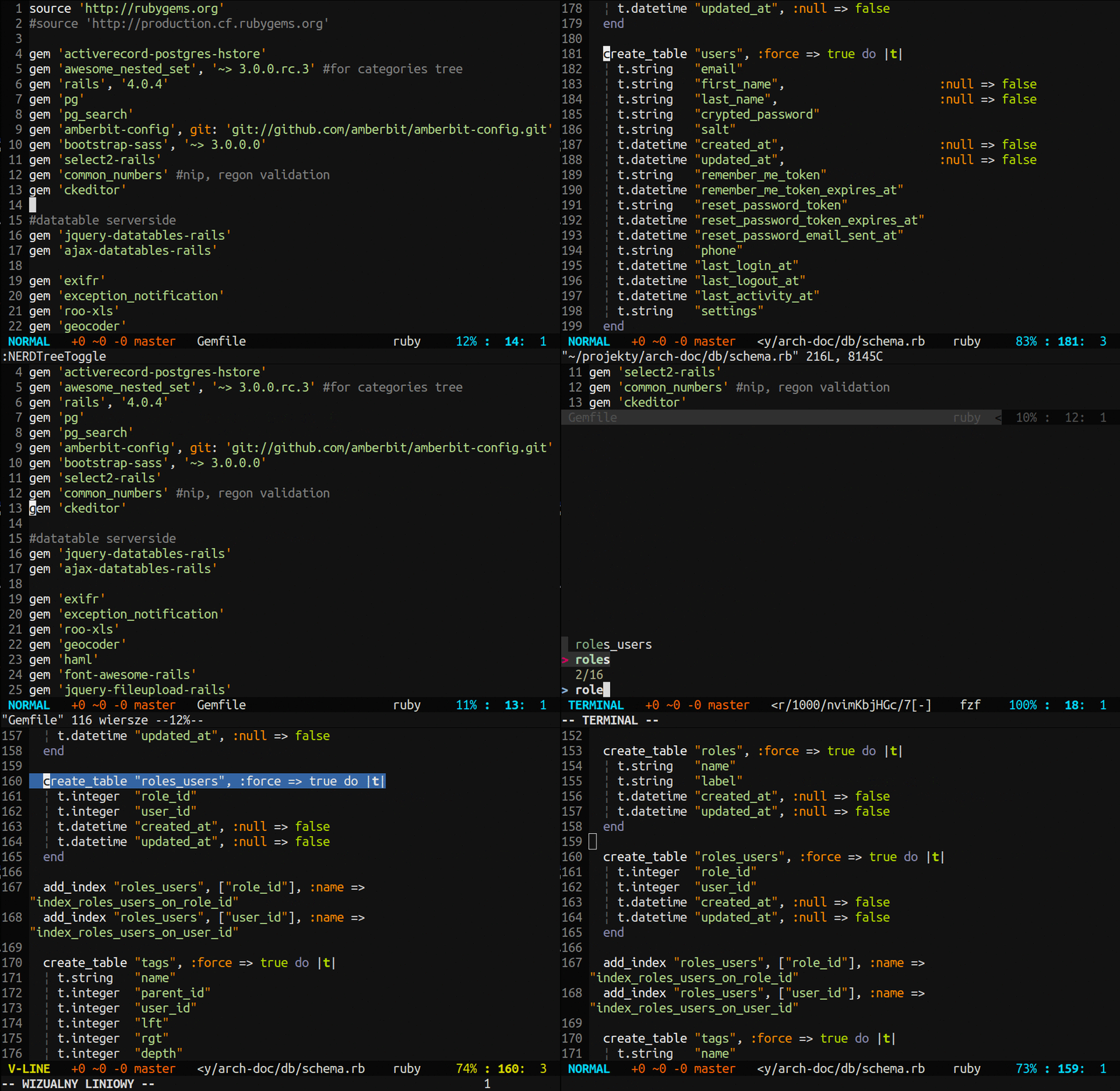
Ⅰ. 插件描述
DEPRECATED!!! - Easy rails schema (or structure.sql) table finder for neovim / vimⅡ. 基本信息
|
Ⅲ. 安装方法
使用Vundle管理器安装
在你的.vimrc下添加:Plugin 'rafcamlet/show-me-db':source %
:PluginInstall对于Vundle版本 < 0.10.2,请用上面的Bundle替换Plugin。
使用NeoBundle管理器安装
在你的.vimrc下添加:NeoBundle 'rafcamlet/show-me-db':source %
:NeoBundleInstall使用VimPlug管理器安装
在你的.vimrc下添加:Plug 'rafcamlet/show-me-db':source %
:PlugInstall使用Pathogen管理器安装
在终端中运行以下命令:cd ~/.vim/bundle
git clone https://github.com/rafcamlet/show-me-dbⅣ. 文档说明
# ShowMeDB
Easy rails schema (or structure.sql) table finder for neovim / vim

Instalation
Use your favorite plugin manager or copy this repo and put files in corensponding folders.
Example for vim-plug
call plug#begin('~/.vim/plugged')

Plug 'rafcamlet/show-me-db'

call plug#end()
Usage
ShowMeDB prefers schema.rb over structure.sql. All commands has bang version, which force using structure.sql. Respectively for mappings is force sufix.
:ShowMeDBMoves you to table in your schema.rb / structure.sql file, based on your model's name or self.table_name if specified.
:ShowMeDB table_nameMoves you to table, based on typed table's name. Press <tab> to autocomplete.
:ShowMeDBListOpen buffer with tables names listed. Press <enter> to jump to table.
<plug>show_me_db_fzf
<plug>show_me_db_fzf_force
If junegunn/fzf is instaled, open fuzzy seraching with tables. You can map these to custom keys. Don't forget use recursing allow mapping. Example nmap <leader>db <plug>show_me_db_fzf_force.
<plug>show_me_db_word_under_cursor
<plug>show_me_db_word_under_cursor_force
Lookup for table name under currsor.
Settings
Default mappings:
  nmap <leader>db <plug>show_me_db_fzf
  nmap <leader>gdb <plug>show_me_db_word_under_cursor
Set let g:ShowMeDB_default_mapping = 0 to disable default mappings.
FZF integration