Ⅰ. 插件描述
:nail_care: Spacegray Eighties for VimⅡ. 基本信息
|
Ⅲ. 安装方法
使用Vundle管理器安装
在你的.vimrc下添加:Plugin 'hhff/spacegrayeighties-vim':source %
:PluginInstall对于Vundle版本 < 0.10.2,请用上面的Bundle替换Plugin。
使用NeoBundle管理器安装
在你的.vimrc下添加:NeoBundle 'hhff/spacegrayeighties-vim':source %
:NeoBundleInstall使用VimPlug管理器安装
在你的.vimrc下添加:Plug 'hhff/spacegrayeighties-vim':source %
:PlugInstall使用Pathogen管理器安装
在终端中运行以下命令:cd ~/.vim/bundle
git clone https://github.com/hhff/spacegrayeighties.vimⅣ. 文档说明
# SpacegrayEighties.vim
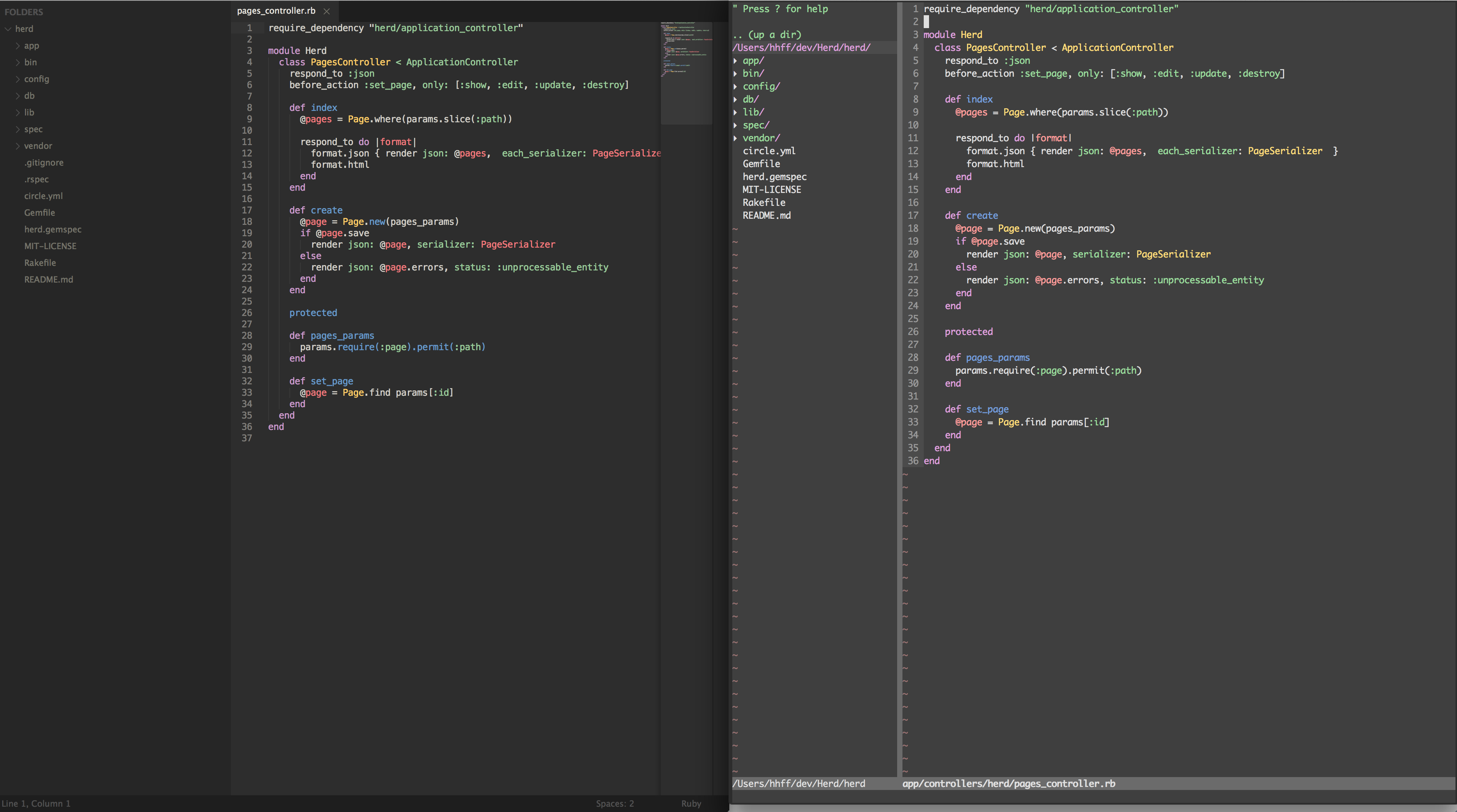
Vim Theme matching the Eighties version of Spacegray for Sublime.
Screenshots
Look how almost correct it is!
Installation
If you don't have a preferred installation method, I recommend installing
pathogen.vim, and then simply copy and
paste:
cd ~/.vim/bundle && git clone git://github.com/hhff/SpacegrayEighties.vim.git
Then in your ~/.vimrc, add this line:
colorscheme SpacegrayEighties
Related Links
This was generated with the Coloration Gem from the Spacegray Eighties Textmate theme.
I also like the Spacegray Eighties iTerm theme too. What can I say, I'm a spacey guy!!!
¯_(ツ)_/¯