Ⅰ. 插件描述
Fsociety's synthwave themeⅡ. 基本信息
|
Ⅲ. 安装方法
使用Vundle管理器安装
在你的.vimrc下添加:Plugin 'exitface/synthwave-vim':source %
:PluginInstall对于Vundle版本 < 0.10.2,请用上面的Bundle替换Plugin。
使用NeoBundle管理器安装
在你的.vimrc下添加:NeoBundle 'exitface/synthwave-vim':source %
:NeoBundleInstall使用VimPlug管理器安装
在你的.vimrc下添加:Plug 'exitface/synthwave-vim':source %
:PlugInstall使用Pathogen管理器安装
在终端中运行以下命令:cd ~/.vim/bundle
git clone https://github.com/exitface/synthwave.vimⅣ. 文档说明
# synthwave.vim
A dark Vim color scheme for the GUI and 256-color terminals, based on fsociety's
synthwave theme.
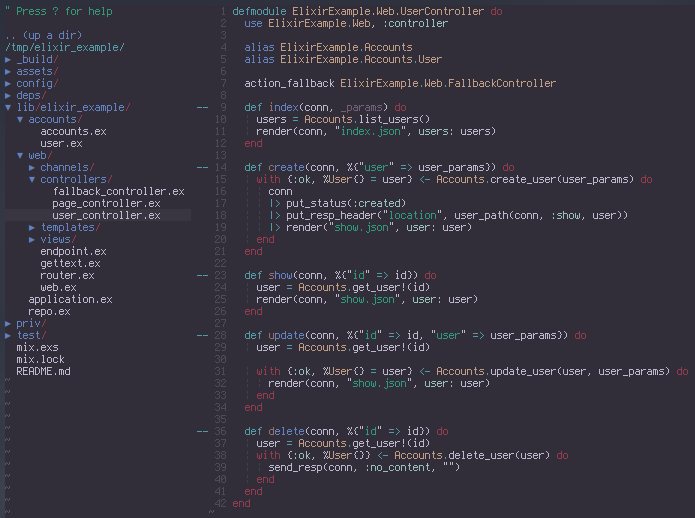
Code shamelessly stolen from the fabulous onedark theme.
Requirements
Terminal that supports at least 256 colors, preferably 24-bit color.
Installation
In your ~/.vimrc.
set background=dark
color synthwave
if has('termguicolors')
set termguicolors " 24-bit terminal
else
let g:synthwave_termcolors=256 " 256 color mode
endif
Vundle
Add the following to your ~/.vimrc file and run PluginInstall in Vim.
Plugin 'exitface/synthwave.vim'
vim-plug
Add the following to your ~/.vimrc file and run PlugInstall in Vim.
Plug 'exitface/synthwave.vim'
Pathogen
cd ~/.vim/bundle
git clone https://github.com/exitface/synthwave.vim
Manual
cd ~/.vim/colors
git clone git://github.com/exitface/synthwave.vim synthwave.vim
cp synthwave.vim/colors/*.vim .
vim-airline Theme

vim-airline theme for use with synthwave.vim.
- Must be used with the base synthwave.vim theme.
- Based on onedark.vim, which in turn is based on vim-airline's "tomorrow" theme.
Installation
Assuming vim-airline and synthwave are already installed and configured:
Copy synthwave.vim/autoload/airline/themes/synthwave.vim to ~/.vim/autoload/airline/themes/ directory add the following line to your ~/.vimrc:
let g:airline_theme='synthwave'