Ⅰ. 插件描述
Configuration templates to help start with terraform.ioⅡ. 基本信息
|
Ⅲ. 安装方法
使用Vundle管理器安装
在你的.vimrc下添加:Plugin 'frntn/terraform-kickstart':source %
:PluginInstall对于Vundle版本 < 0.10.2,请用上面的Bundle替换Plugin。
使用NeoBundle管理器安装
在你的.vimrc下添加:NeoBundle 'frntn/terraform-kickstart':source %
:NeoBundleInstall使用VimPlug管理器安装
在你的.vimrc下添加:Plug 'frntn/terraform-kickstart':source %
:PlugInstall使用Pathogen管理器安装
在终端中运行以下命令:cd ~/.vim/bundle
git clone https://github.com/frntn/terraform-kickstartⅣ. 文档说明
terraform.io Kickstarter
terraform-kickstart is an attempt to provide sets of easy to use
pre-defined configurations templates to use with
terraform.
Separation of concerns
Terraform manage the resources it has created, so it's safe to separate
your terraform configurations.
On AWS, I use this concept to distinguish the following :
network layouts: VPC, subnet, route 53, etc...machines distribution: EC2, RDS, DynamoDB, SQS, etc...
So for this very first aws/ folder you will find 4 generics **networks
layouts* to start with terraform in a Amazon Web Services* environment.
See the README.md inside the aws folder for details on each network layout.
Project overview
├── README.md         # <- the file you are currently reading
└── aws/
    │
    ├── README.md
    ├── access_key    # <- create this file (see aws/README.md)
    ├── secret_key    # <- create this file (see aws/README.md)
    │
    ├── pub1/
    │   └── infra.tf
    │
    ├── pub1-priv1/
    │   └── infra.tf
    │
    ├── pub2/
    │   └── infra.tf
    │
    └── pub2-priv2/
        └── infra.tf
VIM
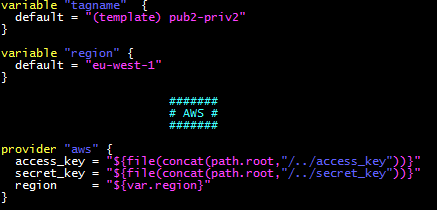
The hcl.vim highlight nested string correctly...
mv hcl.vim /usr/share/vim/vimcurrent/syntax/