Ⅰ. 插件描述
Travis CI build status inside vimⅡ. 基本信息
|
Ⅲ. 安装方法
使用Vundle管理器安装
在你的.vimrc下添加:Plugin 'keith/travis-vim':source %
:PluginInstall对于Vundle版本 < 0.10.2,请用上面的Bundle替换Plugin。
使用NeoBundle管理器安装
在你的.vimrc下添加:NeoBundle 'keith/travis-vim':source %
:NeoBundleInstall使用VimPlug管理器安装
在你的.vimrc下添加:Plug 'keith/travis-vim':source %
:PlugInstall使用Pathogen管理器安装
在终端中运行以下命令:cd ~/.vim/bundle
git clone https://github.com/keith/travis.vimⅣ. 文档说明
# Travis.vim
View your Travis CI build status within Vim
Usage
Run :Travis from within vim. You must be running vim from a folder
within the Git repository. Note: Travis.vim requires +python
Inside the Quickfix window:
q: closes the quickfix window
r: refreshes the build status
<Enter>: opens the build on Travis
With vim-fugitive installed:
gt: opens the source URL
gl: opens the last commit
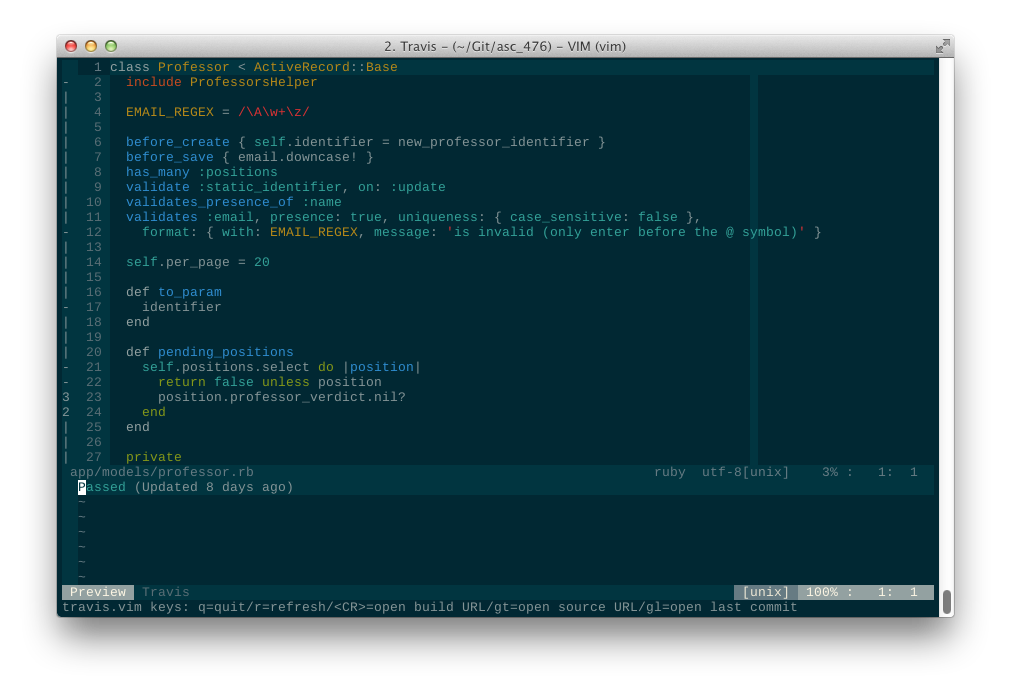
Example
License
MIT, see LICENSE