Ⅰ. 插件描述
Vim plugin for typescript code completeⅡ. 基本信息
|
Ⅲ. 安装方法
使用Vundle管理器安装
在你的.vimrc下添加:Plugin 'runoshun/tscompletejob':source %
:PluginInstall对于Vundle版本 < 0.10.2,请用上面的Bundle替换Plugin。
使用NeoBundle管理器安装
在你的.vimrc下添加:NeoBundle 'runoshun/tscompletejob':source %
:NeoBundleInstall使用VimPlug管理器安装
在你的.vimrc下添加:Plug 'runoshun/tscompletejob':source %
:PlugInstall使用Pathogen管理器安装
在终端中运行以下命令:cd ~/.vim/bundle
git clone https://github.com/runoshun/tscompletejobⅣ. 文档说明
This repository is no longer maintained.

tscompletejob-vim
Typescript code complete plugin for Vim : demo
日本語版READMEはこちら
Features
- Fast complete/behavior using wrapper of tsserver for Vim
- Supported features are Go to Definition, Quick Info, Signature Help,
Show Compile Errors, Symbol Rename and Show References. - Using job, channel features of vim
- Use jobcontrol features of Neovim
Limitations
- tscompletejob can't work in cygwin vim (due to file path differ between vim and tsserver). Please use windows native vim.
Requirements
- +job/+channel Vim or jobcontrol Neovim
- nodejs (4.x, 6.x)
Install
This plugin has no special install requirements, so you can install with
your favorite package manager.
Setting of node command
Nodejs is required to execute tsserver wrapper. node is used by default.
If you need to change it, please set g:tscompletejob_node_cmd.
let g:tscompletejob_node_cmd = "/path/to/node"Basic Functions and Usage
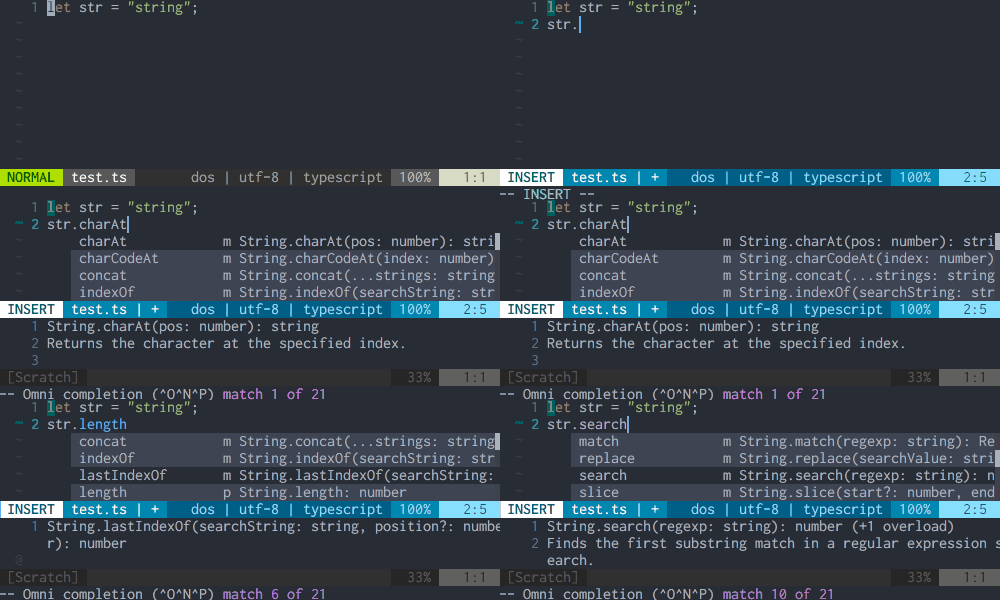
Code Complete
omnifunc=tscompletejob#complete is set by default in filetype:typescript.
tscompletejob has no ftdetect, please use typescript-vim
- or define ftdetect by yourself.
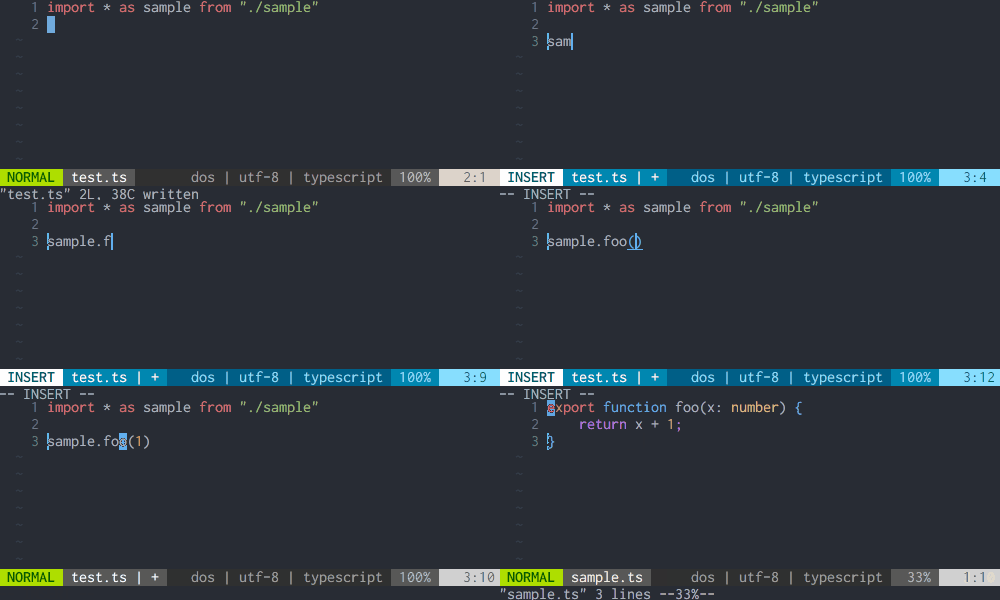
Goto Definition
It jump to difinition of variable or type.
Move cursor to symbol which you want to find difinition, and execute :TsCompleteJobGotoDefinition. By default, the command is mapped to C-].
And you can use simple tagstack like feature by setting g:tscompletejob_enable_tagstack to 1. If tagstack is enabled, tscompletejob record history of cursor position when executing :TsCompleteJobGotoDefinition, and you can follow history using :TsCompleteJobGotoPrev (mapped to C-t), :TsCompleteJobGotoNext.
Quick info
It show symbol's quick infomation to command line.
Move cursor to symbol which you want to show info, and execute :TsCompleteJobQuickInfo. By default, it is mapped to <LocalLeader>i
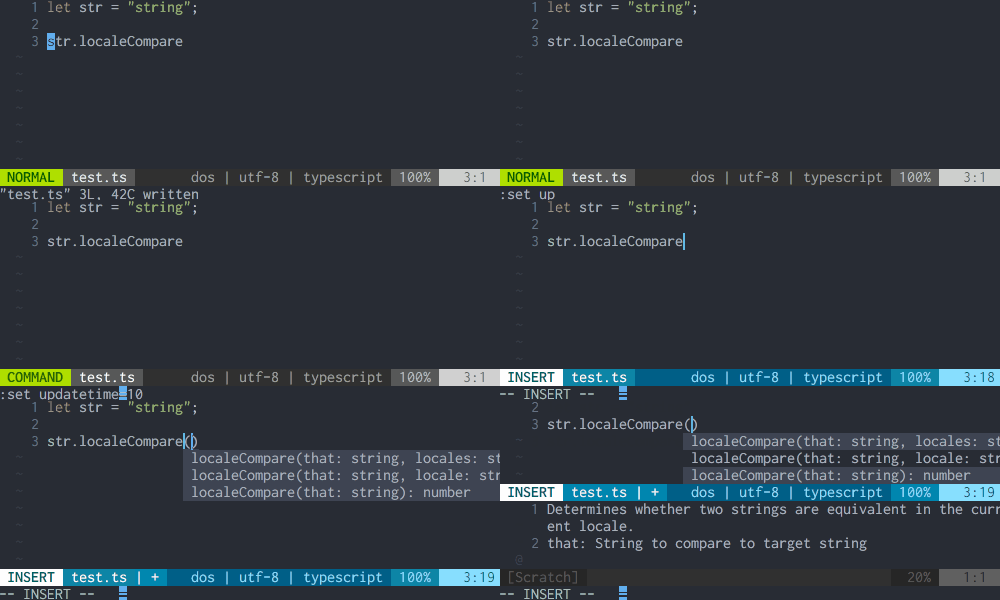
Call signature help
It show call signature infomations in popup menu using complete(). A bodies('word') of item in popup menu are empty, so no input on selection. If completeopt has preview, signature/parameter documentations are shown in preview window.
By default, signature help is shown at CursorHold event, If help exists at current cursor position.
Show compile error
"tscompletejob" provides syntastic checker named tscompletejob. If you use it, please add this checker to g:syntastic_typescript_checkers. For example,
let g:syntastic_typescript_checkers = ["tscompletejob"]Other features
- Symbol rename
:TsCompleteJobRename - Code formatting
:TsCompleteJobFormat - Show Occurrences
:TsCompleteJobReferences - Quick code fix
:TsCompleteJobCodeFix
About default key mappings, see help.
Debugging
:TsCompleteJobStatus show status of job. If you need restart job, you can use TsCompleteJobRestart.
Use another typescript version
The typescript version bundled this plugin is currently 2.7.1. If you want use another typescript version, please set g:tscompletejob_custom_tsserver.
let g:tscompletejob_custom_tsserver = "/path/to/tsserver.js"Settings and Customization
See help.
Demo
- Code complete
- Goto Definition
- Call signature help
Running tests
- Install Vader
- Execute
:Vader test/tscompletejob.vader