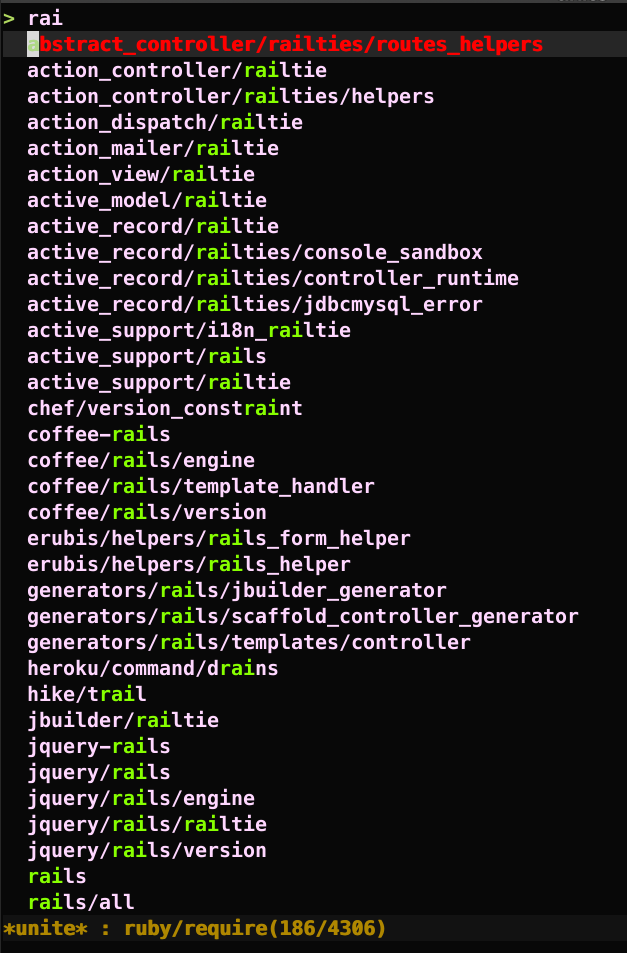
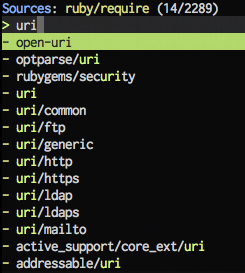
Ⅰ. 插件描述
A unite.vim source for searching gems to requireⅡ. 基本信息
|
Ⅲ. 安装方法
使用Vundle管理器安装
在你的.vimrc下添加:Plugin 'rhysd/unite-ruby-require-vim':source %
:PluginInstall对于Vundle版本 < 0.10.2,请用上面的Bundle替换Plugin。
使用NeoBundle管理器安装
在你的.vimrc下添加:NeoBundle 'rhysd/unite-ruby-require-vim':source %
:NeoBundleInstall使用VimPlug管理器安装
在你的.vimrc下添加:Plug 'rhysd/unite-ruby-require-vim':source %
:PlugInstall使用Pathogen管理器安装
在终端中运行以下命令:cd ~/.vim/bundle
git clone https://github.com/rhysd/unite-ruby-require.vimⅣ. 文档说明
# Search Ruby libraries and gems to require with unite.vim
This Vim plugin is a unite.vim source
for searching paths for require in Ruby.
This plugin searches Ruby standard library paths, gem's default paths, and
bundler's local paths. Everything is done asynchronously, and also it caches.
Usage
:Unite ruby/requireIt may take time on the first run if you have many gem libraries, but they'll show up immediately when you try again, since unite-ruby-require caches the result.
If you wan't to clear the cache and re-calculate, type <C-l> in normal mode
in unite window by default. Check h <Plug>(unite_redraw) for more detail in
the unite core doc.
Authors
- rhysd
- ujihisa
License
GPL-3 or later
Setting
(OPTIONAL) You can set ruby command to use for searching gems tog:unite_source_ruby_require_cmd. By default unite-ruby-require will
look up from $PATH.
Example:
rbenv users
let g:unite_source_ruby_require_cmd = '$HOME/.rbenv/shims/ruby'manual install
let g:unite_source_ruby_require_cmd = '$HOME/git/ruby/local/bin/ruby'jruby
let g:unite_source_ruby_require_cmd = '/usr/bin/jruby'
Note that you don't have to specify it if you use /usr/bin/ruby.
Screenshots