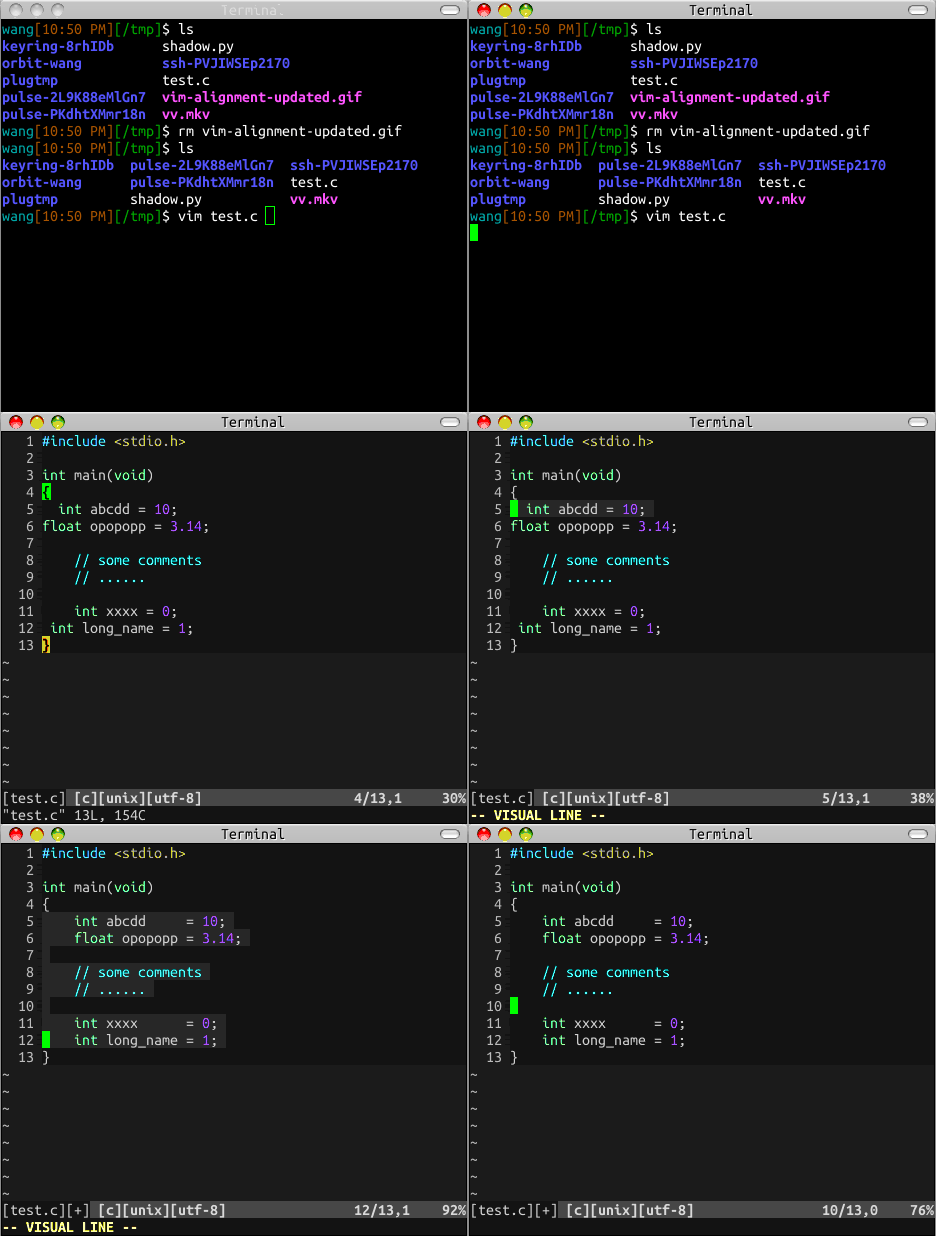
Ⅰ. 插件描述
Align What You Want!Ⅱ. 基本信息
|
Ⅲ. 安装方法
使用Vundle管理器安装
在你的.vimrc下添加:Plugin 'yueyoum/vim-alignment':source %
:PluginInstall对于Vundle版本 < 0.10.2,请用上面的Bundle替换Plugin。
使用NeoBundle管理器安装
在你的.vimrc下添加:NeoBundle 'yueyoum/vim-alignment':source %
:NeoBundleInstall使用VimPlug管理器安装
在你的.vimrc下添加:Plug 'yueyoum/vim-alignment':source %
:PlugInstall使用Pathogen管理器安装
在终端中运行以下命令:cd ~/.vim/bundle
git clone https://github.com/yueyoum/vim-alignmentⅣ. 文档说明
# Alignment.vim
Auto Align What You Want!
- select some lines
<Leader>[start the prompt and waiting you input one char- input
[for align the start positions of selected of lines,
ANY OTHERS char will align by the inputed char. <Leader>=is stortcut of<Leader>[then input=,
this will align the=
install