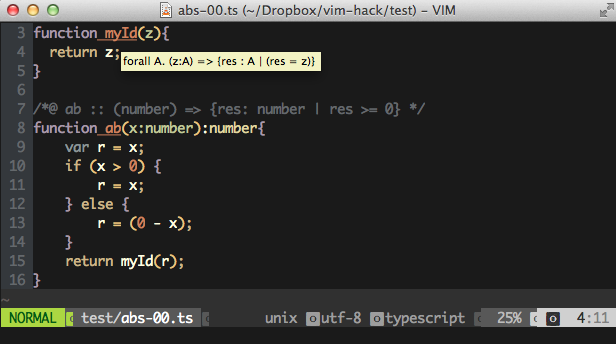
Ⅰ. 插件描述
Vim plugin for displaying type annotations of TypeScript programs produced by RefScript (https://github.com/UCSD-PL/RefScript)Ⅱ. 基本信息
|
Ⅲ. 安装方法
使用Vundle管理器安装
在你的.vimrc下添加:Plugin 'panagosg7/vim-annotations':source %
:PluginInstall对于Vundle版本 < 0.10.2,请用上面的Bundle替换Plugin。
使用NeoBundle管理器安装
在你的.vimrc下添加:NeoBundle 'panagosg7/vim-annotations':source %
:NeoBundleInstall使用VimPlug管理器安装
在你的.vimrc下添加:Plug 'panagosg7/vim-annotations':source %
:PlugInstall使用Pathogen管理器安装
在终端中运行以下命令:cd ~/.vim/bundle
git clone https://github.com/panagosg7/vim-annotationsⅣ. 文档说明
vim-annotations
Vim plugin intended for displaying type annotations of programs produced by
tools like RefScript.
This plugin has been inspired by the following plugins:
Installation
The easiest way to install is through Vundle
Just add the following line in your .vimrc:
Bundle "panagosg7/vim-annotations"
Valid input
This plugin is intended for displaying type annotations of TypeScript programs
produced by [nano-js] (https://github.com/UCSD-PL/nano-js).
In particular, the format recognized is the following:
<col1>:<line1>-<line2>:<col2>::<content>
Where <col1> and <line1> are the column and line of the beginnig of the
annotated code and <col2> and <line2> those of the end. <Content> can be
any singel-line string. End of line (\n) is supported, and will be shown
accordingly.
Usage
Load annotation file
:LoadAnns /path/to/annotation/file
After the annotation file has been loaded the following operations are enabled.
Load default annotation file
:LoadAnnsDefault
The above loads the default annotations file foo.vim.annot, sparing the user
from having to specify a particular annotation file, if so desired.
Invoke type query
- Move cursor on expression that needs to be identified.
- Hit
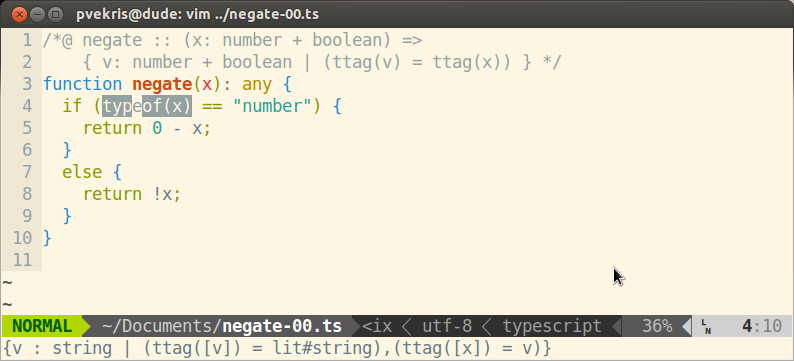
<F1>. The relevant type should appear in the quickfix box. - By hitting
<F1>multiple times, you can iterate over the possibly many
expressions that contain the current screen cell. The expression that is
identified every time will be highlighted.
Clear highlight
Hit <F2>, to clear selection.
Hover Annotations
On gvim or macvim hovering the mouse over an identifier will display the
inferred type for the identifier, if one exists.