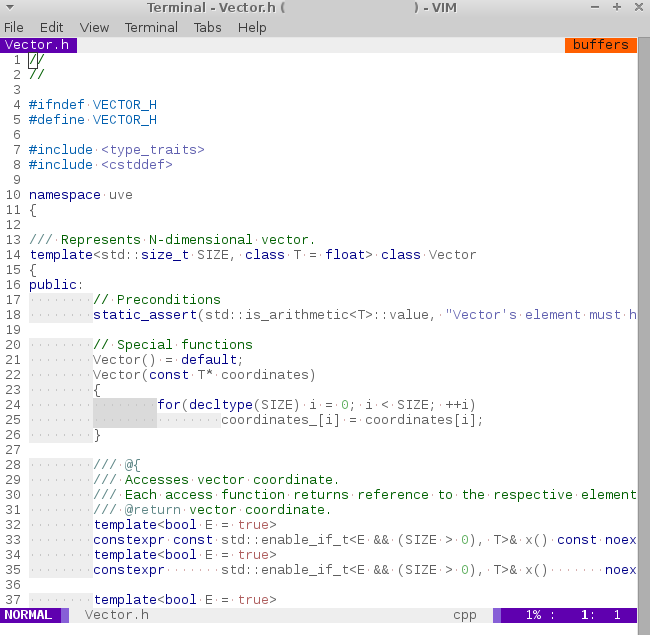
Ⅰ. 插件描述
A light color scheme for Vim & gVimⅡ. 基本信息
|
Ⅲ. 安装方法
使用Vundle管理器安装
在你的.vimrc下添加:Plugin 'everard/vim-aurora-are-made-of':source %
:PluginInstall对于Vundle版本 < 0.10.2,请用上面的Bundle替换Plugin。
使用NeoBundle管理器安装
在你的.vimrc下添加:NeoBundle 'everard/vim-aurora-are-made-of':source %
:NeoBundleInstall使用VimPlug管理器安装
在你的.vimrc下添加:Plug 'everard/vim-aurora-are-made-of':source %
:PlugInstall使用Pathogen管理器安装
在终端中运行以下命令:cd ~/.vim/bundle
git clone https://github.com/everard/vim-auroraⅣ. 文档说明
# Aurora color scheme
In order to install this color scheme:
- on GNU+Linux, copy colors/aurora.vim to ~/.vim/colors/aurora.vim
- on Windows, copy colors/aurora.vim to C:/Users/YOUR_USERNAME/vimfiles/colors/aurora.vim
To load this scheme in Vim, use command
:colorscheme aurora
or add the following line to your vimrc file:
colorscheme aurora
Using scheme with vim-airline plugin
In order to use this scheme with vim-airline plugin (https://github.com/bling/vim-airline), you can
- copy vim-airline/autoload/airline/themes/aurora.vim file to your vim-airline directory.
To load this scheme in vim-airline, add the following lines to your vimrc file:
let g:airline_theme = 'aurora'
Using color scheme with vim-indent-guides plugin
This color scheme is compatible with vim-indent-guides plugin (https://github.com/nathanaelkane/vim-indent-guides).
To enable scheme colors for indent guides, add the following lines to your vimrc file:
" Enable indent guides and let coloscheme specify custom colors for them
let g:indent_guides_enable_on_vim_startup = 1
let g:indent_guides_auto_colors = 0
Licence
This colorscheme is distributed under the Boost Software License, Version 1.0.
See accompanying file LICENSE_1_0.txt or copy at (https://www.boost.org/LICENSE_1_0.txt).
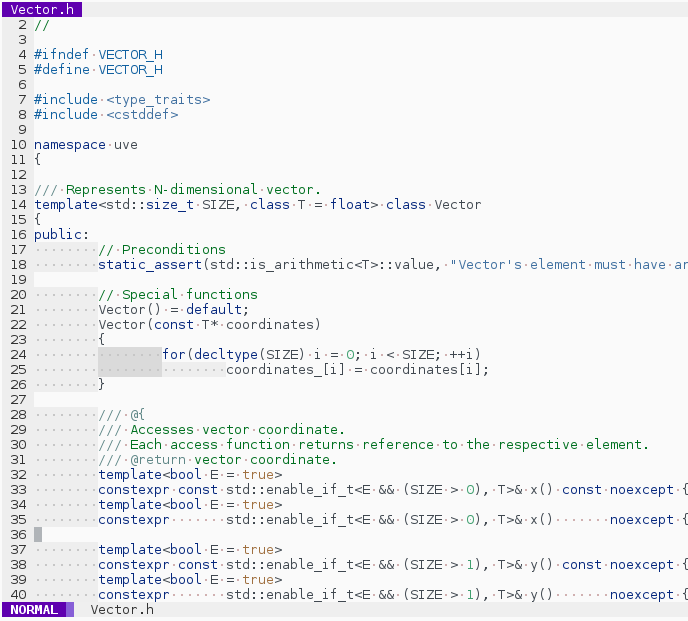
Screenshots
GUI
Terminal