Ⅰ. 插件描述
Automatic input method switching for vimⅡ. 基本信息
|
Ⅲ. 安装方法
使用Vundle管理器安装
在你的.vimrc下添加:Plugin 'rlue/vim-barbaric':source %
:PluginInstall对于Vundle版本 < 0.10.2,请用上面的Bundle替换Plugin。
使用NeoBundle管理器安装
在你的.vimrc下添加:NeoBundle 'rlue/vim-barbaric':source %
:NeoBundleInstall使用VimPlug管理器安装
在你的.vimrc下添加:Plug 'rlue/vim-barbaric':source %
:PlugInstall使用Pathogen管理器安装
在终端中运行以下命令:cd ~/.vim/bundle
git clone https://github.com/rlue/vim-barbaricⅣ. 文档说明
⌨️ Barbaric
vim + non-Latin input = pain. Barbaric is the cure.
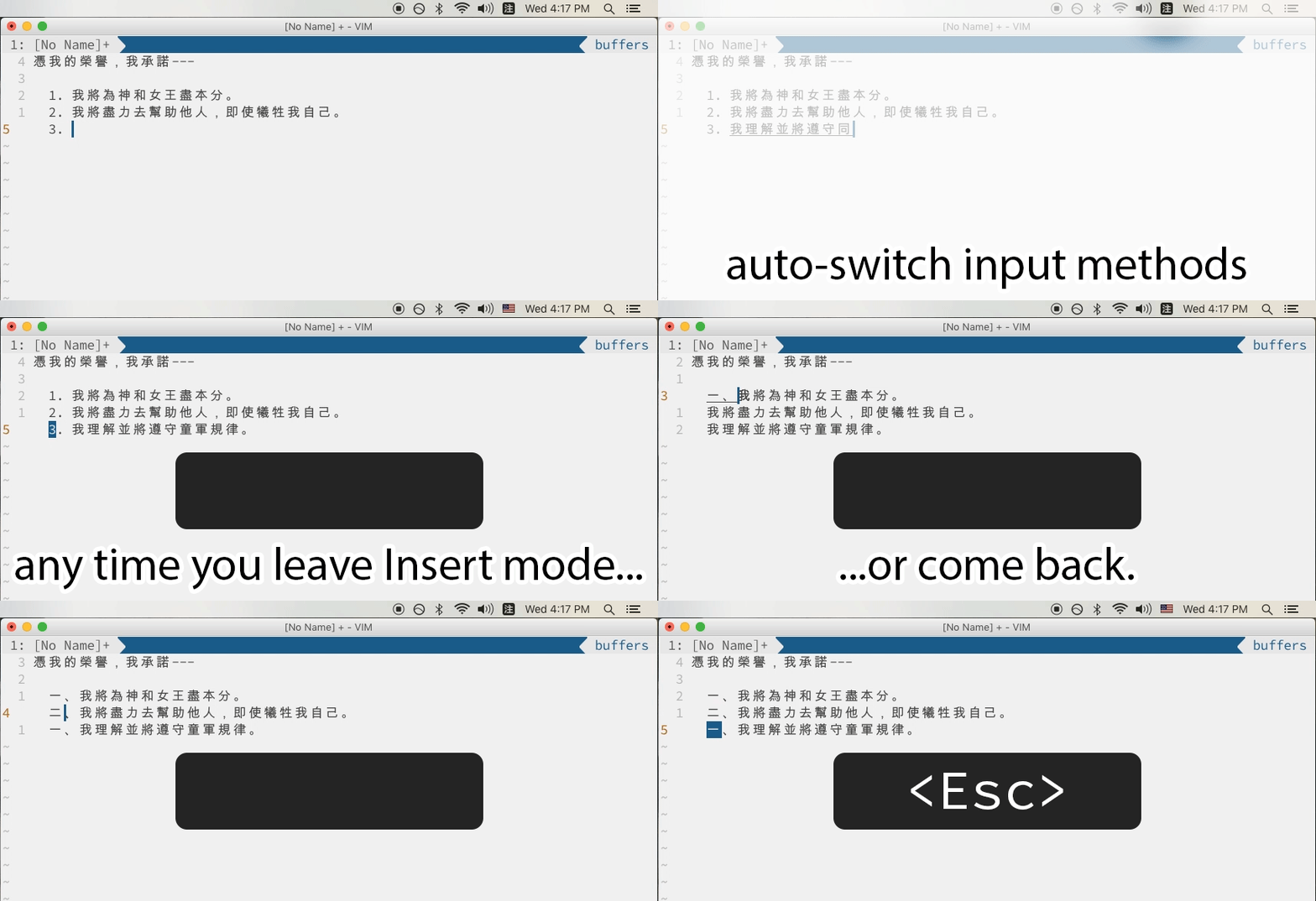
Why?
Normal mode mappings (_e.g.,_ h / j / k / l) are all 8-bit ASCII characters. That means that when you want to work on a file in Russian (or Greek or Chinese), you’ve got to switch back to English (or Spanish or German) every time you leave Insert mode.
Barbaric detects which input method is active when you first launch vim, then again any time you leave Input mode, and switches between them for you automatically.
No, I mean why ‘Barbaric’?
From Wikipedia (emphasis mine):
The Greeks used the term barbarian for all non-Greek-speaking peoples,
including the Egyptians, Persians, Medes and Phoenicians, emphasizing their
otherness, because the language they spoke sounded to Greeks like gibberish
represented by the sounds “bar bar bar”....The Romans adapted the term to refer to anything non-Roman.
Vim doesn’t play nicely with non-Latin scripts; i.e., input languages of non-Roman origin. Ipso facto, this is a plugin for barbarians.
Supported IMEs
- fcitx
- ibus
macOS (requires xkbswitch-macosx)
# Install via:
$ curl -o /usr/local/bin/xkbswitch https://raw.githubusercontent.com/myshov/xkbswitch-macosx/master/bin/xkbswitch
If you need support for another IME or input system, consider:
- built-in support for X11 and MS-Windows IMEs (
:help mbyte-XIM/:help mbyte-IME), - built-in multi-byte keymaps (
:help mbyte-keymap/ explained here), or - vim-xkbswitch.
Installation
There are lots of vim plugin managers out there. I like vim-plug.
Usage
Barbaric should work out of the box provided that whenever you launch vim, the active input method is the one you want to use in Normal mode. If that’s not the case, be sure to set the first option in the configuration section below.
Known bugs
On macOS, in certain input methods (notably Chinese and Korean), switching windows away from vim and back can cause xkbswitch to malfunction. The problem is described here.
Configuration
To change the default behavior of _Barbaric_, modify the lines below and add them to your .vimrc.
" The input method for Normal mode (as defined by `xkbswitch -g` or `ibus engine`)
let g:barbaric_default = 0

" The scope where alternate input methods persist (buffer, window, tab, global)
let g:barbaric_scope = 'buffer'

" Forget alternate input method after n seconds in Normal mode (disabled by default)
" Useful if you only need IM persistence for short bursts of active work.
let g:barbaric_timeout = -1
License
The MIT License (MIT)
Copyright © 2017 Ryan Lue