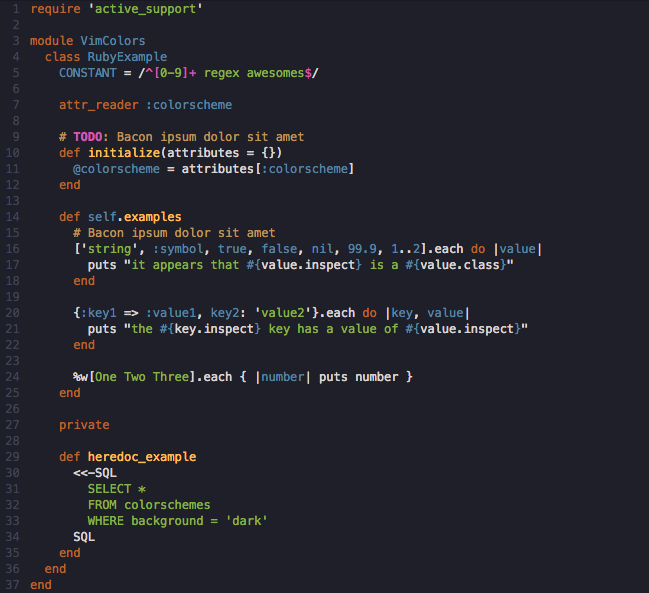
Ⅰ. 插件描述
The coffee colors scheme for vimⅡ. 基本信息
|
Ⅲ. 安装方法
使用Vundle管理器安装
在你的.vimrc下添加:Plugin 'duythinht/vim-coffee':source %
:PluginInstall对于Vundle版本 < 0.10.2,请用上面的Bundle替换Plugin。
使用NeoBundle管理器安装
在你的.vimrc下添加:NeoBundle 'duythinht/vim-coffee':source %
:NeoBundleInstall使用VimPlug管理器安装
在你的.vimrc下添加:Plug 'duythinht/vim-coffee':source %
:PlugInstall使用Pathogen管理器安装
在终端中运行以下命令:cd ~/.vim/bundle
git clone https://github.com/duythinht/vim-coffeeⅣ. 文档说明
You should change it to 256colors base colorscheme for better experience:
https://github.com/duythinht/inori
The coffee colors scheme for vim
Install using Pathogen:
cd ~/.vim/bundle
git clone https://github.com/duythinht/vim-coffee
Install using Vundle
Plugin 'duythinht/vim-coffee'
Modify .vimrc
syntax enable
colorscheme coffee
Previews: