Ⅰ. 插件描述
This plugin provides to edit RGB and HSL.Ⅱ. 基本信息
|
Ⅲ. 安装方法
使用Vundle管理器安装
在你的.vimrc下添加:Plugin 'rbtnn/vim-coloredit':source %
:PluginInstall对于Vundle版本 < 0.10.2,请用上面的Bundle替换Plugin。
使用NeoBundle管理器安装
在你的.vimrc下添加:NeoBundle 'rbtnn/vim-coloredit':source %
:NeoBundleInstall使用VimPlug管理器安装
在你的.vimrc下添加:Plug 'rbtnn/vim-coloredit':source %
:PlugInstall使用Pathogen管理器安装
在终端中运行以下命令:cd ~/.vim/bundle
git clone https://github.com/rbtnn/vim-coloreditⅣ. 文档说明
# vim-coloredit
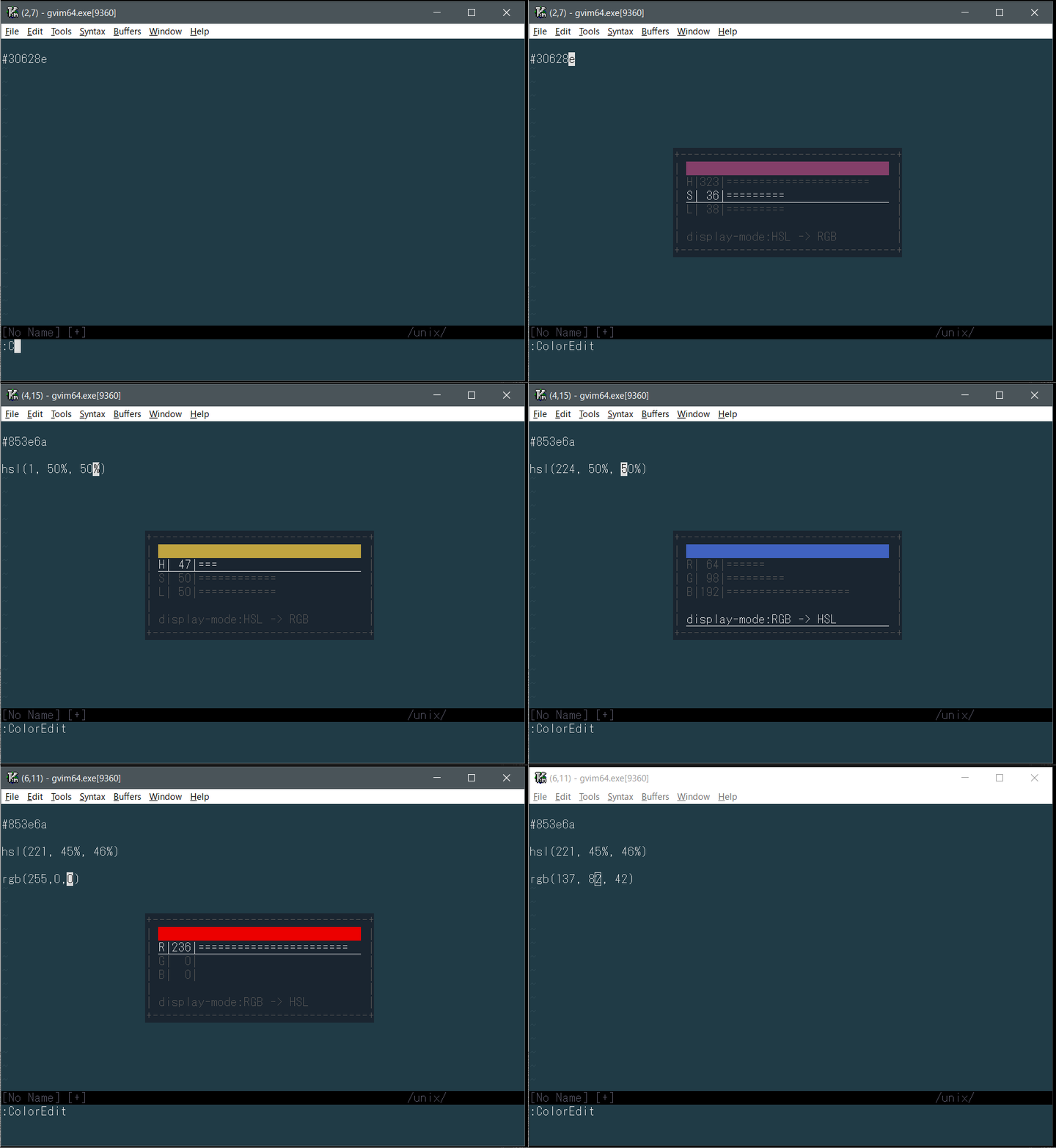
This plugin provides to edit RGB and HSL such as the following:
hsl({hue},{saturation}%,{lightness}%)hsla({hue},{saturation}%,{lightness}%,{alpha})rgb({red},{green},{blue})rgba({red},{green},{blue},{alpha})#rrggbb
When you edit rgba() or hsla(), this plugin does not support to edit the alpha value.
Also this plugin provides to switch to another display-mode such as RGB and HSL.
Requirements
- Vim only. Does not support Neovim
- Vim must be compiled with
+popupwinor+textpropfeature - 256 bit color
Concepts
- This plugin does not provide to customize user-settings.
- This plugin provides only one command.
Installation
This is an example of installation using vim-plug.
Plug 'rbtnn/vim-coloredit'Usage
:ColorEdit
License
Distributed under MIT License. See LICENSE.