Ⅰ. 插件描述
Extended highlighting rules for vim-goⅡ. 基本信息
|
Ⅲ. 安装方法
使用Vundle管理器安装
在你的.vimrc下添加:Plugin 'ajswis/vim-colorful-go':source %
:PluginInstall对于Vundle版本 < 0.10.2,请用上面的Bundle替换Plugin。
使用NeoBundle管理器安装
在你的.vimrc下添加:NeoBundle 'ajswis/vim-colorful-go':source %
:NeoBundleInstall使用VimPlug管理器安装
在你的.vimrc下添加:Plug 'ajswis/vim-colorful-go':source %
:PlugInstall使用Pathogen管理器安装
在终端中运行以下命令:cd ~/.vim/bundle
git clone https://github.com/ajswis/vim-colorful-goⅣ. 文档说明
# vim-colorful-go
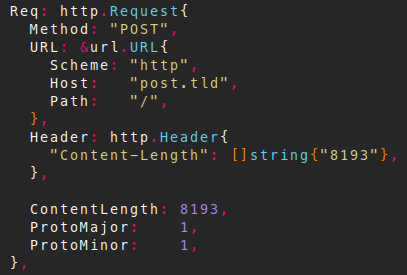
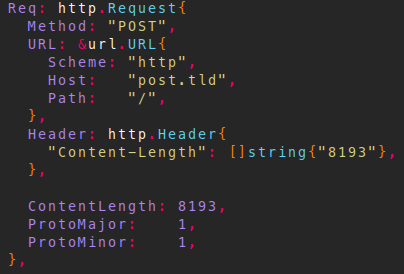
vim-colorful-go is an addendum to vim-go's
syntax highlighting. This plugin assumes you have
vim-go installed and is untested outside that
assumption.
| Before | After |
|---|---|
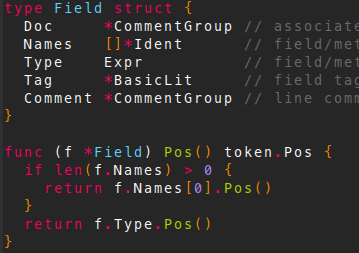 | 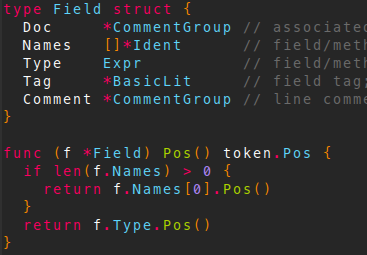 |
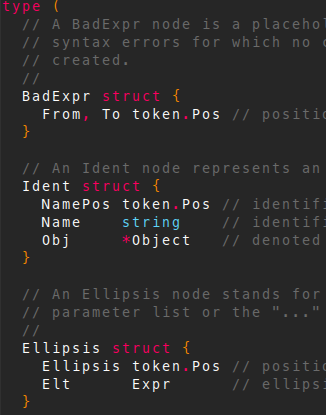 | 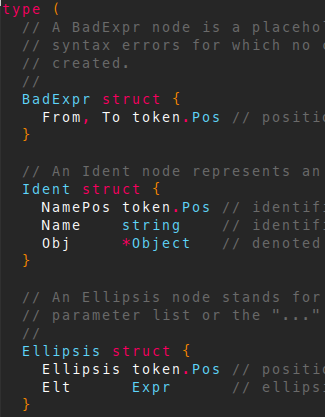 |
 |  |
Features
Mostly, this plugin highlights non-native types when appropriate. It assumes
formatting matches the output of gofmt.
vim-colorful-go also uses the same highlighting option flags as vim-go.
Some things that are now highlighted:
- types in
type (...)blocks - type declarations in structs
- types in function parameters
- types in function returns
- literal struct fields
- ..probably more I can't remember
Install
vim-colorful-go follows the standard runtime path structure. You may use your
favorite package manager. Below are some helper lines for popular package
managers:
git clone https://github.com/ajswis/vim-colorful-go.git ~/.vim/bundle/vim-colorful-go
Plug 'ajswis/vim-colorful-go'
git clone https://github.com/ajswis/vim-colorful-go.git ~/.vim/pack/plugins/start/vim-colorful-go