Ⅰ. 插件描述
A vim plugin to diff two lines of a bufferⅡ. 基本信息
|
Ⅲ. 安装方法
使用Vundle管理器安装
在你的.vimrc下添加:Plugin 'statox/vim-compare-lines':source %
:PluginInstall对于Vundle版本 < 0.10.2,请用上面的Bundle替换Plugin。
使用NeoBundle管理器安装
在你的.vimrc下添加:NeoBundle 'statox/vim-compare-lines':source %
:NeoBundleInstall使用VimPlug管理器安装
在你的.vimrc下添加:Plug 'statox/vim-compare-lines':source %
:PlugInstall使用Pathogen管理器安装
在终端中运行以下命令:cd ~/.vim/bundle
git clone https://github.com/statox/vim-compare-linesⅣ. 文档说明
# Vim-Compare-lines
Quickly compare two lines in a vim buffer.
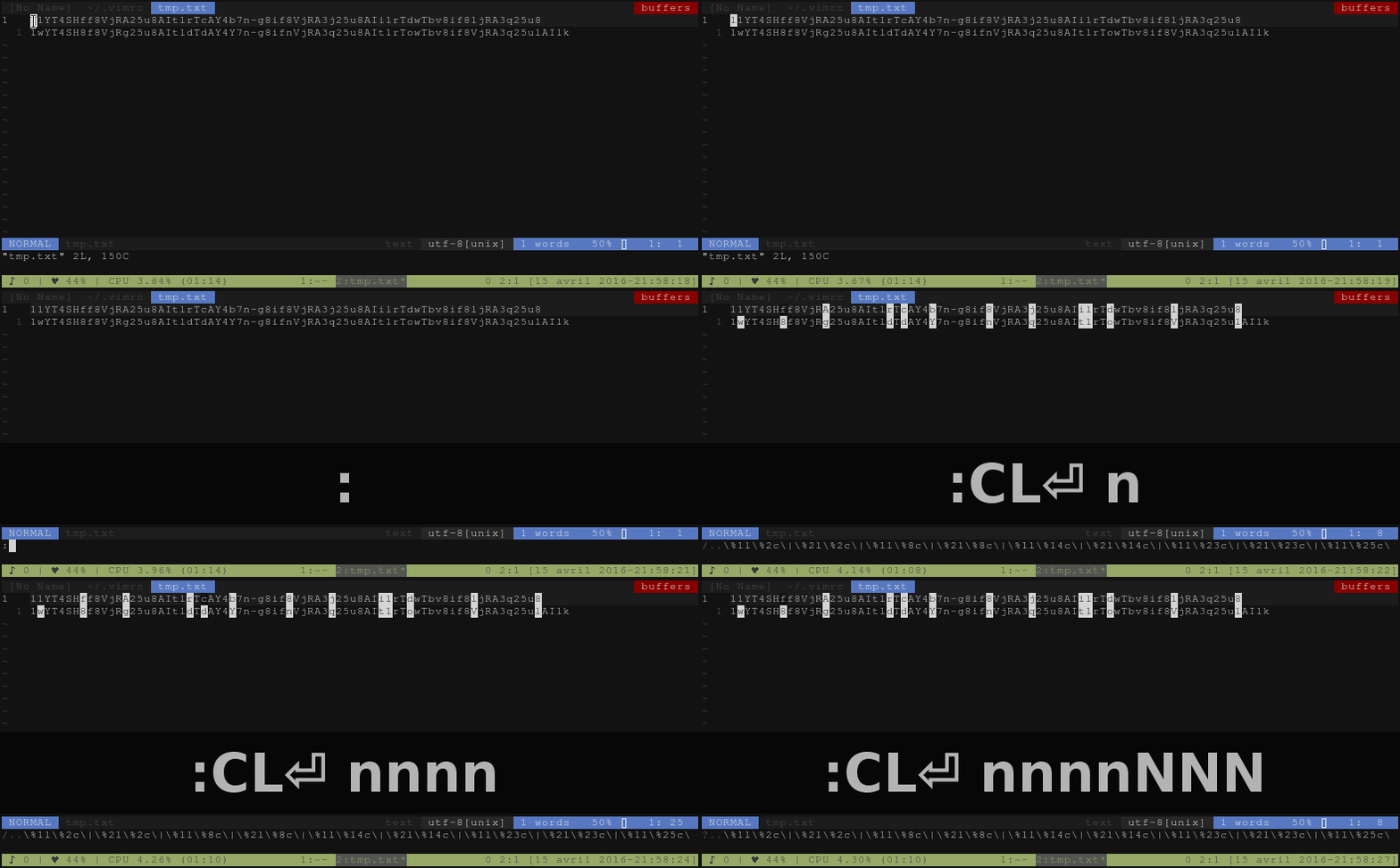
Compare-lines is a plugin which allows you to select two lines and put the
differencies between these lines in the search register.
The differences are then highlighted as searches and you can navigate through
them with the n and N commands.
See it in action
How to use it
Compare-lines enable the :CL command which start the diff between two lines.
The command can be used with three types of invocation:
:CLWill start the diff between current line (where the cursor is currently
positionned) and the line under it.
:CL 42Will start the diff between the current line and the line 42.
:CL 42 66Will start the diff between the line 42 and the line 66.