Ⅰ. 插件描述
Enhancement's to Vim's C-Sharp FunctionalityⅡ. 基本信息
|
Ⅲ. 安装方法
使用Vundle管理器安装
在你的.vimrc下添加:Plugin 'oranget/vim-csharp-the-lucky-one':source %
:PluginInstall对于Vundle版本 < 0.10.2,请用上面的Bundle替换Plugin。
使用NeoBundle管理器安装
在你的.vimrc下添加:NeoBundle 'oranget/vim-csharp-the-lucky-one':source %
:NeoBundleInstall使用VimPlug管理器安装
在你的.vimrc下添加:Plug 'oranget/vim-csharp-the-lucky-one':source %
:PlugInstall使用Pathogen管理器安装
在终端中运行以下命令:cd ~/.vim/bundle
git clone https://github.com/oranget/vim-csharpⅣ. 文档说明
Vim-CSharp
This Vim bundle extends Vim's built in support for CSharp files.
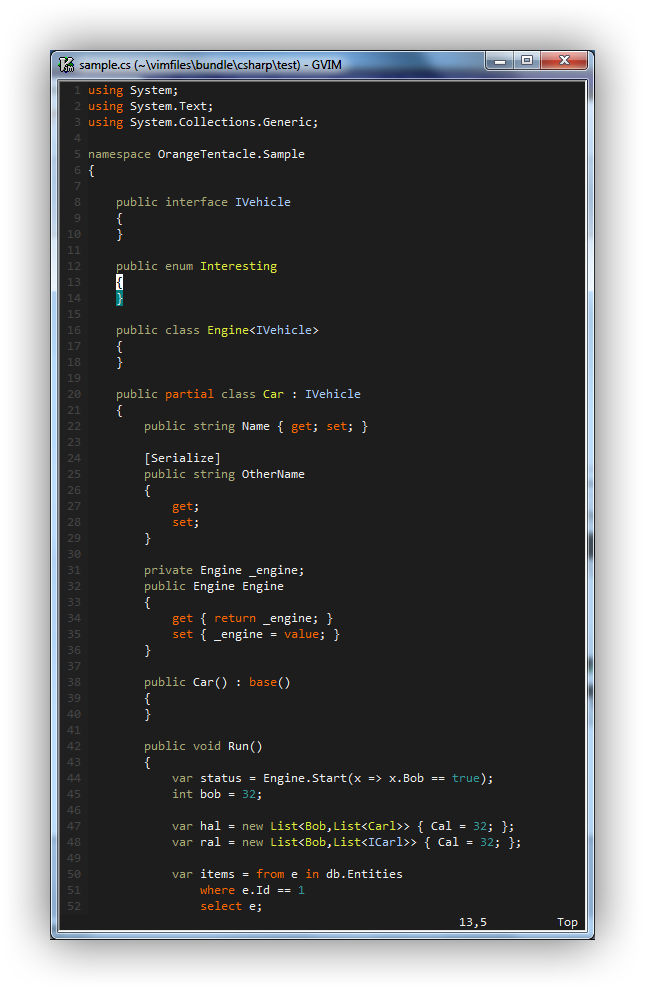

Compliments Omnisharp rather well.
New Features
- Snippets for Razor files, Webforms based MVC views, Xunit and Moq.
- Added basic syntax highlighting for razor files.
Installation
If you don't have a preferred installation method, I recommend installing pathogen.vim, and then simply copy and paste:
OS X/Linux:
cd ~/.vim/bundle
git clone git://github.com/OrangeT/vim-csharp.git
Windows:
cd c:\users\[username]\vimfiles\bundle
git clone git://github.com/OrangeT/vim-csharp.git
Syntax Highlighting
Existing CSharp highlighting plus:
- Support for async/await keywords.
- Support for var keyword.
- Support for LINQ keywords.
- Support for automatic properties.
- Context highlighting of Interface/Class names.
- Highlighting of Generic Types.
Razor highlighting:
- Uses html formatting for ... html.
- Recognises @{} and @ blocks and formats using c-sharp highlighting.
Interface/Class Names
Interface/Class names are aliased to the Type group, for inclusion with your existing colour schemes. Alternatively, add specific highlighting for csIface and csClass to your colour scheme.
Snippets
Snippets are designed to work with vim-snipmate. Snippet support is relatively new, and is currently being trialled by fire. If you find a problem, feel free to raise an issue.
Razor/ASPX Snippets
Razor snippets are designed to be deterministic and as productive as possible. Your best bet is to familiarise yourself with the snippet files (snippets/cshtml.snippets, snippets/aspx.snippets). Snippets take the form:
- Language declaration character (@ for Razor, % for Webforms)
- Initals of required control (tbf = TextBoxFor)
- Additional options (m = model, _ = html attr. collection, . = html attr. collection with class )
This means that for a "text box for" with a class attribute in razor, type @tbf. followed by your expansion key (default tab).
Xunit, Moq Snippets
Additional snippets are provided to reduce time spent writing unit tests.
Xunit assertions are prefixed by x, followed by the test type, followed by a ! to negate. So a does not contain assertion is created by typing xcontains! followed by the expansion key (default tab).
There are only two moq snippets, "moq" which then requests which scenario to complete to (there are many), and "it" which expands to It.IsAny<>.
Compiler/MsBuild Support
Executing :make will look for a .sln file in the root of the working directory. If found, will run MSBuild against the highest available msbuild.exe available on the system. Errors are available in the QuickFix window.
See second screenshot above for overview.
(Note: This feature does not look for msbuild.exe in your path, but looks directly in c:/windows/Microsoft.NET for a msbuild.exe.)
Custom Build/Solution File
To use your own build file, call the following command:
:MsProjFile [path to build file]Custom Framework Version
Framework version can be overridden with the following:
:MsVersion [4, 3.5, 2, 1]Passing Parameters to :make
You can pass parameters to :make which will in turn pass them to MsBuild. This is useful for passing a variety of options, including a custom target for testing:
:MsProjFile build.proj
:make /target:Test
Todo
- Highlighting of types in attributes.
- Adding and removing classes/files from projects and solutions (hook into NERDTree?)