Ⅰ. 插件描述
Switching between similar files for Vim+CtrlPⅡ. 基本信息
|
Ⅲ. 安装方法
使用Vundle管理器安装
在你的.vimrc下添加:Plugin 'ivan-cukic/vim-ctrlp-switcher':source %
:PluginInstall对于Vundle版本 < 0.10.2,请用上面的Bundle替换Plugin。
使用NeoBundle管理器安装
在你的.vimrc下添加:NeoBundle 'ivan-cukic/vim-ctrlp-switcher':source %
:NeoBundleInstall使用VimPlug管理器安装
在你的.vimrc下添加:Plug 'ivan-cukic/vim-ctrlp-switcher':source %
:PlugInstall使用Pathogen管理器安装
在终端中运行以下命令:cd ~/.vim/bundle
git clone https://github.com/ivan-cukic/vim-ctrlp-switcherⅣ. 文档说明
Description
CtrlP extension for switching between similar files.
Usage
CtrlPSwitch          opens the switcher in the default mode (see below)
CtrlPSwitchBasic     opens the switcher in basic mode
CtrlPSwitchFull      opens the switcher in full mode
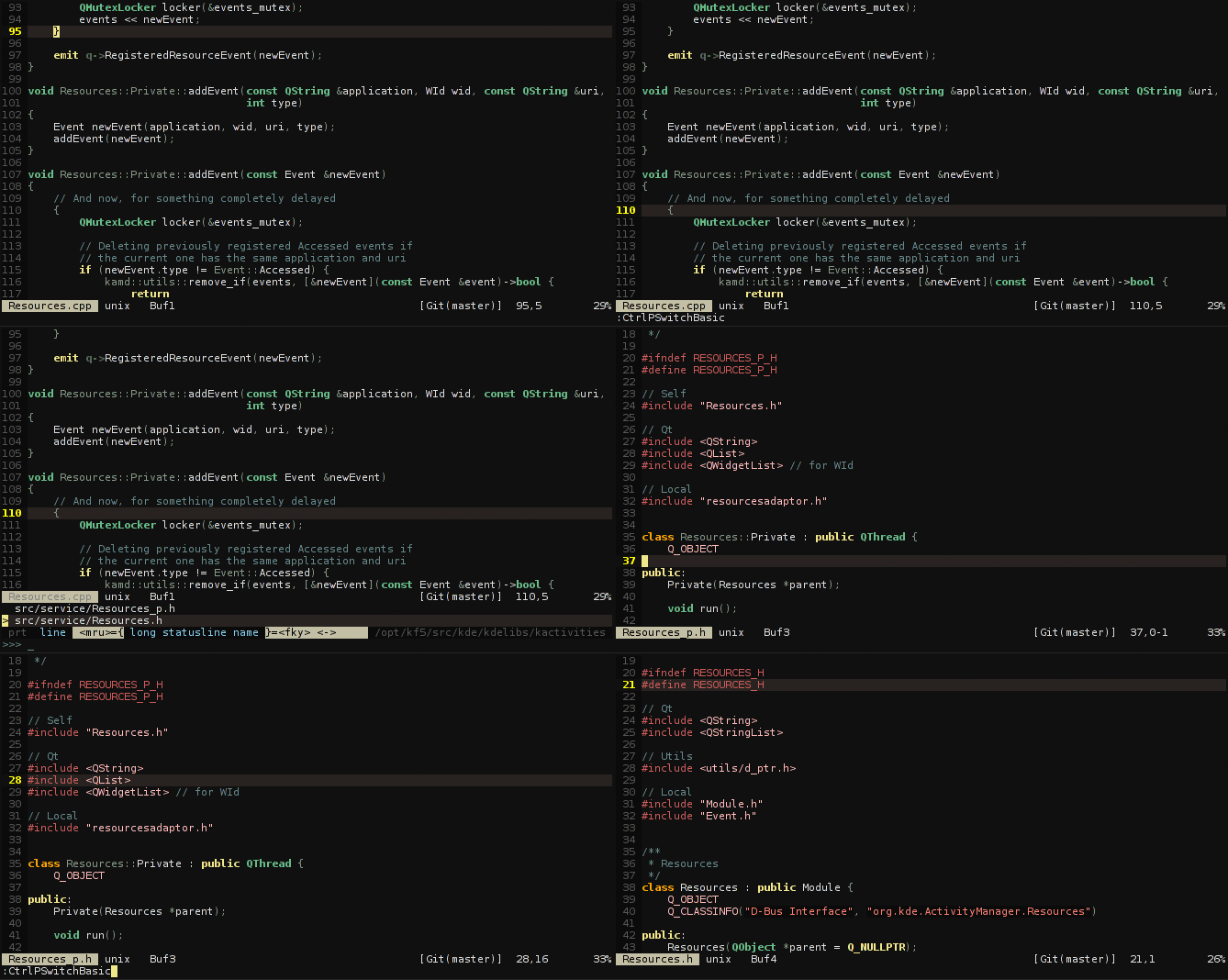
Basic Mode - Only the files with the same name (minus extension)
In this mode, the plugin shows only the files that have
the same name as the current one, but have a different extension.
It also supports the 'private' class files.
For example, for Resources.h, it will show:
Resources.cpp
Resources_p.h
Resources_p.cpp
The completion in this mode is instantaneous.
This mode is inspired by Derek Wyatt's fswitch plugin
(https://github.com/derekwyatt/vim-fswitch)
but a little bit more powerful.
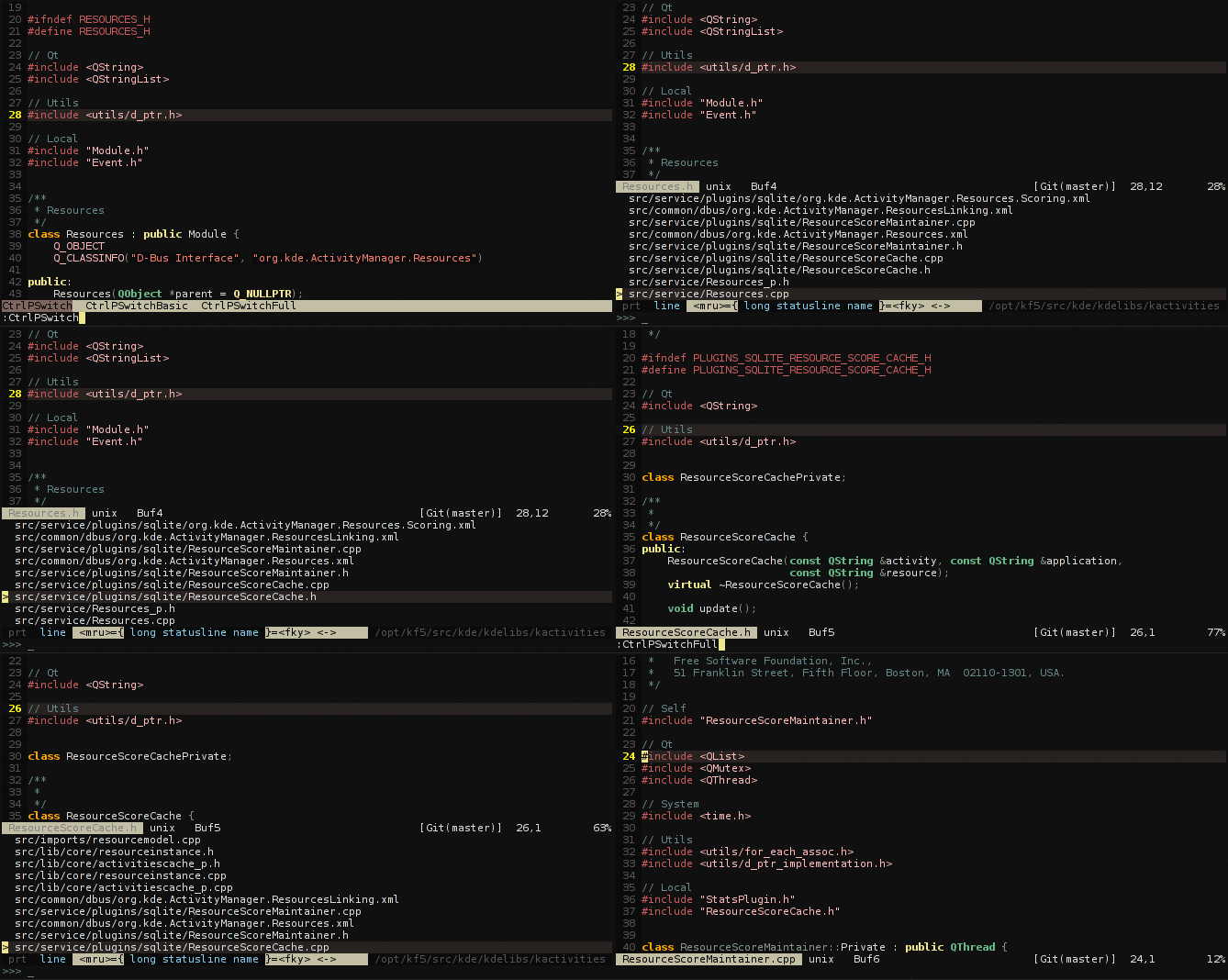
Full Mode - Files that match any of the words from the current file's name (Default)
If you use the CamelCase, or the snake_case naming scheme for your files,
the plugin will extract the words from the current file's name
and search (using the find command) for the files that have any of those
words in their names.
For example, for ResourceActor.scala, it will return:
ResourceTable.scala
ResourceService.scala
SomethingElseActor.scala
The completion is slower, so you are advised to localize the search
by defining the g:ctrlpswitcher_project_sources to point to the
directory under which you want to search.
Setting the default mode
By default, CtrlPSwitch opens up the full mode. If you want to change
that behavior, you can put
let g:ctrlpswitcher_mode = 1
in your main .vimrc, or in a project's local .vimrc
(if you are using MarcWeber/vim-addon-local-vimrc.git or exrc)
1 is for the basic mode
2 is for the full mode
Installation
You need the CtrlP extension by kien.
If you are using Vundle, just do this:
let g:ctrlp_extensions = ['funky','switcher']
Bundle 'kien/ctrlp.vim'
Bundle 'ivan-cukic/vim-ctrlp-switcher'
Tasks for grabs
Some things that would be nice additions to the plugin, if anybody is
willing to work on them:
- Make it obey wildignore when listing the files
- Make a similarity-based sort of the results
- Optimize full mode with some sort of cache