Ⅰ. 插件描述
Plugin highlighting word under cursor and all of its occurencesⅡ. 基本信息
|
Ⅲ. 安装方法
使用Vundle管理器安装
在你的.vimrc下添加:Plugin 'dominikduda/vim-current-word':source %
:PluginInstall对于Vundle版本 < 0.10.2,请用上面的Bundle替换Plugin。
使用NeoBundle管理器安装
在你的.vimrc下添加:NeoBundle 'dominikduda/vim-current-word':source %
:NeoBundleInstall使用VimPlug管理器安装
在你的.vimrc下添加:Plug 'dominikduda/vim-current-word':source %
:PlugInstall使用Pathogen管理器安装
在终端中运行以下命令:cd ~/.vim/bundle
git clone https://github.com/dominikduda/vim_current_wordⅣ. 文档说明

vim_current_word
Plugin highlighting word under cursor and all of its occurrences.
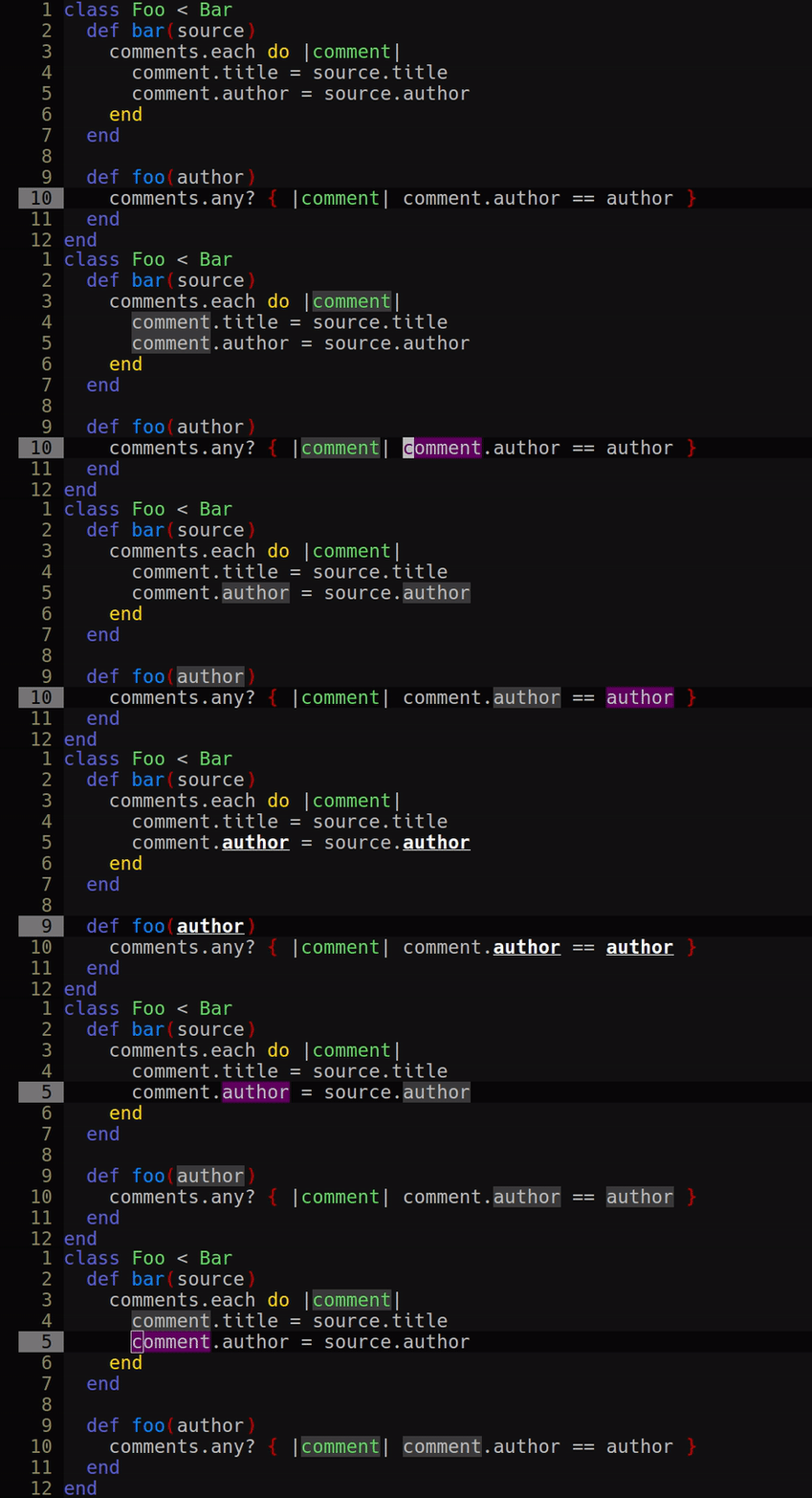
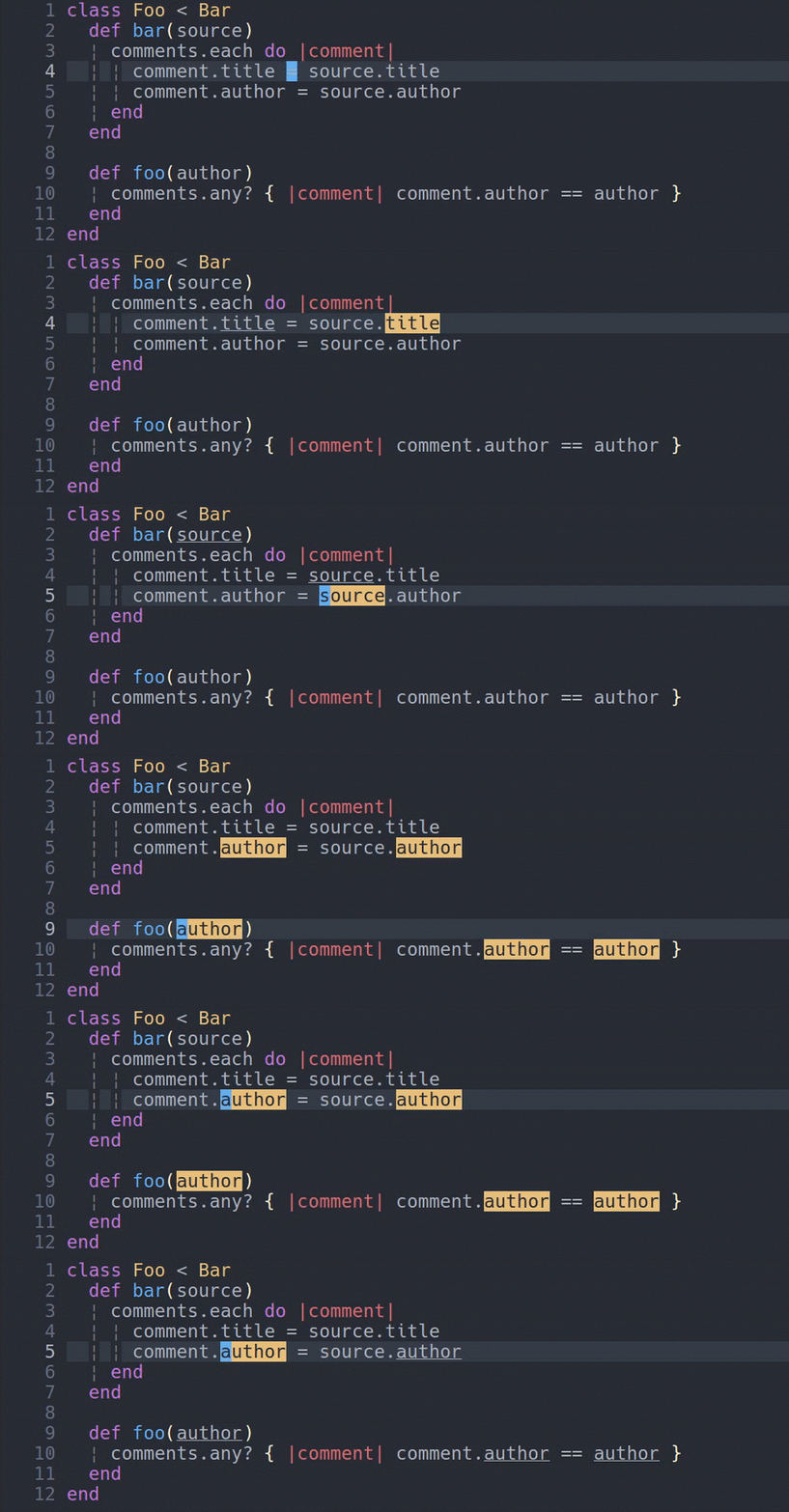
Why should you use it?
- Helps predict how vim word movements (
w,e,b) will behave - Plays well with
*and# - Instant access to information where the variable under cursor is used
- Works out of the box!
The most importantly it solves all the problems other similar plugins have with knowing what exactly is a word and when cursor is on the word.
Plugin determines what is a word based on what is a keyword in current file type. For example foo#bar in .vim file will be a single word (because vimscript allows to put # as part of variable name), but in .rb file foo#bar will be considered as two words (because # starts comment).
Installation
via Plug, Neobundle or Vundle:
Plug 'dominikduda/vim_current_word'
NeoBundle 'dominikduda/vim_current_word'
Plugin 'dominikduda/vim_current_word'
via Pathogen:
git clone https://github.com/dominikduda/vim_current_word.git ~/.vim/bundle/vim_current_wordQuick start
By default vim_current_word will underline twins of word under cursor and use your Search highlight group to color word under cursor. If you want to change this behavior see the styling section.
Plugin defines :VimCurrentWordToggle command which enables/disables plugin on the fly.
Customization (values written here are defaults)
Enable/disable highlighting of:
" Twins of word under cursor:
let g:vim_current_word#highlight_twins = 1
" The word under cursor:
let g:vim_current_word#highlight_current_word = 1
Delay highlighting:
Setting this option to more than 0 will enable delayed highlighting. The value of this variable is a delay in milliseconds.
let g:vim_current_word#highlight_delay = 0Enable/disable highlighting only in focused window:
Disabling this option will make the word highlight persist over window switches and even over focusing different application window.
let g:vim_current_word#highlight_only_in_focused_window = 1Blacklist buffers:
To prevent the plugin from running in one or more buffers add following to your vimrc:
autocmd BufAdd NERD_tree_*,your_buffer_name.rb,*.js :let b:vim_current_word_disabled_in_this_buffer = 1The example above disables the plugin in:
- Every buffer which name start with
NERD_tree_ - Every buffer which name equals
your_buffer_name.rb - Every buffer which name ends with
.js
Enable/disable plugin:
let g:vim_current_word#enabled = 1Styling
To change any style paste related code into your .vimrc
Change highlight style of twins of word under cursor:
hi CurrentWordTwins guifg=#XXXXXX guibg=#XXXXXX gui=underline,bold,italic ctermfg=XXX ctermbg=XXX cterm=underline,bold,italic
"                          └┴┴┴┴┤        └┴┴┴┴┤     └┴┴┴┴┴┴┴┴┴┴┴┴┴┴┴┴┴┴┴┤         └┴┤         └┴┤       └┴┴┴┴┴┴┴┴┴┴┴┴┴┴┴┴┴┴┴┤
"    gui-vim font color hex code│             │   gui-vim special styles│           │           │ console-vim special styles│
"    ───────────────────────────┘             │   ──────────────────────┘           │           │ ──────────────────────────┘
"            gui-vim background color hex code│     console-vim font term color code│           │
"            ─────────────────────────────────┘     ────────────────────────────────┘           │
"                                                         console-vim background term color code│
"                                                         ──────────────────────────────────────┘
Change highlight style of the word under cursor:
hi CurrentWord guifg=#XXXXXX guibg=#XXXXXX gui=underline,bold,italic ctermfg=XXX ctermbg=XXX cterm=underline,bold,italic
"                     └┴┴┴┴┴──┐     └┴┴┴┴┤     └┴┴┴┴┴┴┴┴┴┴┴┴┴┴┴┴┴┴┴┤         └┴┤         └┴┤       └┴┴┴┴┴┴┴┴┴┴┴┴┴┴┴┴┴┴┴┤
"  gui-vim font color hex code│          │   gui-vim special styles│           │           │ console-vim special styles│
"  ───────────────────────────┘          │   ──────────────────────┘           │           │ ──────────────────────────┘
"       gui-vim background color hex code│     console-vim font term color code│           │
"       ─────────────────────────────────┘     ────────────────────────────────┘           │
"                                                    console-vim background term color code│
"                                                    ──────────────────────────────────────┘
To achieve the style from the first gif (in terminal vim):
hi CurrentWord ctermbg=53
hi CurrentWordTwins ctermbg=237
Rather important notes:
- If you do not want any special styles just ommit them (or use
gui=NONE cterm=NONE) - Here you can find color codes for console-vim
FAQ:
Why doesn't my customized highlight work?
You have to set custom higlights below colorscheme in your .vimrc.
Advanced:
Change word under cursor twins or word under cursor match id. You should touch this only if you encounter some match id already taken error - theoretically may occur when some other plugin will override required id.
let g:vim_current_word#twins_match_id = 502
let g:vim_current_word#current_word_match_id = 502
Credits
Thanks to Bartosz Mąka for creating the gifs and testing.
Thanks to Dávid Csákvári for information about a script which was the inspiration for this plugin.