Ⅰ. 插件描述
A dark color scheme for vim based on Elflord.Ⅱ. 基本信息
|
Ⅲ. 安装方法
使用Vundle管理器安装
在你的.vimrc下添加:Plugin 'agude/vim-eldar':source %
:PluginInstall对于Vundle版本 < 0.10.2,请用上面的Bundle替换Plugin。
使用NeoBundle管理器安装
在你的.vimrc下添加:NeoBundle 'agude/vim-eldar':source %
:NeoBundleInstall使用VimPlug管理器安装
在你的.vimrc下添加:Plug 'agude/vim-eldar':source %
:PlugInstall使用Pathogen管理器安装
在终端中运行以下命令:cd ~/.vim/bundle
git clone https://github.com/agude/vim-eldarⅣ. 文档说明

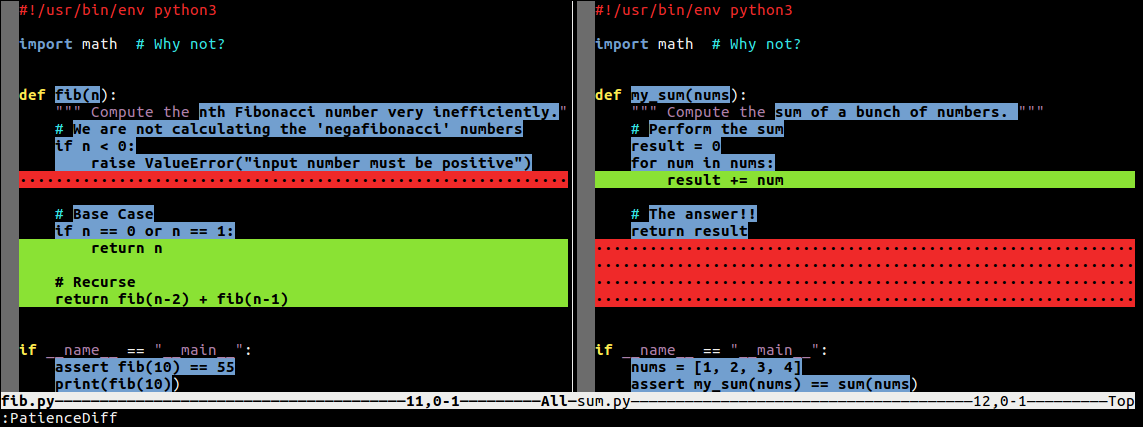
Eldar is a dark color theme for Vim using bright, high-contrast colors. It is
based on elflord, one of the default Vim color schemes.
Eldar looks great in both the GUI and terminal because it uses fewer than 16
- Eldar uses the Tango color palette in the GUI by default, but
- colors can be overridden by setting
g:eldar_*variables (see below).
Eldar uses both colors and font weight to differentiate various elements. It
is not a subtle scheme; it uses white on black text with high contrast colors.
Installation
You can install Eldar by downloading the eldar.vim file and placing
it in ~/.vim/colors/, or by using whatever plugin manager you prefer. For
example, with vim-plug:
Plug 'agude/vim-eldar'You can activate the color scheme with:
:colorscheme eldarOr put it in your .vimrc so it activates every time you open Vim:
"------------------------
" Syntax: highlighting
"------------------------
if has('syntax')
    syntax enable             " Turn on syntax highlighting
    silent! colorscheme eldar " Custom color scheme
endif
Change Colors
To change the GUI colors, simply define the appropriate g:eldar_* variable
in your .vimrc before calling colorscheme:
"------------------------
" Syntax: highlighting
"------------------------
if has('syntax')
    " Override Eldar GUI colors
    let g:eldar_red     = "#ff0000"
    let g:eldar_yellow  = "#ffff00"
    let g:eldar_green   = "#00ff00"
    let g:eldar_cyan    = "#00ffff"
    let g:eldar_blue    = "#0000ff"
    let g:eldar_magenta = "#ff00ff"

    syntax enable             " Turn on syntax highlighting
    silent! colorscheme eldar " Custom color scheme
endif
The GUI text and background colors default to "White" and "Black"
- To change these, set the following variables:
let g:eldar_text        = "#D3D3D3"
let g:eldar_background  = "#2B2B2B"
By default terminal vim will use the background color and text color defined
by your terminal profile. To override these colors, set:
let g:eldar_term_text        = "White"
let g:eldar_term_background  = "Black"
All these variables must be set before calling colorscheme eldar.
Screenshots
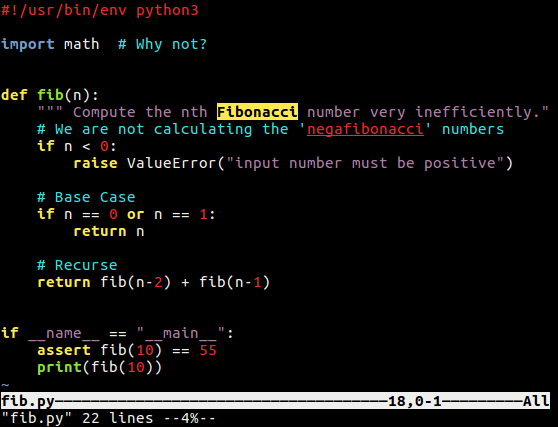
Python
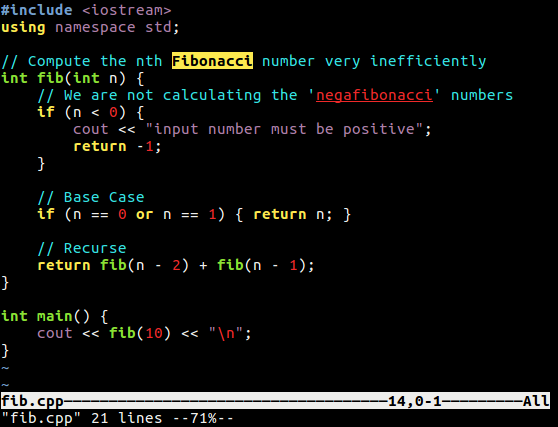
C++
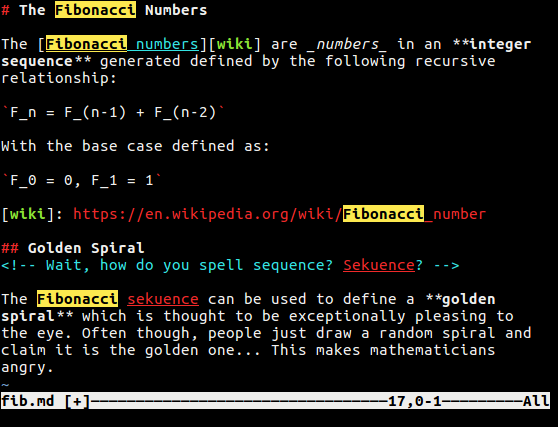
Markdown
Diff