Ⅰ. 插件描述
Add and Update Ember import statementsⅡ. 基本信息
|
Ⅲ. 安装方法
使用Vundle管理器安装
在你的.vimrc下添加:Plugin 'sukima/vim-ember-imports':source %
:PluginInstall对于Vundle版本 < 0.10.2,请用上面的Bundle替换Plugin。
使用NeoBundle管理器安装
在你的.vimrc下添加:NeoBundle 'sukima/vim-ember-imports':source %
:NeoBundleInstall使用VimPlug管理器安装
在你的.vimrc下添加:Plug 'sukima/vim-ember-imports':source %
:PlugInstall使用Pathogen管理器安装
在终端中运行以下命令:cd ~/.vim/bundle
git clone https://github.com/sukima/vim-ember-importsⅣ. 文档说明
# vim-ember-imports
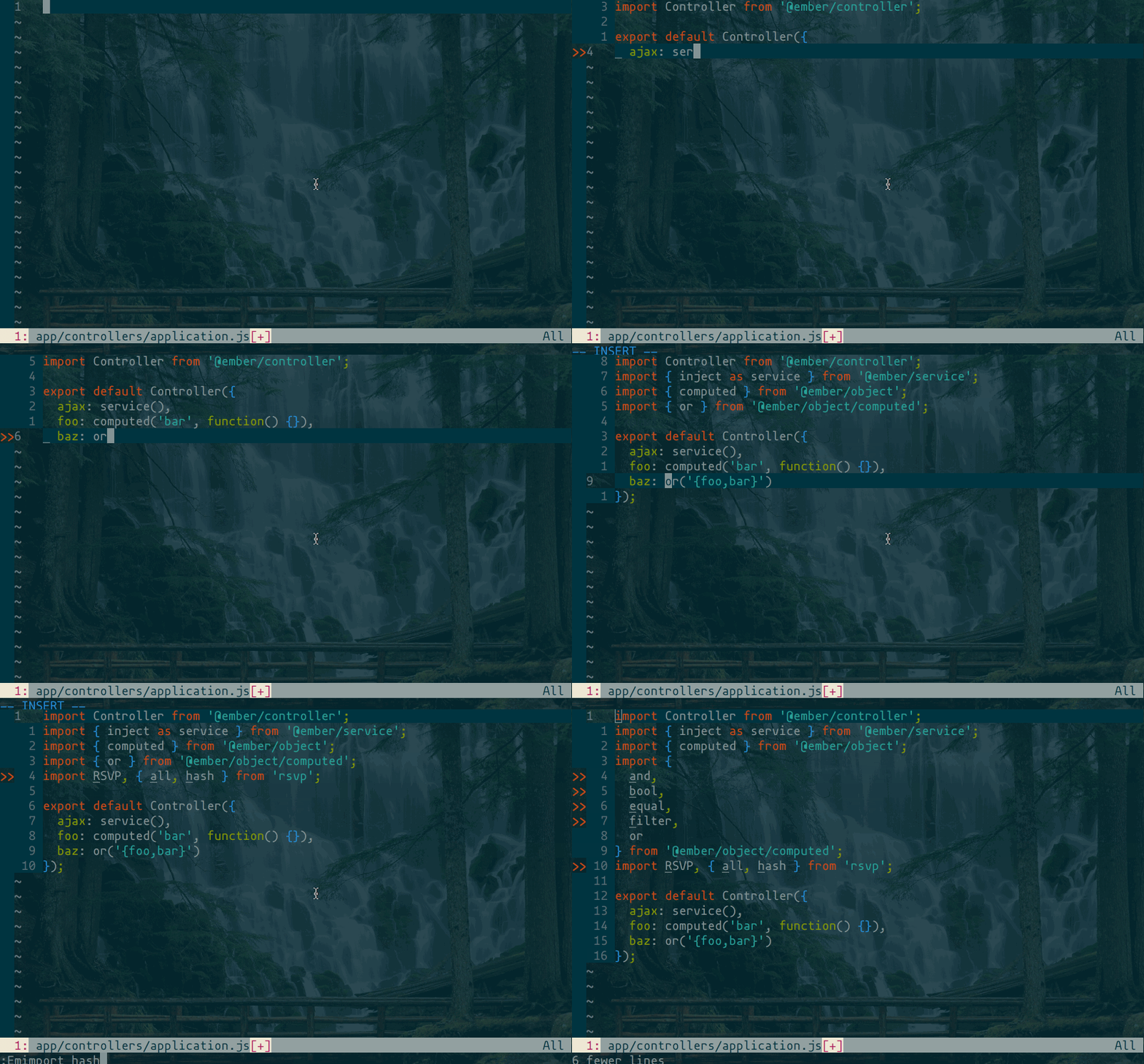
Excited for the new Ember Module Unification in 3.0? Concerned that you won't
be able to remember all the new import statements? Not to fret, this plugin
will save the day. You can add and update import statements with on mapping or
- It can fill in missing import statements based on the word under the
cursor.
It will properly format the import statements even when updating existing ones
and it can wrap long lines oh and it sorts the variables too.
This plugin is dependent on vim-javascript-imports
You must install that plugin before using this one.
Commands, Mappings and Configuration
Read the help to know more.
Installation
Using Vundle:
Just add this line to your ~/.vimrc:
Plugin 'sukima/vim-javascript-imports'
Plugin 'sukima/vim-ember-imports'
And run :PluginInstall inside Vim.
Using pathogen.vim:
Copy and paste in your shell:
cd ~/.vim/bundle
git clone https://github.com/sukima/vim-javascript-imports.git
git clone https://github.com/sukima/vim-ember-imports.git
Using vpm:
Run this command in your shell:
vpm insert sukima/vim-javascript-imports
vpm insert sukima/vim-ember-imports
Using Plug:
Just add this line to your ~/.vimrc inside plug call:
Plug 'sukima/vim-javascript-imports'
Plug 'sukima/vim-ember-imports'
And run :PlugInstall inside Vim or vim +PlugInstall +qa from shell.
License
MIT