Ⅰ. 插件描述
Open Ember files in a gridⅡ. 基本信息
|
Ⅲ. 安装方法
使用Vundle管理器安装
在你的.vimrc下添加:Plugin 'sukima/vim-emberlayout':source %
:PluginInstall对于Vundle版本 < 0.10.2,请用上面的Bundle替换Plugin。
使用NeoBundle管理器安装
在你的.vimrc下添加:NeoBundle 'sukima/vim-emberlayout':source %
:NeoBundleInstall使用VimPlug管理器安装
在你的.vimrc下添加:Plug 'sukima/vim-emberlayout':source %
:PlugInstall使用Pathogen管理器安装
在终端中运行以下命令:cd ~/.vim/bundle
git clone https://github.com/sukima/vim-emberlayoutⅣ. 文档说明
# vim-emberlayout
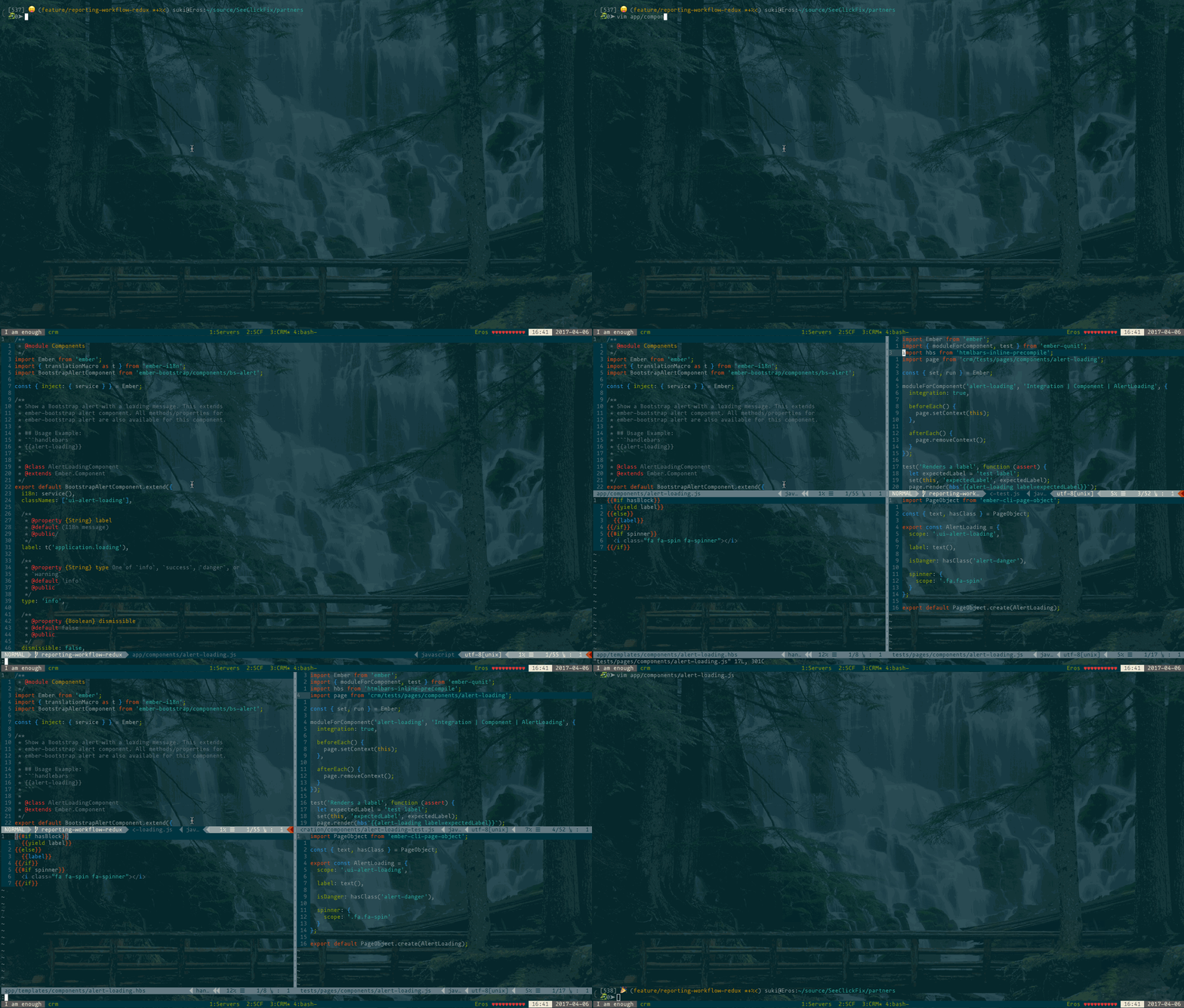
This plugin simply takes a base filename in an Ember.js project and will open
a grid of windows for each related file.
Commands, Mappings and Configuration
Read the help to know more.
Installation
Using Vundle:
Just add this line to your ~/.vimrc:
Plugin 'sukima/vim-emberlayout'And run :PluginInstall inside Vim.
Using pathogen.vim:
Copy and paste in your shell:
cd ~/.vim/bundle
git clone https://github.com/sukima/vim-emberlayout.gitUsing vpm:
Run this command in your shell:
vpm insert sukima/vim-emberlayoutUsing Plug:
Just add this line to your ~/.vimrc inside plug call:
Plug 'sukima/vim-emberlayout'And run :PlugInstall inside Vim or vim +PlugInstall +qa from shell.
License
MIT