Ⅰ. 插件描述
A Better Vim Colorscheme.Ⅱ. 基本信息
|
Ⅲ. 安装方法
使用Vundle管理器安装
在你的.vimrc下添加:Plugin 'gmoe/vim-espresso':source %
:PluginInstall对于Vundle版本 < 0.10.2,请用上面的Bundle替换Plugin。
使用NeoBundle管理器安装
在你的.vimrc下添加:NeoBundle 'gmoe/vim-espresso':source %
:NeoBundleInstall使用VimPlug管理器安装
在你的.vimrc下添加:Plug 'gmoe/vim-espresso':source %
:PlugInstall使用Pathogen管理器安装
在终端中运行以下命令:cd ~/.vim/bundle
git clone https://github.com/gmoe/vim-espressoⅣ. 文档说明
# vim-espresso
This is a Vim color scheme based on the [Espresso][] theme for iTerm2. It has
support for both GUI and terminal colors, and includes its own colorscheme for
[Lightline][].
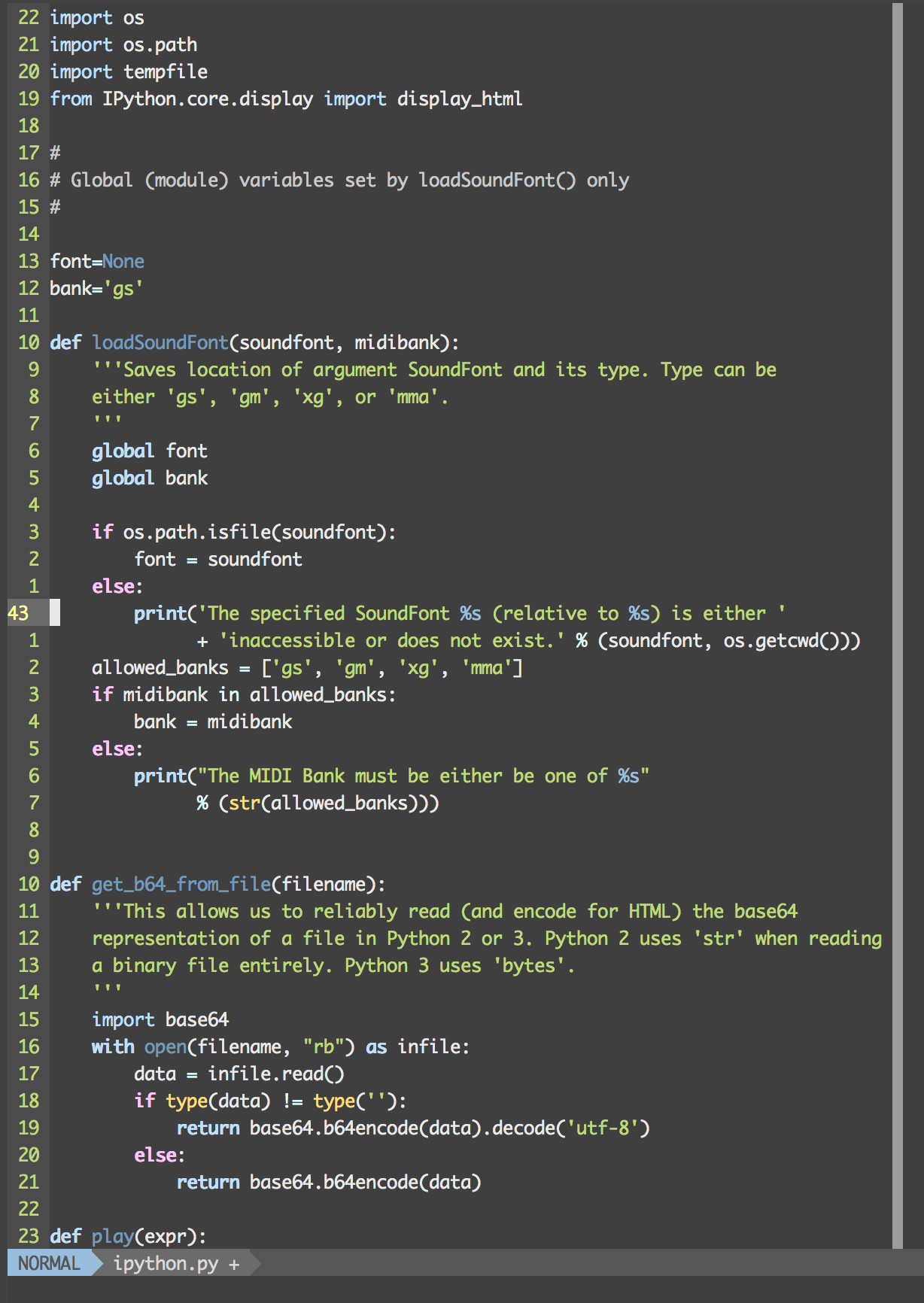
Screenshots
Here is a terminal instance of Vim with some Scala code:

And here is another Vim instance with Python code:
Installation
If you're unfamiliar with vim, consider using something like [vim-plug][] to
maintain your plugins:
- Add the following to your
.vimrc:
Plug 'gmoe/vim-eslint-syntax'- Restart vim and execute
:PlugInstallto automatically download and install
this plugin.
Or consider using Vim 8's native plugin manager and clone this repo
into your bundle.
Make sure to edit your .vimrc as well:
set t_Co=256
set background=dark
colorscheme espresso