Ⅰ. 插件描述
Vim dark color scheme created in order to be comfortable and elegantⅡ. 基本信息
|
Ⅲ. 安装方法
使用Vundle管理器安装
在你的.vimrc下添加:Plugin 'alvarocz/vim-fresh-say-im-great':source %
:PluginInstall对于Vundle版本 < 0.10.2,请用上面的Bundle替换Plugin。
使用NeoBundle管理器安装
在你的.vimrc下添加:NeoBundle 'alvarocz/vim-fresh-say-im-great':source %
:NeoBundleInstall使用VimPlug管理器安装
在你的.vimrc下添加:Plug 'alvarocz/vim-fresh-say-im-great':source %
:PlugInstall使用Pathogen管理器安装
在终端中运行以下命令:cd ~/.vim/bundle
git clone https://github.com/alvarocz/vim-freshⅣ. 文档说明
<div align="center">
<h1>Fresh</h1>
<p>Vim dark color scheme created in order to be comfortable and elegant</p>
<img src="https://raw.githubusercontent.com/Alvarocz/vim-fresh/master/assets/banner.png" alt="">
</div>
HTML
JavaScript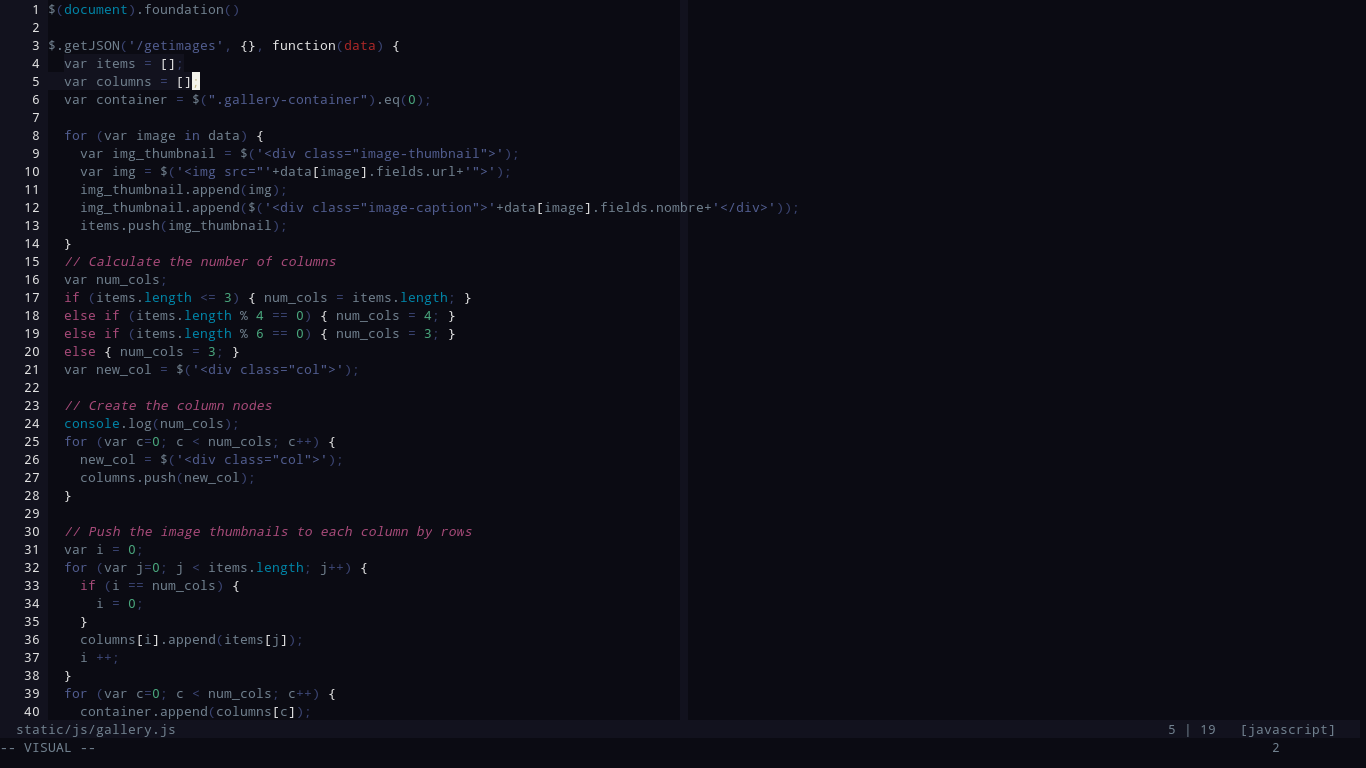
Palette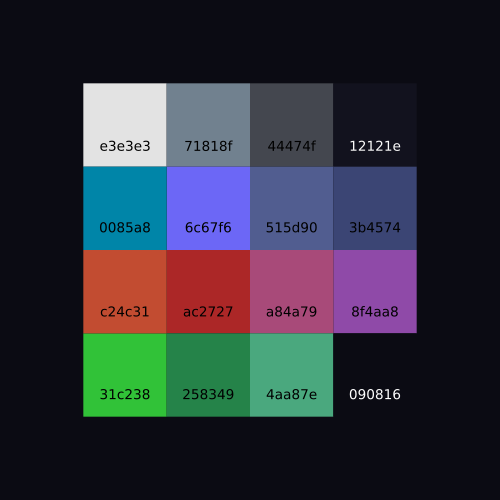
Installation
$ git clone https://github.com/Alvarocz/vim-fresh.git && cd vim-freshUsing vim
$ cp colors/fresh.vim ~/.colors/ (or whatever directory you use)Using neovim
$ cp colors/fresh.vim ~/.config/nvim/colors/