Ⅰ. 插件描述
Giphy in your vimⅡ. 基本信息
|
Ⅲ. 安装方法
使用Vundle管理器安装
在你的.vimrc下添加:Plugin 'cirla/vim-giphy':source %
:PluginInstall对于Vundle版本 < 0.10.2,请用上面的Bundle替换Plugin。
使用NeoBundle管理器安装
在你的.vimrc下添加:NeoBundle 'cirla/vim-giphy':source %
:NeoBundleInstall使用VimPlug管理器安装
在你的.vimrc下添加:Plug 'cirla/vim-giphy':source %
:PlugInstall使用Pathogen管理器安装
在终端中运行以下命令:cd ~/.vim/bundle
git clone https://github.com/cirla/vim-giphyⅣ. 文档说明
# giphy.vim
Giphy in your vim.
Testimonials
- "As an avid vim user, I'm all about productivity and ensuring that my hands never leave the keyboard. Therefore, I've always felt that leaving vim just to enjoy a humorous animated GIF is not worth my time. Thanks to vim-giphy, I can take very efficient breaks by summoning GIFs right inside of vim! Now my hands never leave the keyboard even during my breaks!" - Enraged Ginger
1. Dependencies
- *nix(-like) OS (for
mktemp, etc.) - webapi-vim
- ffmpeg configured with
--enable-libcaca
2. Demo
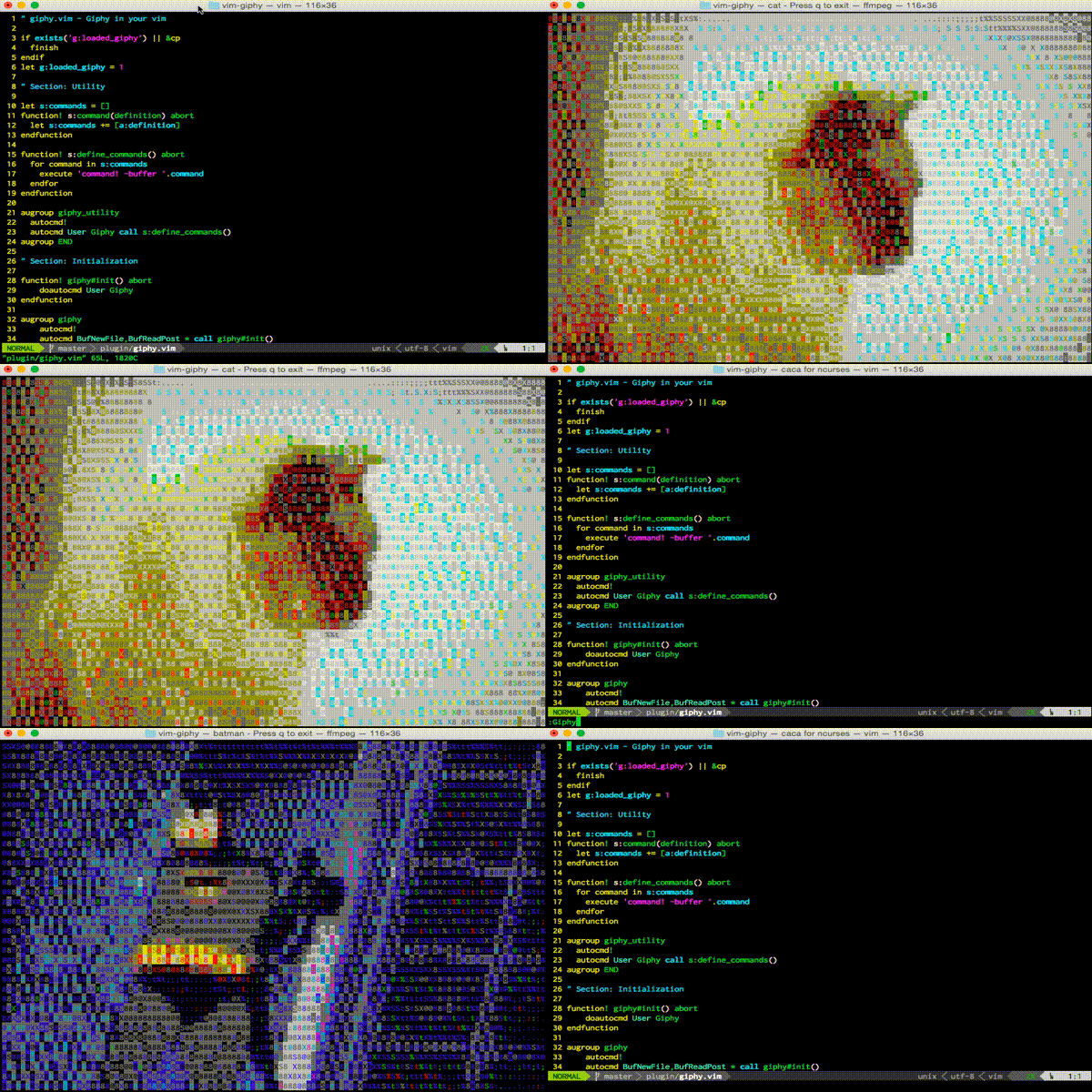
3. Installation
3.1 Install Prerequisites
3.1.1 ffmpeg
OS X
- Run
brew install ffmpeg --with-libcaca
3.1.2 webapi-vim
Plug/Vundle
- Add
Plug 'mattn/webapi-vim'(orPluginfor Vundle) to your.vimrcand run+PlugInstall/+PluginInstall.
Pathogen
cd ~/.vim/bundle && git clone git@github.com:mattn/webapi-vim.git
3.2 Install giphy.vim
Plug/Vundle/Pathogen
- Similar to installation of webapi-vim above, just replace repo name with 'cirla/vim-giphy'.
- If you have recieved a private Giphy API key, you can replace the public beta key in
s:giphy_api_key. - If you use a non-POSIX shell (e.g. fish), you'll have to edit [the ffmpeg
command](https://github.com/cirla/vim-giphy/blob/master/plugin/giphy.vim#L55-L61) or addset shell=/bin/bashin
your .vimrc.
4. License and Attribution
This software is distributed under the MIT License.