Ⅰ. 插件描述
:innocent: Visual highlight for your cursor.Ⅱ. 基本信息
|
Ⅲ. 安装方法
使用Vundle管理器安装
在你的.vimrc下添加:Plugin 'mhinz/vim-halo':source %
:PluginInstall对于Vundle版本 < 0.10.2,请用上面的Bundle替换Plugin。
使用NeoBundle管理器安装
在你的.vimrc下添加:NeoBundle 'mhinz/vim-halo':source %
:NeoBundleInstall使用VimPlug管理器安装
在你的.vimrc下添加:Plug 'mhinz/vim-halo':source %
:PlugInstall使用Pathogen管理器安装
在终端中运行以下命令:cd ~/.vim/bundle
git clone https://github.com/mhinz/vim-haloⅣ. 文档说明
# vim-halo
Highlight the cursor by putting blinking shapes around it.
By default, the shape is a halo and the cursor blinks three times. This can be
used to quickly find the cursor after switching buffers etc. Moving the cursor
will stop the blinking immediately.
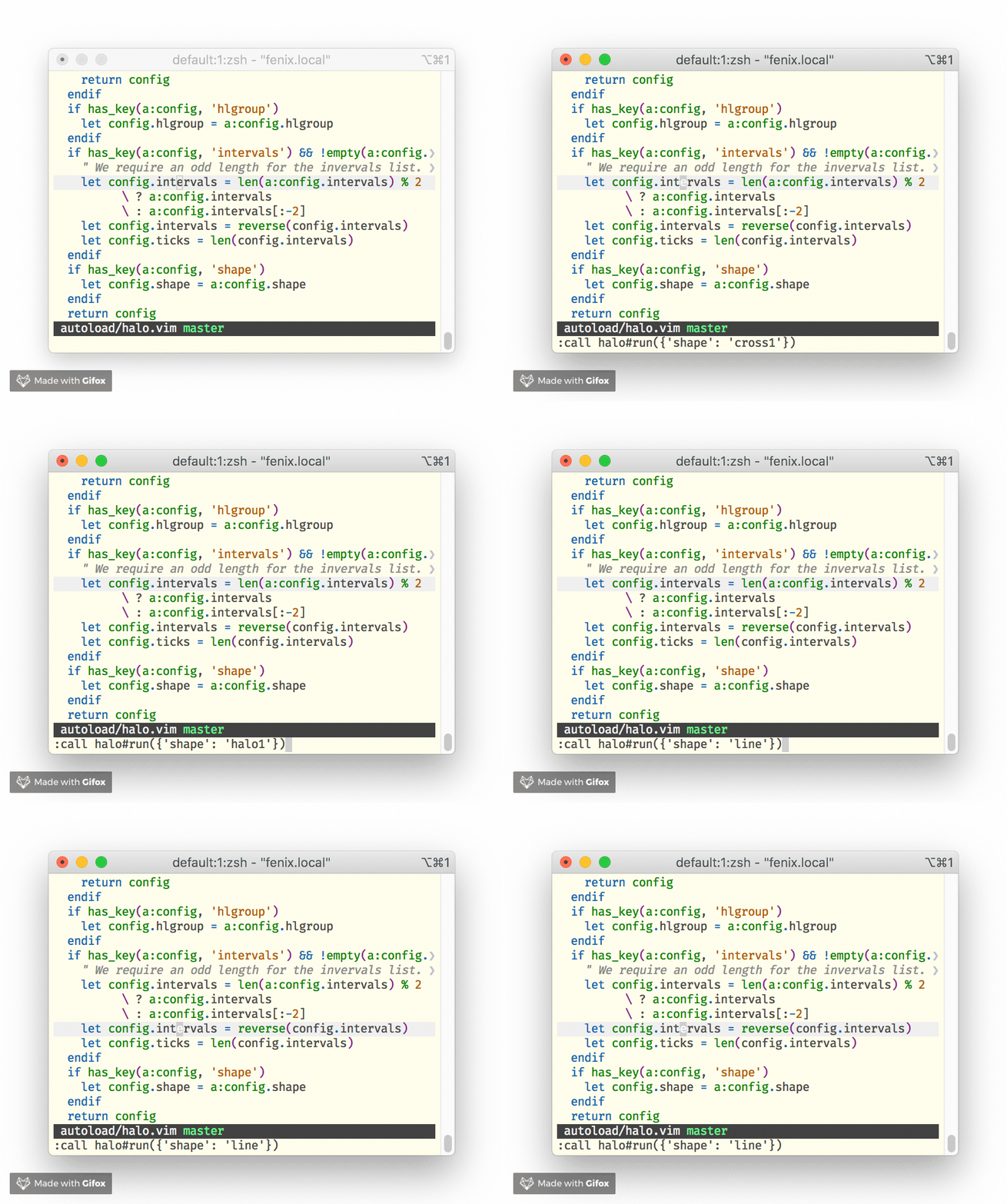
Usage
There is only one function halo#run(), which takes one optional argument, a
dictionary.
The dictionary takes up to 3 keys:
- hlgroup: Highlight group as string. Default is
Halowhich links toIncSearch. - shape: Shape as a string. Can by any of
halo1,halo2,cross1,cross2,cross2halo1,rectangle2, orline. Default ishalo1. - intervals: A list of numbers. Calling
halo#run()immediately shows a
visual highlight. The numbers denote the alternating times visual highlights
are shown and hidden. Thus an odd number of elements is sensible. Given an
even number, the last element is ignored. Default is [100,100,100,100,100].
:call halo#run()
:call halo#run({'shape': 'cross2halo1'})
:call halo#run({'intervals': [100, 300, 600, 300, 100]})
:call halo#run({'intervals': [200,200,200], 'hlgroup': 'IncSearch'})
Examples
Every time you change buffers:
autocmd BufEnter * call halo#run()When navigating the quickfix or location list:
nnoremap [q  :cprevious \| call halo#run()<cr>
nnoremap ]q  :cnext \| call halo#run()<cr>
nnoremap [Q  :cfirst \| call halo#run()<cr>
nnoremap ]Q  :clast \| call halo#run()<cr>

nnoremap [l  :lprevious \| call halo#run()<cr>
nnoremap ]l  :lnext \| call halo#run()<cr>
nnoremap [L  :lfirst \| call halo#run()<cr>
nnoremap ]L  :llast \| call halo#run()<cr>
Use colors from another highlight group:
highlight link Halo SearchOr define your own colors:
highlight Halo guifg=white guibg=#F92672 ctermfg=white ctermbg=197Disclaimer
Only the line shape works works with wrapped lines!