Ⅰ. 插件描述
A Vim frontend for howdoi, the awesome command line tool that lets you ask what you need and grabs the snippet of code from SO.Ⅱ. 基本信息
|
Ⅲ. 安装方法
使用Vundle管理器安装
在你的.vimrc下添加:Plugin 'laurentgoudet/vim-howdoi':source %
:PluginInstall对于Vundle版本 < 0.10.2,请用上面的Bundle替换Plugin。
使用NeoBundle管理器安装
在你的.vimrc下添加:NeoBundle 'laurentgoudet/vim-howdoi':source %
:NeoBundleInstall使用VimPlug管理器安装
在你的.vimrc下添加:Plug 'laurentgoudet/vim-howdoi':source %
:PlugInstall使用Pathogen管理器安装
在终端中运行以下命令:cd ~/.vim/bundle
git clone https://github.com/laurentgoudet/vim-howdoiⅣ. 文档说明
# vim-howdoi
A Vim frontend for howdoi, the awesome command line tool that lets you ask what you need and grabs the snippet of code from SO.
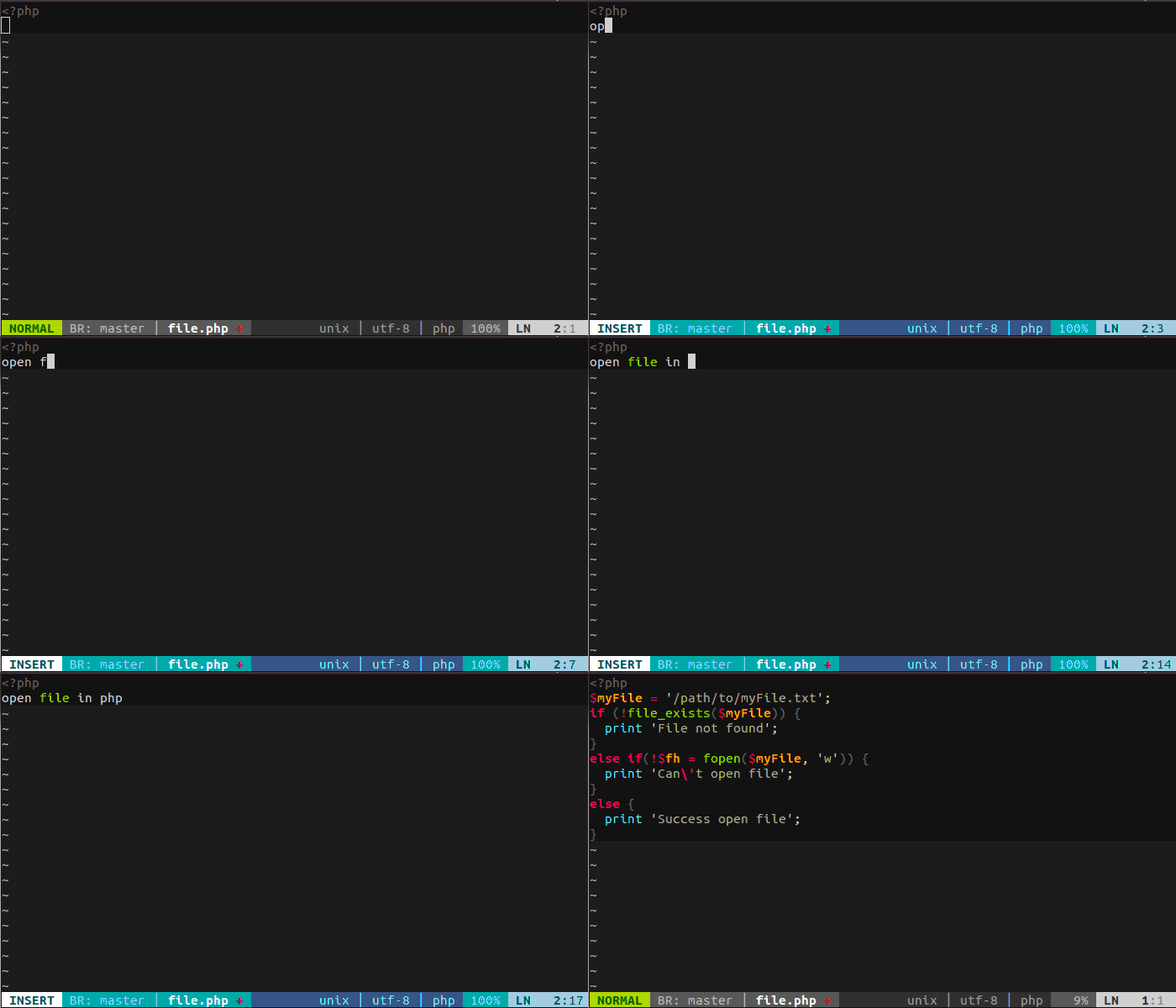
Features
- Type your query and enter
<CTRL-H>to get the code! - You can also use the plugin's menu entry under GUI
- Overwrite the default mapping with
map <WhatYouWant> <Plug>Howdoi
Requirements
Install howdoi if you haven't:
pip install howdoiYou must also have vim compiled with +python support. You can check that using the command:
vim --version | grep +pythonVim package in Ubuntu and it's derivatives comes with +python support.
Installation
Pathogen
Clone this repository in your ~/.vim/bundle directory:
git clone https://github.com/laurentgoudet/vim-howdoi.gitUsing vundle
Add this to your ~/.vimrc file:
Bundle 'laurentgoudet/vim-howdoi.git'Then, from the command line, run:
vim +BundleInstall +qallManually
Clone the plugin into a seperate directory:
cd ~/.vim
git clone https://github.com/laurentgoudet/vim-howdoi.git bundle/vim-howdoi
Add to your ~/.vimrc:
set runtimepath^=~/.vim/bundle/vim-howdoiUsage
- Write what your are looking for
- Press
<CTRL-H>to get the code!
Troubleshooting
You'll maybe need LXML2 apt-get install python-lxml if howdoi compilation fails.
License
This plugin is released under the WTFPLv2 License.