Ⅰ. 插件描述
issues.vim: A plugin to quickly navigate through issues of a GitHub repositoryⅡ. 基本信息
|
Ⅲ. 安装方法
使用Vundle管理器安装
在你的.vimrc下添加:Plugin 'mklabs/vim-issues':source %
:PluginInstall对于Vundle版本 < 0.10.2,请用上面的Bundle替换Plugin。
使用NeoBundle管理器安装
在你的.vimrc下添加:NeoBundle 'mklabs/vim-issues':source %
:NeoBundleInstall使用VimPlug管理器安装
在你的.vimrc下添加:Plug 'mklabs/vim-issues':source %
:PlugInstall使用Pathogen管理器安装
在终端中运行以下命令:cd ~/.vim/bundle
git clone https://github.com/mklabs/vim-issuesⅣ. 文档说明
issues.vim
issues.vim is a plugin to quickly navigate through issues of a GitHub repository
Preview
View the quick codestream intro
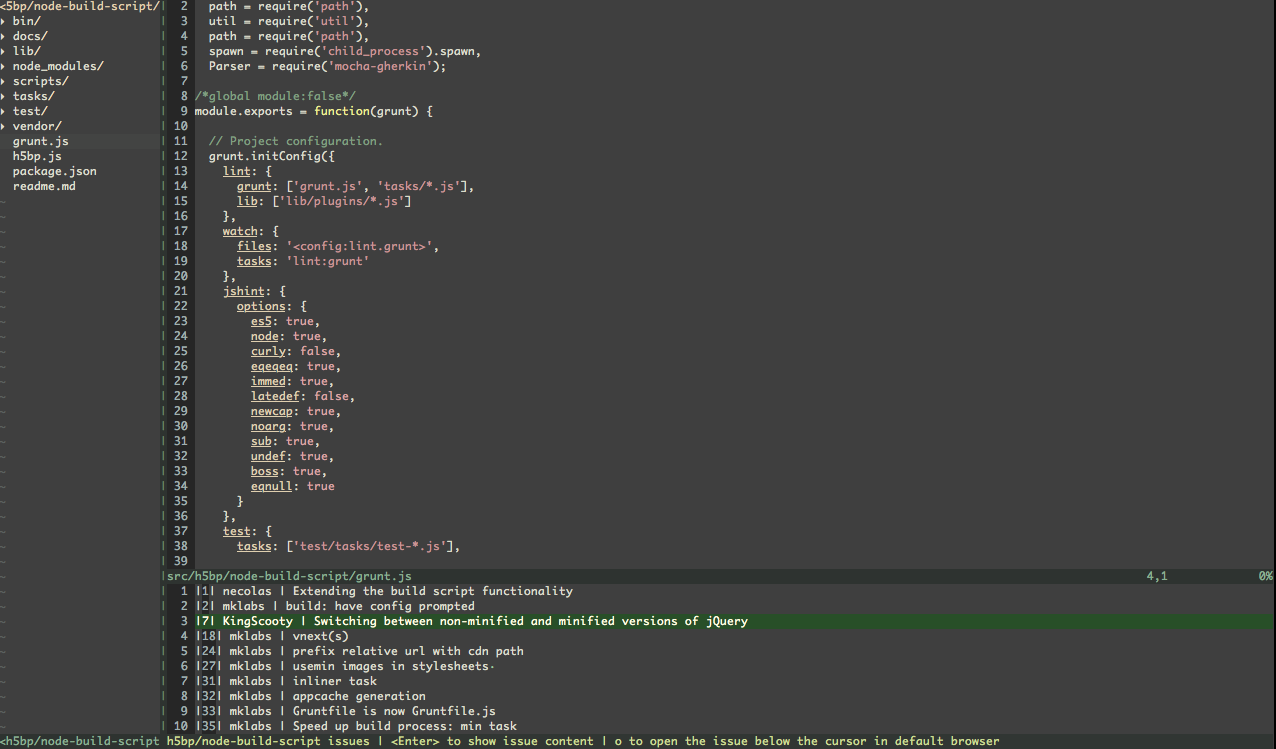
quickfix window with a list of opened issues
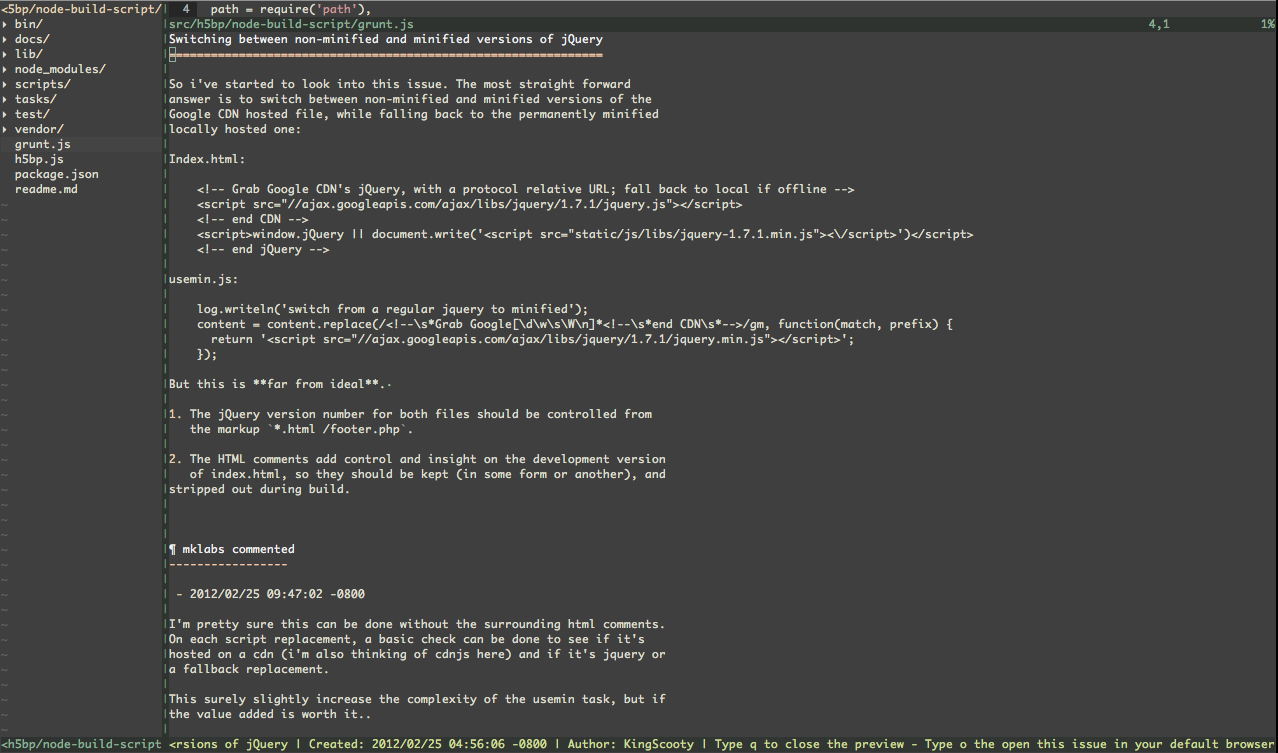
preview issue
Description
This plugin defines a single command :GhIssue. Edit a buffer within a git
repo to make it available (and git config remote.origin.url should point to a
GitHub repo)
You can then quickly navigate through the opened issue by hitting:
<Enter>in the quickfix window to show the given issue body and
commentsqto close the preview window and reopen the quickfix list.oin both list and preview window would open the given issue on
GitHub
That's pretty much all it does.. Maybe some more github-buddy related things
will be added, probably to do the same on public / private gists. Or
maybe something to navigate github repositories from within a buffer.
Install
fugitive is required for this plugin
to work. It's used to guess the repo for the current buffer and init the plugin
functionality on User Fugitive event.
node is required as well, it should be installed and
available in your path. Parts of this plugin functionnality is delegated to a
basic node script (to request the github api mainly).
If you don't have a preferred installation method, I recommend
installing pathogen.vim, and
then simply git clone this repo at ~/.vim/bundle/vim-issues
What it does
When editing a buffer within a git repo, running :GhIssues will open
the quickfix window with the list of opened issues.
Buffer specific mappings are available:
- Hitting
<Enter>will open the issue below the cursor in a preview
window. - Hitting
owill open the issue below the cursor in default browser.
Hitting <Enter> on the third line switch the quickfix window to a
preview buffer, with extended informations about the given issue
including issue body and loading comments if there are.
The window is resized to maximum height by default.
Same here, buffer specific mappings are defined:
- Just like in the quickfix window, hitting
owill open the issue thread in a web browser - Hitting
qwill close the preview window and switch back to the issue
listing.