Ⅰ. 插件描述
Vim colorscheme.Ⅱ. 基本信息
|
Ⅲ. 安装方法
使用Vundle管理器安装
在你的.vimrc下添加:Plugin 'mhinz/vim-janah':source %
:PluginInstall对于Vundle版本 < 0.10.2,请用上面的Bundle替换Plugin。
使用NeoBundle管理器安装
在你的.vimrc下添加:NeoBundle 'mhinz/vim-janah':source %
:NeoBundleInstall使用VimPlug管理器安装
在你的.vimrc下添加:Plug 'mhinz/vim-janah':source %
:PlugInstall使用Pathogen管理器安装
在终端中运行以下命令:cd ~/.vim/bundle
git clone https://github.com/mhinz/vim-janahⅣ. 文档说明
A dark colorscheme for Vim.
- works with 256 color terminals and GUI
- supports Neovim's new highlight groups
- supports highlighting groups for these plugins: vim-startify |
vim-signify |
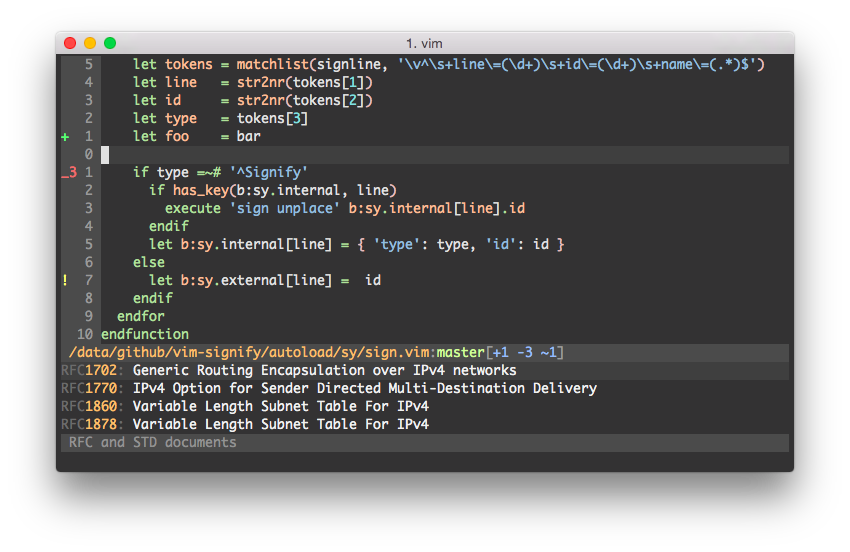
__NOTE__: No background color will be set if used in a terminal emulator. If
the colorscheme doesn't look good with your terminal's default background
color, put this in your vimrc:
autocmd ColorScheme janah highlight Normal ctermbg=235
colorscheme janah
If you set 'background' in your vimrc, make sure to do that before setting
the above, because of a Vim bug.