Ⅰ. 插件描述
lldb debugger integration plugin for vimⅡ. 基本信息
|
Ⅲ. 安装方法
使用Vundle管理器安装
在你的.vimrc下添加:Plugin 'gilligan/vim-lldb':source %
:PluginInstall对于Vundle版本 < 0.10.2,请用上面的Bundle替换Plugin。
使用NeoBundle管理器安装
在你的.vimrc下添加:NeoBundle 'gilligan/vim-lldb':source %
:NeoBundleInstall使用VimPlug管理器安装
在你的.vimrc下添加:Plug 'gilligan/vim-lldb':source %
:PlugInstall使用Pathogen管理器安装
在终端中运行以下命令:cd ~/.vim/bundle
git clone https://github.com/gilligan/vim-lldbⅣ. 文档说明
LLDB Vim Frontend (UNMAINTAINED)
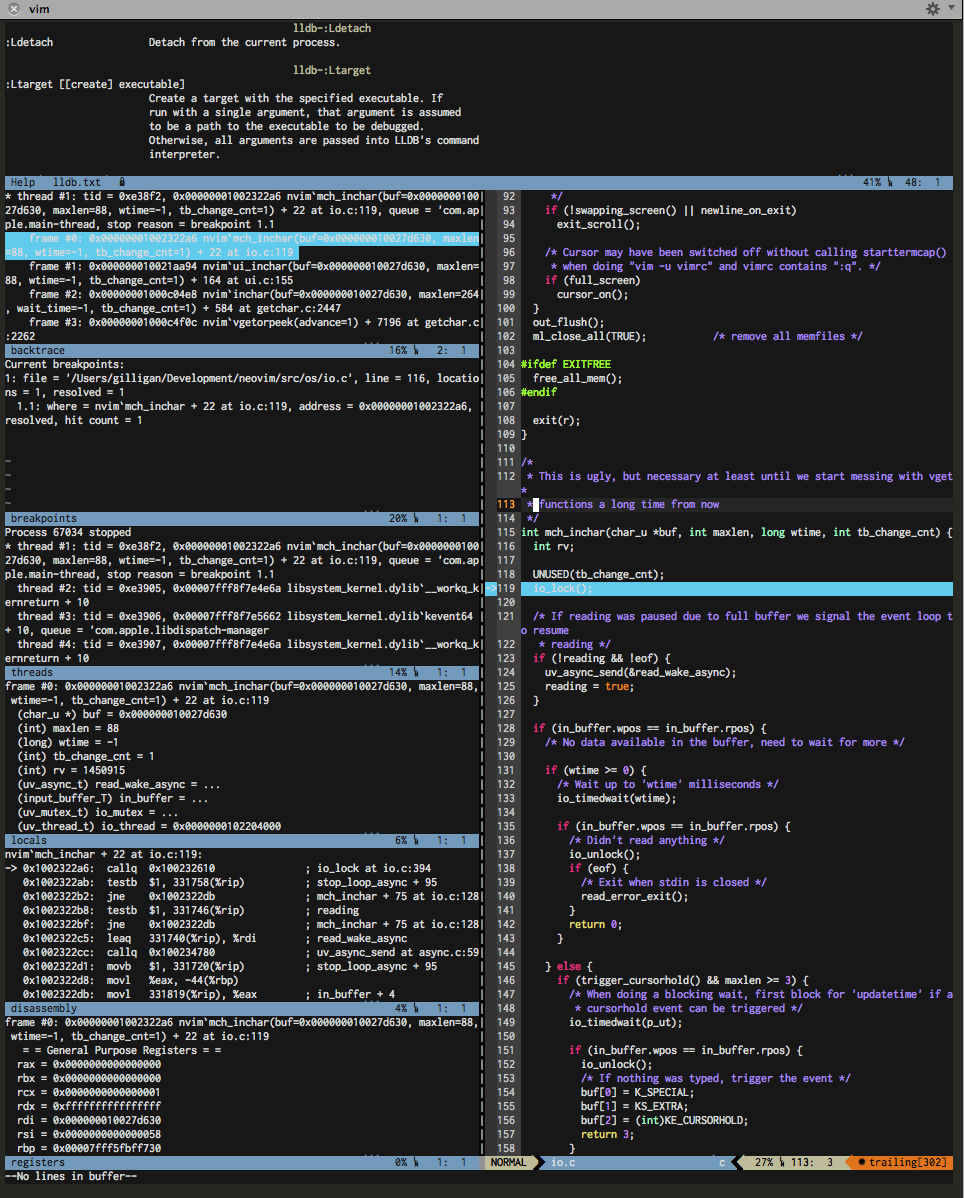
This plugin provides lldb debbuging integration including
* breakpoints
* watchpoints
* threads view
* locals view
* and more ...
Arbitrary valid lldb commands can be invoked as well.
NOTE : This is a fork of the plugin which is part of the llvm distribution. The original
can be found at http://llvm.org/svn/llvm-project/lldb/trunk/utils/vim-lldb/.
Prerequisites
- vim >= 7.3 on Linux or OSX with python support built in
- lldb executable needs to be in the path
Installation
Installation is easiest using a package manager such as bundle:
Bundle "gilligan/vim-lldb"
Of course you are free to manually copy the files to your vimrc folder if you prefer that for
whatever weird reason.
Usage/Getting Help
Please refer to the vim help for a short 'getting started' section and
information on the available commands and configuration options. (:he lldb).