Ⅰ. 插件描述
Edit MediaWiki pages from Vim!Ⅱ. 基本信息
|
Ⅲ. 安装方法
使用Vundle管理器安装
在你的.vimrc下添加:Plugin 'aquach/vim-mediawiki-editor':source %
:PluginInstall对于Vundle版本 < 0.10.2,请用上面的Bundle替换Plugin。
使用NeoBundle管理器安装
在你的.vimrc下添加:NeoBundle 'aquach/vim-mediawiki-editor':source %
:NeoBundleInstall使用VimPlug管理器安装
在你的.vimrc下添加:Plug 'aquach/vim-mediawiki-editor':source %
:PlugInstall使用Pathogen管理器安装
在终端中运行以下命令:cd ~/.vim/bundle
git clone https://github.com/aquach/vim-mediawiki-editorⅣ. 文档说明
# vim-mediawiki-editor
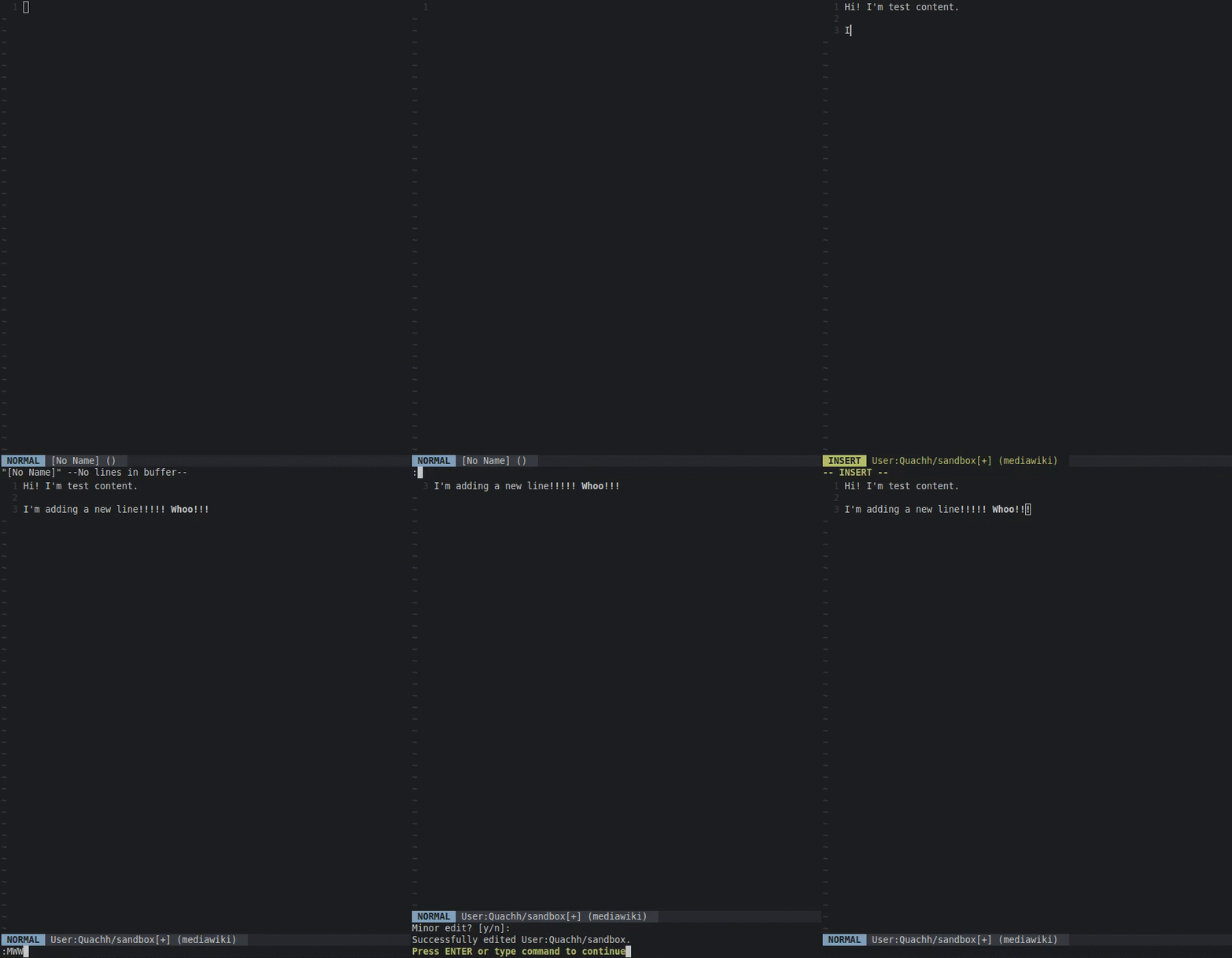
Edit MediaWiki articles from the comfort of Vim, your favorite text editor!
<p align="center">
</p>
Installation
vim-mediawiki-editor requires Vim compiled with python support and the python mwclient library.
You likely have Python support, but you can check with vim --version | grep +python. MacVim comes with Python support.
If you get an error, try pip install mwclient to get the library.
Once you have these, use your favorite Vim plugin manager to install aquach/vim-mediawiki-editor, or copy plugin and doc into your .vim folder.
I recommend pairing this plugin with mediawiki.vim for syntax highlighting and with goyo.vim for WriteRoom-esque editing.
Usage
vim-mediawiki-editor offers these commands:
:MWRead <article-name>
Loads the given article into the current buffer.
:MWRead Radish:MWWrite [article-name]
Writes the buffer back to the site. If you don't specify an article name, it defaults to the article you currently have open with :MWRead. After prompting you for the edit summary and major/minor edit, it will publish your work back to the site.
:MWDiff [article-name]
Diffs the current buffer against the hosted version of the article specified on the site. If you don't specify an article name, it defaults to the article you currently have open with :MWRead.
:MWBrowse [article-name]
Views the article specified in your configured browser. If you don't specify an article name, it defaults to the article you currently have open with :MWRead.
Configuration
If you don't specify these settings, vim-mediawiki-editor will prompt you when you first run a vim-mediawiki-editor command.
g:mediawiki_editor_url
The URL of the site you're editing. For the English wikipedia, that'd be en.wikipedia.org.
g:mediawiki_editor_path
The MediaWiki script path.
For the wikipedias and other WMF wikis, this is /w/, but for other wikis it can be /, /wiki/,
or some other value.
g:mediawiki_editor_domain
The domain name for authentication. Used by some auth extensions. This is optional, so it won't be prompted for by Vim. You need to put it in your .vimrc if you want to use it.
g:mediawiki_editor_username
Your account username.
g:mediawiki_editor_password
Your account password. I recommend putting the URL and username in your .vimrc and letting Vim ask for your password.
g:mediawiki_basicauth_enabled
Set this to on to enable HTTP Basic Authentication.
g:mediawiki_basicauth_username
The HTTP Basic Auth Username. Will be prompted if not provided and basic g:mediawiki_basicauth_enabled is on.
g:mediawiki_basicauth_password
The HTTP Basic Auth Password. Will be prompted if not provided and basic g:mediawiki_basicauth_enabled is on.
Testing
See the current integration test for mwclient in the tests directory. It tests for Python 2 and 3 compatibility as well as across versions of mwclient.
Contributing
This plugin is currently quite simple. Contributions, suggestions, and feedback are all welcomed!