Ⅰ. 插件描述
A dark color scheme for VimⅡ. 基本信息
|
Ⅲ. 安装方法
使用Vundle管理器安装
在你的.vimrc下添加:Plugin 'bluz71/vim-moonfly-colors':source %
:PluginInstall对于Vundle版本 < 0.10.2,请用上面的Bundle替换Plugin。
使用NeoBundle管理器安装
在你的.vimrc下添加:NeoBundle 'bluz71/vim-moonfly-colors':source %
:NeoBundleInstall使用VimPlug管理器安装
在你的.vimrc下添加:Plug 'bluz71/vim-moonfly-colors':source %
:PlugInstall使用Pathogen管理器安装
在终端中运行以下命令:cd ~/.vim/bundle
git clone https://github.com/bluz71/vim-moonfly-colorsⅣ. 文档说明
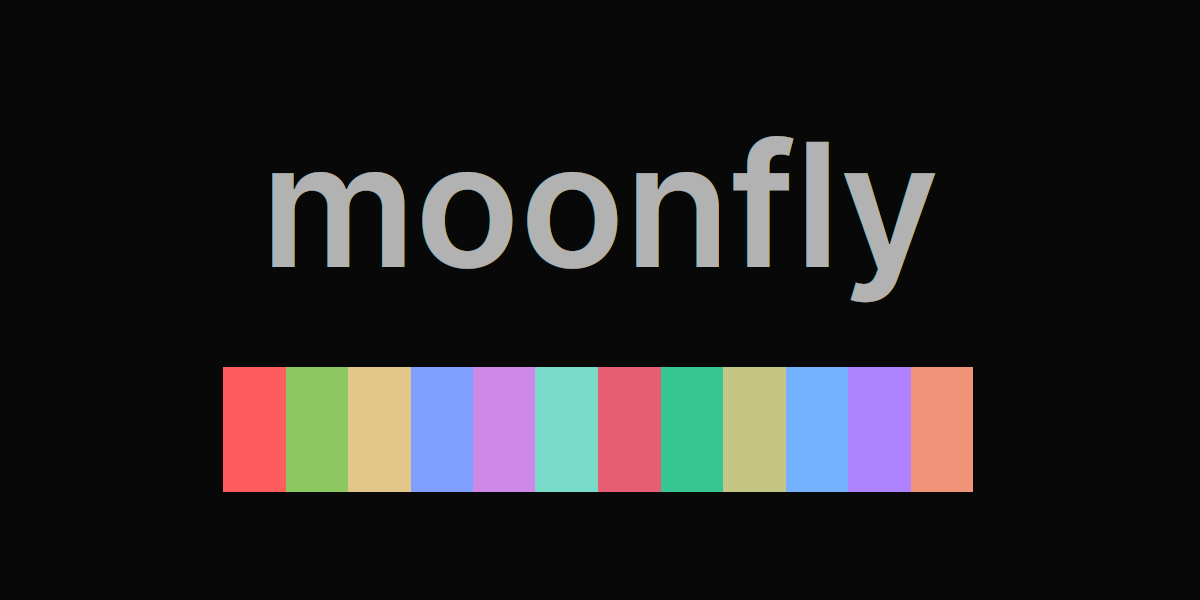
moonfly is a dark color scheme for Vim and Neovim that has taken inspiration
from:
Be aware, the moonfly color scheme does incrementally change from time to
time, primarily with regard to language and plugin theming. However, the core
color palette will not change; except the time I changed crimson (July 2017)
and violet (January 2020), sorry.
:point_right: I maintain another dark Vim theme named
nightfly which may be of
interest.
Primary Colors
| Normal | Color | Bright | Color |
|---|---|---|---|
| Background | Foreground | ||
| Grey | Coral | ||
| Red | Crimson | ||
| Green | Emerald | ||
| Yellow | Wheat | ||
| Blue | Sky | ||
| Violet | Purple | ||
| Turquoise | Lime | ||
| Orange | Cranberry |
Screenshots
Ruby

JavaScript

The font in use is Iosevka.
Languages explicitly styled
- C/C++
- Clojure
- CoffeeScript
- Crystal
- Elixir
- Elm
- Dart
- Go
- Haskell
- Java
- JavaScript
- Lua
- Markdown
- PHP
- PureScript
- Python
- Ruby
- Rust
- Scala
- Shell
- TypeScript
Plugins explicity styled
- NERDTree
- ALE
- Neomake
- GitGutter
- fzf.vim
- CtrlP
- BufExplorer
- clever-f
- Tagbar
- indentLine (please set
let g:indentLine_setColors = 0in your _vimrc_)
Installation
Use your favoured plugin manager to install bluz71/vim-moonfly-colors then
set the colorscheme in your vimrc file.
If using vim-plug do the following:
- Add
Plug 'bluz71/vim-moonfly-colors'to your vimrc - Run
:PlugInstall - Add
colorscheme moonflyto your _vimrc_, make sure this line appears
after the Plug declaration.
Status line
The moonfly color scheme supports
lightline.vim. To enable the
moonfly lightline colorscheme, after the lightline.vim plugin has been
installed, please add the following to your _vimrc_:
let g:lightline = { 'colorscheme': 'moonfly' }The moonfly color scheme also supports
vim-airline. With modern versions
of vim-airline the moonfly theme will be automatically loaded.
Alternatively,
vim-moonfly-statusline, is
available for those that just want a simple yet informative moonfly themed
status line.
Options
The g:moonflyCursorColor option specifies whether to color the cursor or not.
By default the cursor will NOT be colored. If you prefer a colored cursor
then add the following to your _vimrc_:
let g:moonflyCursorColor = 1The g:moonflyTerminalColors option specifies whether to use the moonfly color
palette in :terminal windows when termguicolors is set. By default this
option is enabled. If you prefer not to use the moonfly color palette for
the first 16 terminal colors then add the following to your _vimrc_:
let g:moonflyTerminalColors = 0The g:moonflyUnderlineMatchParen option specifies whether to underline
matching parentheses. By default this option is disabled. If you want to
underline matching parentheses then add the following to your _vimrc_:
let g:moonflyUnderlineMatchParen = 1The g:moonflyUndercurls option specifies whether to use undercurls for
spelling and linting errors in GUI versions of Vim, including terminal Vim withtermguicolors set. By default this option is enabled. If you do not like
the appearance of undercurls then add the following to your _vimrc_:
let g:moonflyUndercurls = 0The g:moonflyItalics option specifies whether to use italics for comments and
certain html elements in GUI versions of Vim, including terminal Vim withtermguicolors set. By default this option is enabled. If you do not like
the appearance of italics then add the following to your _vimrc_:
let g:moonflyItalics = 0True Color Terminals
Many modern terminal programs support [24-bit true
colors](https://gist.github.com/XVilka/8346728). Current versions of Vim and
Neovim, on such terminals, support true colors when set termguicolors is
enabled.
A list of common terminals that support true colors:
:bomb: Terminal.app on macOS and xterm on Unix do not support true
colors.
On terminals that support true colors, and when termguicolors is set, the
moonfly color scheme will not require any terminal configuration to emit the
correct moonfly colors.
For the true color moonfly color scheme to display correctly inside tmux
the following setting will be required in _~/.tmux.conf_:
set -ga terminal-overrides ',xterm-256color:Tc'Vim, as against Neovim, inside _tmux_, will also require the following setting
be added to vimrc:
let &t_8f = "\<Esc>[38;2;%lu;%lu;%lum"
let &t_8b = "\<Esc>[48;2;%lu;%lu;%lum"
Repeating, the above t_8* settings are not required for Neovim.
If consistency between Vim colors and $SHELL colors is important then I
recommend proceeding with the 256-color configurations listed in the next
section.
256 Color Terminals
The moonfly color scheme, when used with Vim absent termguicolors,
requires the host terminal be configured with a specific color palette.
Firstly, the [terminal
emulator](https://en.wikipedia.org/wiki/Terminal_emulator) must be configured
for 256 colors, which usually means setting the terminal's type to
xterm-256color or screen-256color when used inside
tmux.
The terminal can now be configured with the following moonfly colors:
| Type | Category | Value | Color |
|---|---|---|---|
| Background | Background | 080808 | |
| Foreground | Foreground | b2b2b2 | |
| Bold | Bold | eeeeee | |
| Cursor | Cursor | 9e9e9e | |
| Cursor Text | Cursor Text | 080808 | |
| Highlight | Highlight | b2ceee | |
| Highlight Text | Highlight Text | 080808 | |
| Color 1 | Black (normal) | 373c40 | |
| Color 2 | Red (normal) | ff5454 | |
| Color 3 | Green (normal) | 8cc85f | |
| Color 4 | Yellow (normal) | e3c78a | |
| Color 5 | Blue (normal) | 80a0ff | |
| Color 6 | Purple (normal) | d183e8 | |
| Color 7 | Cyan (normal) | 7ee0ce | |
| Color 8 | White (normal) | de935f | |
| Color 9 | Black (bright) | f09479 | |
| Color 10 | Red (bright) | f74782 | |
| Color 11 | Green (bright) | 42cf89 | |
| Color 12 | Yellow (bright) | cfcfb0 | |
| Color 13 | Blue (bright) | 78c2ff | |
| Color 14 | Purple (bright) | ae81ff | |
| Color 15 | Cyan (bright) | 85dc85 | |
| Color 16 | White (bright) | e2637f |
iterm2 users on macOS can import this
color scheme.
Gnome Terminal users can run this
script to create a Moonfly profile. Before executing the script, please
install the dconf-cli command line utility for modern versions of Gnome (3.28
and later), for example sudo apt install dconf-cli. After executing the
script, please set the cursor and highlight colors by hand, with the
appropriate color values listed above, in Preferences / Moonfly / Colors.
kitty users can use
this theme.
xterm users on Linux can add the following snippet to their ~/.Xresources
file and launch xterm with xterm -name xterm-moonfly:
xterm-moonfly*background:  #080808
xterm-moonfly*foreground:  #b2b2b2
xterm-moonfly*cursorColor: #9e9e9e
xterm-moonfly*colorBD:     #eeeeee
xterm-moonfly*color0:      #373c40
xterm-moonfly*color1:      #ff5454
xterm-moonfly*color2:      #8cc85f
xterm-moonfly*color3:      #e3c78a
xterm-moonfly*color4:      #80a0ff
xterm-moonfly*color5:      #d183e8
xterm-moonfly*color6:      #7ee0ce
xterm-moonfly*color7:      #de935f
xterm-moonfly*color8:      #f09479
xterm-moonfly*color9:      #f74782
xterm-moonfly*color10:     #42cf89
xterm-moonfly*color11:     #cfcfb0
xterm-moonfly*color12:     #78c2ff
xterm-moonfly*color13:     #ae81ff
xterm-moonfly*color14:     #85dc85
xterm-moonfly*color15:     #e2637f
A complete Xresources file is available
here.
Tip: Relative Number Column Highlighting only for the Active Window
Historically, when relativenumber was set whilst cursorline was not set,
Vim would automatically highlight the cursor line in the number column with
the CursorLineNR highlight group. However, newer versions of Vim no longer
do that by default unless cursorline is set and the new cursorlineopt
option is also set accordingly.
At the same time I also like disabling relativenumber for inactive windows.
To achieve all that please add something similar to the following to your
_vimrc_:
set relativenumber
if exists('&cursorlineopt')
    set cursorlineopt=number
    set cursorline
endif

function! RelativeNumberActivity(mode)
    if &diff
        " For diffs, do nothing since we want relativenumbers in all windows.
        return
    endif
    if &buftype == "nofile" || &buftype == "nowrite"
        setlocal nonumber
    elseif a:mode == "active"
        setlocal relativenumber
        if exists('&cursorlineopt')
            setlocal cursorline
        endif
    else
        setlocal norelativenumber
        if exists('&cursorlineopt')
            setlocal nocursorline
        endif
    endif
endfunction

augroup CustomWindowActivity
    autocmd!
    autocmd WinEnter * call RelativeNumberActivity("active")
    autocmd WinLeave * call RelativeNumberActivity("inactive")
    if exists('&cursorlineopt')
        autocmd FileType nerdtree setlocal cursorlineopt=both
    endif
augroup END
Feel free to change, or ignore, per your needs.