Ⅰ. 插件描述
A small plugin to handle all your folding needsⅡ. 基本信息
|
Ⅲ. 安装方法
使用Vundle管理器安装
在你的.vimrc下添加:Plugin 'kshenoy/vim-origami':source %
:PluginInstall对于Vundle版本 < 0.10.2,请用上面的Bundle替换Plugin。
使用NeoBundle管理器安装
在你的.vimrc下添加:NeoBundle 'kshenoy/vim-origami':source %
:NeoBundleInstall使用VimPlug管理器安装
在你的.vimrc下添加:Plug 'kshenoy/vim-origami':source %
:PlugInstall使用Pathogen管理器安装
在终端中运行以下命令:cd ~/.vim/bundle
git clone https://github.com/kshenoy/vim-origamiⅣ. 文档说明
For some time now, I've been wanting to clean up the code and finally got around to it.
However, I also ended up removing some features that I felt were not useful in a bid to keep things simple.
I also have changed the default maps in order to get rid of ugly leader maps and now the commands accept a count instead of accepting it as an input.
If you prefer to use the earlier version, you can download it from here
vim-origami
Plugin to satisfy all your folding needs
- Justify all the open-fold markers
- Create new open/close foldmarkers conveniently
If you like the plugin, show some love by rating it at vim.org and spreading the word.
Screenshots
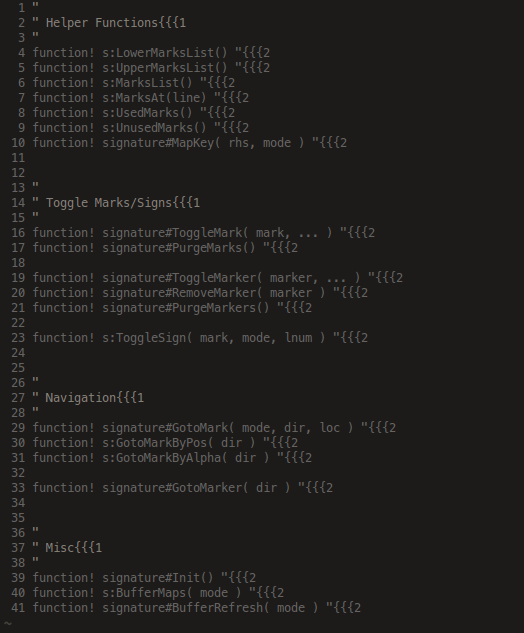
Before: foldmarkers strewn all over the place
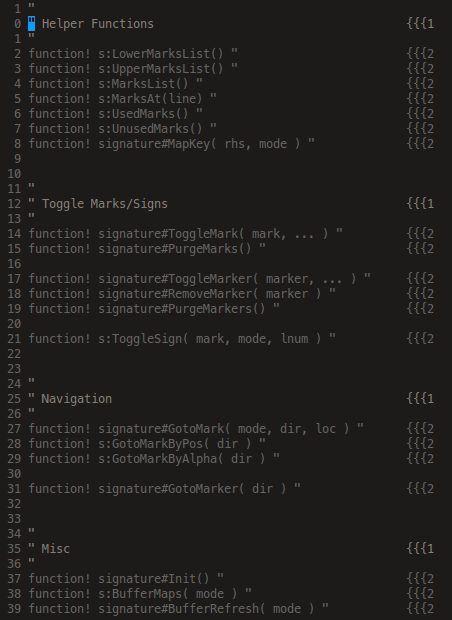
After: all the foldmarkers aligned neatly in a column
Staggered alignment visually showing the heirarchy
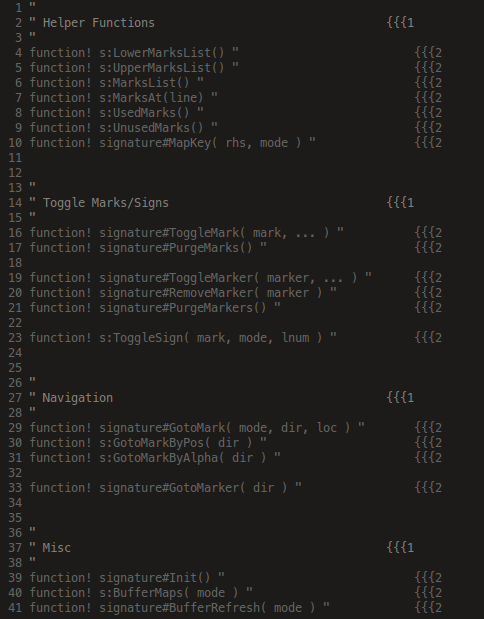
Force the alignment to happen on a particular column

Installation
I highly recommend using a plugin manager to do the dirty work for you.
If for some reason, you do not want to use any of them then unzip it to your ~/.vim directory
Usage
So, once that's done, out of the box, the followings mappings are defined by default:
  `<count>Za`  Align all folds of level 'count'
         `ZA`  Align all folds
  `<count>ZF`  Insert a start foldmarker of level 'count' at the end of line and comment it
  `<count>Zf`  Insert a start foldmarker of level 'count' at the end of line but don't comment it
  `<count>ZC`  Insert an end  foldmarker of level 'count' at the end of line and comment it
  `<count>Zc`  Insert an end  foldmarker of level 'count' at the end of line but don't comment it
         `ZD`  Delete the foldmarker from the line
If no count is given, then the actions are performed on unnumbered folds