Ⅰ. 插件描述
vim dynamic partial highlighting.Ⅱ. 基本信息
|
Ⅲ. 安装方法
使用Vundle管理器安装
在你的.vimrc下添加:Plugin 'blindfs/vim-regionsyntax-is-holy':source %
:PluginInstall对于Vundle版本 < 0.10.2,请用上面的Bundle替换Plugin。
使用NeoBundle管理器安装
在你的.vimrc下添加:NeoBundle 'blindfs/vim-regionsyntax-is-holy':source %
:NeoBundleInstall使用VimPlug管理器安装
在你的.vimrc下添加:Plug 'blindfs/vim-regionsyntax-is-holy':source %
:PlugInstall使用Pathogen管理器安装
在终端中运行以下命令:cd ~/.vim/bundle
git clone https://github.com/blindfs/vim-regionsyntaxⅣ. 文档说明
### What for? ###
When editing files with certain code blocks,it's nice to have them highlighted properly.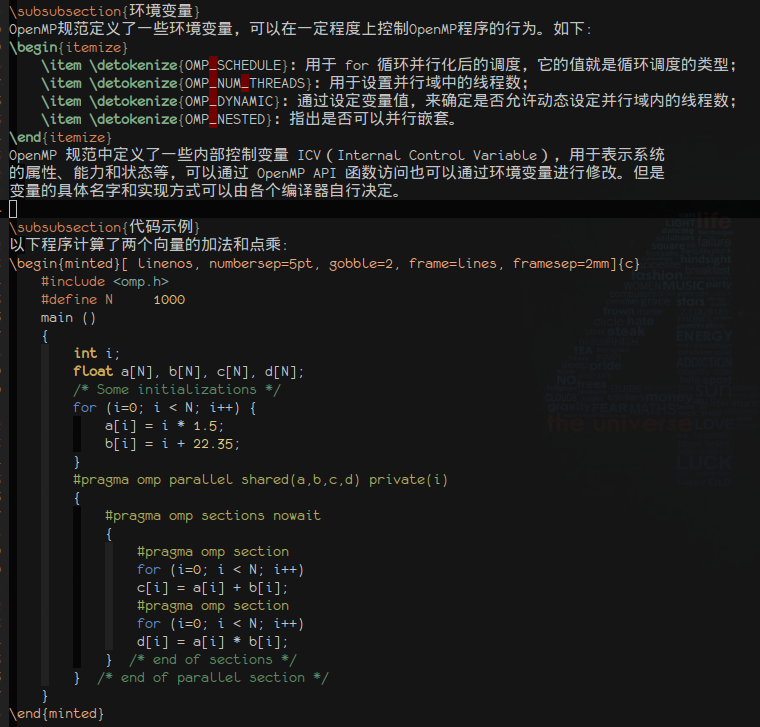
How to use it?
:[range]RegionSyntax filetype highlight the selected block.:RegionSyntaxToggle enable/disable this plugin.
Or you can specify new rules for dynamic syntax highlighting with the global variable g:regionsyntax_map.
Say you would like to highlight this
$$ ... $$
in html as tex,you could use the following config.
let g:regionsyntax_map = {
            \ 'html':
            \ [{
            \   'start' : '\m^[ \t]*\$\$[ \t]*$',
            \   'ft' : 'tex',
            \   'end' : '^[ \t]*\$\$[ \t]*$'
            \ }]}
You could set a list of rules for a certain local filetype.
for more info, please view the doc
License
MIT