Ⅰ. 插件描述
Vastly improved Spider indentation and syntax support in Vim.Ⅱ. 基本信息
|
Ⅲ. 安装方法
使用Vundle管理器安装
在你的.vimrc下添加:Plugin 'zucchinize/vim-spider':source %
:PluginInstall对于Vundle版本 < 0.10.2,请用上面的Bundle替换Plugin。
使用NeoBundle管理器安装
在你的.vimrc下添加:NeoBundle 'zucchinize/vim-spider':source %
:NeoBundleInstall使用VimPlug管理器安装
在你的.vimrc下添加:Plug 'zucchinize/vim-spider':source %
:PlugInstall使用Pathogen管理器安装
在终端中运行以下命令:cd ~/.vim/bundle
git clone https://github.com/zucchinize/vim-spiderⅣ. 文档说明
# vim-spider v0.9.0
spider bundle for vim, this bundle provides syntax and indent plugins.
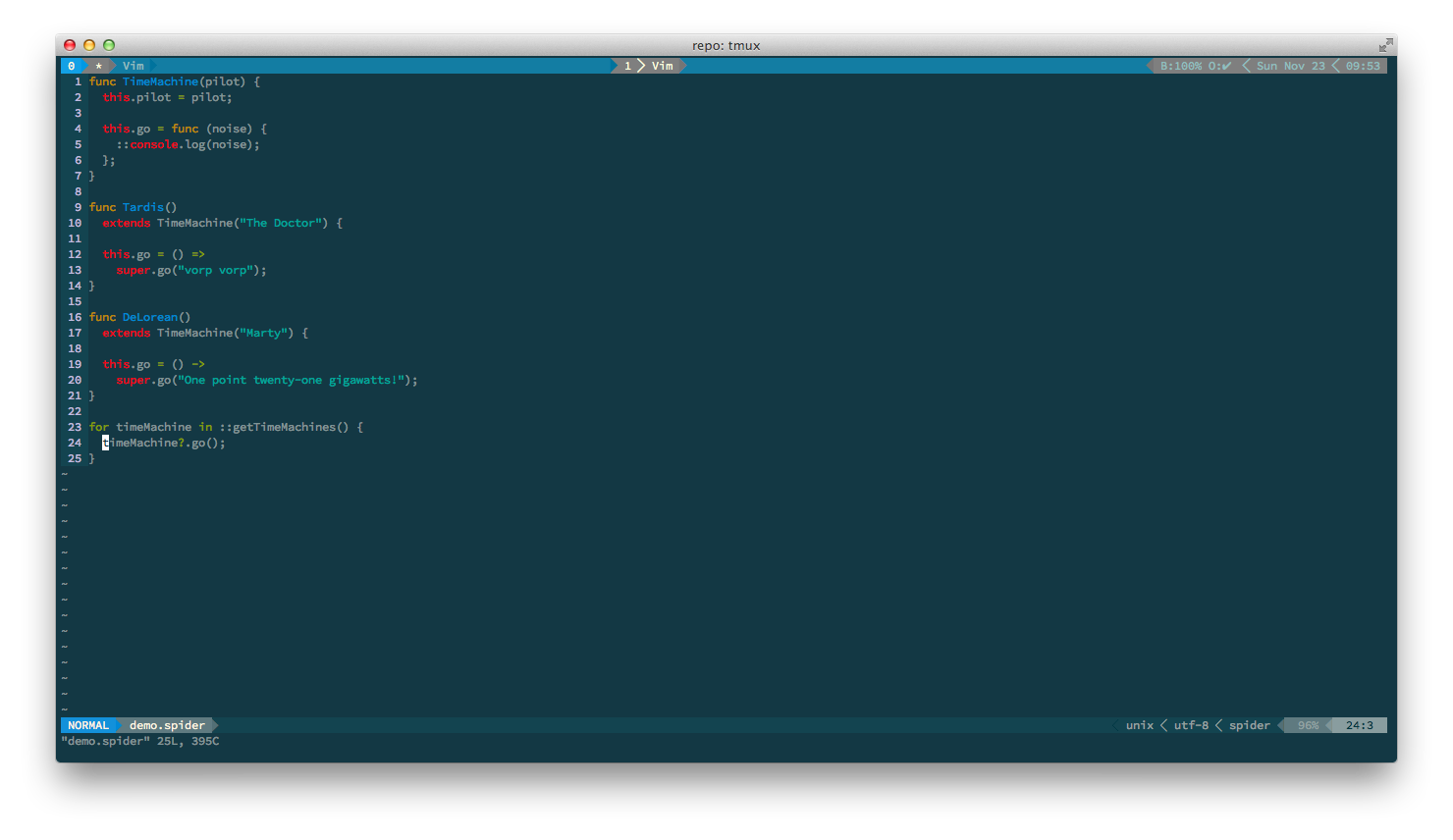
Here it is in action
A Quick Note on Regexes
Vim 7.4 was released recently, and unfortunately broke how this plugin
handles regexes. There was no real easy way for us to fix this unless we
completely rewrote how regexes work.
Good News: There was a recent update to Vim 7.4 that fixes this issue.
Make sure you are at least using Vim 7.4, with patches 1-7.
If you are stuck on an older version of Vim 7.4 with no way to update,
then simply perform the following commands to fix your current buffer:
:set regexpengine=1
:syntax enable
Installation
Install with Vundle
Add to vimrc:
Bundle "ZucchiniZe/vim-spider"
And install it:
:so ~/.vimrc
:BundleInstall
Install with pathogen
  cd ~/.vim/bundle
  git clone https://github.com/ZucchiniZe/vim-spider.git
Configuration
The following variables control certain syntax highlighting features. You can
add them to your .vimrc to enable/disable their features.
spider_enable_domhtmlcss
Enables HTML/CSS syntax highlighting in your spider file.
Default Value: 0
b:spider_fold
Enables spider code folding.
Default Value: 1
g:spider_conceal
Enables concealing characters. For example, func is replaced with ƒ
Default Value: 0
spider_ignore_spiderdoc
Disables JSDoc syntax highlighting
Default Value: 0
Bug report
Report a bug on GitHub Issues.