Ⅰ. 插件描述
A Vim plugin for previewing swagger/openAPI spec in Chrome with swagger-ui.Ⅱ. 基本信息
|
Ⅲ. 安装方法
使用Vundle管理器安装
在你的.vimrc下添加:Plugin 'xavierchow/vim-swagger-preview':source %
:PluginInstall对于Vundle版本 < 0.10.2,请用上面的Bundle替换Plugin。
使用NeoBundle管理器安装
在你的.vimrc下添加:NeoBundle 'xavierchow/vim-swagger-preview':source %
:NeoBundleInstall使用VimPlug管理器安装
在你的.vimrc下添加:Plug 'xavierchow/vim-swagger-preview':source %
:PlugInstall使用Pathogen管理器安装
在终端中运行以下命令:cd ~/.vim/bundle
git clone https://github.com/xavierchow/vim-swagger-previewⅣ. 文档说明
Vim Swagger Preview
Intro
Swagger Editor is fancy, but my favorite editor is vim, and all my code is in vim,
I don't like to copy & paste the yaml between the swagger-editor and vim.
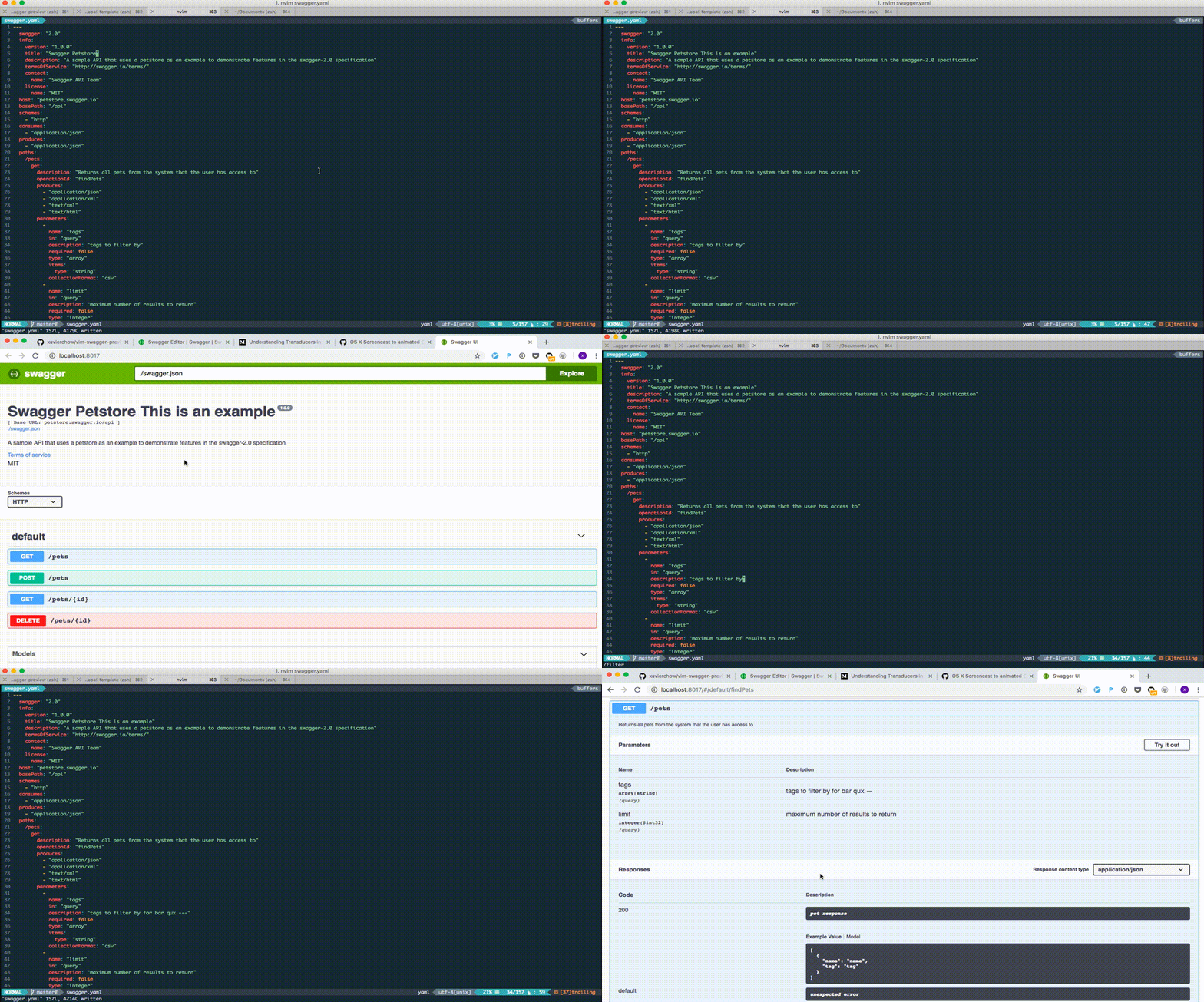
That's why I built this plugin; you can edit your yaml OpenAPI spec in vim and preview the result in Chrome.
Installation
Prerequisite
- Chrome
- docker
find the zsh script here, and
cat .zshenv >> ~/.zshenvNotes:
.zshrcdoesn't work because shell script from vim is not interactive shell.- you can put the script above to other shell if you don't use zsh.
- make sure port
8017is availabe to listen on, of course you can change it here.
Plugin
- With Pathogen: Place
vim-swagger-preview/in.vim/bundle/. With Vundle:
- Add
Plugin 'xavierchow/vim-swagger-preview'to your.vimrc. - Launch
vimand run:PluginInstall
- Add
With vim-plug:
- Setup with vim-plug guide
- Add
Plug 'xavierchow/vim-swagger-preview'to your.vimrc.
Usage
File extension
This plugin only applies to yaml file with the OpenAPI spec.
Keymap for preview
The default keymap is <leader>e, it brings up a browser window and shows the swagger-ui.
You can also define your keymap in vimrc.
nmap <unique> <leader>e <Plug>GenerateDiagram Notes: Why I named it as GenerateDiagram is that I'd like to reuse the same mapping as vim-sequence-diagram.
License
MIT