Ⅰ. 插件描述
Modern buffer manager for VimⅡ. 基本信息
|
Ⅲ. 安装方法
使用Vundle管理器安装
在你的.vimrc下添加:Plugin 'zefei/vim-wintabs':source %
:PluginInstall对于Vundle版本 < 0.10.2,请用上面的Bundle替换Plugin。
使用NeoBundle管理器安装
在你的.vimrc下添加:NeoBundle 'zefei/vim-wintabs':source %
:NeoBundleInstall使用VimPlug管理器安装
在你的.vimrc下添加:Plug 'zefei/vim-wintabs':source %
:PlugInstall使用Pathogen管理器安装
在终端中运行以下命令:cd ~/.vim/bundle
git clone https://github.com/zefei/vim-wintabsⅣ. 文档说明
# vim-wintabs
Wintabs is a per-window buffer manager for Vim. It creates "tabs" for each
buffer opened in every Vim window, and displays these buffers either on tabline
or statusline. It brings persistent contexts to Vim windows and tabs, making
them more awesome.
Screenshots
Wintabs with two native Vim tabs, showing buffers and tabs on tabline:

Wintabs with two Vim windows, showing buffers on statusline. It nicely preserves
window layout when switching/closing tabs:

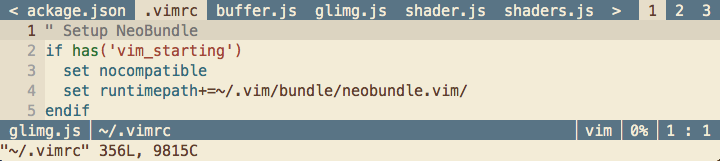
Wintabs manages long tablines nicely (better than Vim does!):
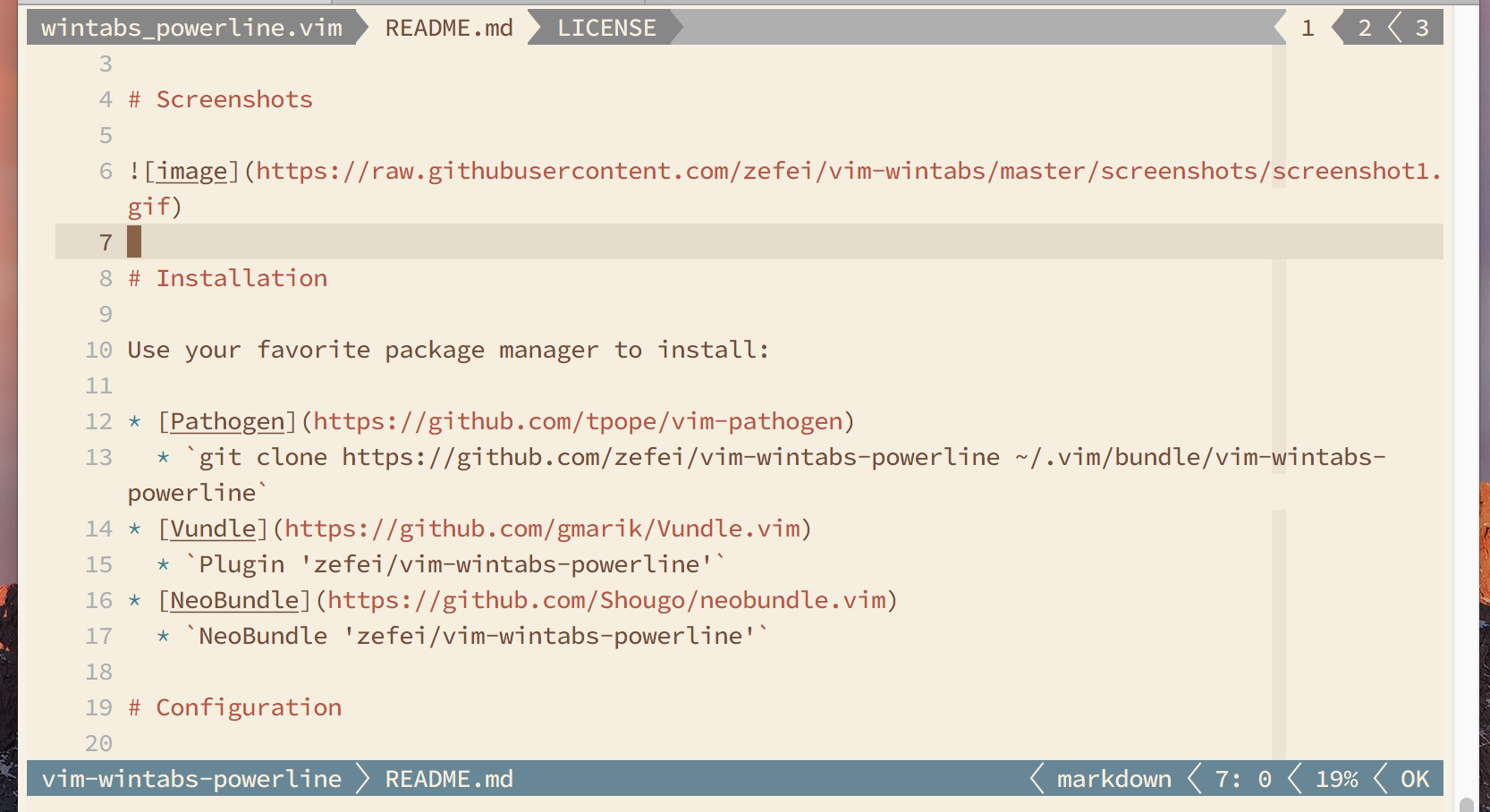
Using Powerline fonts:
Installation
Use your favorite package manager to install. vim-wintabs-powerline is
optional, used for Powerline style rendering.
git clone https://github.com/zefei/vim-wintabs ~/.vim/bundle/vim-wintabs
git clone https://github.com/zefei/vim-wintabs-powerline ~/.vim/bundle/vim-wintabs-powerline
plugin 'zefei/vim-wintabs'
plugin 'zefei/vim-wintabs-powerline'
plug 'zefei/vim-wintabs'
plug 'zefei/vim-wintabs-powerline'
Usage
By default, wintabs maintains a list of buffers for each buffer opened in each
window, and displays them on tabline. To navigate and manage these buffers, a
few commands and key mappings are provided, and they are very similar to what
Vim buffers/tabs have.
To make full use of wintabs, it is recommended to have the following commands or
keys mapped, these are the essential ones:
commands             | mapping keys                 | replacing Vim commands
---------------------+------------------------------+-----------------------
:WintabsNext         | <Plug>(wintabs_next)         | :bnext!
:WintabsPrevious     | <Plug>(wintabs_previous)     | :bprevious!
:WintabsClose        | <Plug>(wintabs_close)        | :bdelete
:WintabsUndo         | <Plug>(wintabs_undo)         |
:WintabsOnly         | <Plug>(wintabs_only)         |
:WintabsCloseWindow  | <Plug>(wintabs_close_window) | :close, CTRL-W c
:WintabsOnlyWindow   | <Plug>(wintabs_only_window)  | :only, CTRL-W o
:WintabsCloseVimtab  | <Plug>(wintabs_close_vimtab) | :tabclose
:WintabsOnlyVimtab   | <Plug>(wintabs_only_vimtab)  | :tabonly
Below is an example of key mappings:
map <C-H> <Plug>(wintabs_previous)
map <C-L> <Plug>(wintabs_next)
map <C-T>c <Plug>(wintabs_close)
map <C-T>u <Plug>(wintabs_undo)
map <C-T>o <Plug>(wintabs_only)
map <C-W>c <Plug>(wintabs_close_window)
map <C-W>o <Plug>(wintabs_only_window)
command! Tabc WintabsCloseVimtab
command! Tabo WintabsOnlyVimtab
See :help wintabs-commands for all available commands and mappings.
Wintabs can display buffers on either tabline or statusline. It's recommended to
use tabline if you typically work without using split windows; otherwise,
statusline is recommended. If Wintabs is set to use statusline, it automatically
moves your original statusline content to tabline.
Configuration
Wintabs has a handful of configuration options, see :help wintabs-options for
details.
FAQ
Q: Does wintabs support Powerline fonts?
A: Yes. The [vim-wintabs-powerline
plugin](https://github.com/zefei/vim-wintabs-powerline) provides a set of
renderers for using Powerline fonts with wintabs.
Q: Does wintabs support Vim sessions?
A: Yes, as long as your sessionoptions contains "globals". Wintabs also
supports xolox/vim-session out of the
box.
Q: Does wintabs work with statusline/tabline plugins like airline?
A: Wintabs can work reasonably well with statusline/tabline plugins as long as
you load wintabs after other plugins.
License
MIT License.