Ⅰ. 插件描述
very simple vim plugin for easy resizing of your vim windowsⅡ. 基本信息
|
Ⅲ. 安装方法
使用Vundle管理器安装
在你的.vimrc下添加:Plugin 'simeji/winresizer':source %
:PluginInstall对于Vundle版本 < 0.10.2,请用上面的Bundle替换Plugin。
使用NeoBundle管理器安装
在你的.vimrc下添加:NeoBundle 'simeji/winresizer':source %
:NeoBundleInstall使用VimPlug管理器安装
在你的.vimrc下添加:Plug 'simeji/winresizer':source %
:PlugInstall使用Pathogen管理器安装
在终端中运行以下命令:cd ~/.vim/bundle
git clone https://github.com/simeji/winresizerⅣ. 文档说明
winresizer.vim
Very simple vim plugin for easy resizing of your vim windows.
You can resize windows continuously by using typical keymaps of Vim. (h, j, k, l)
The WindowResize mode makes your operation more quickly and more naturally.
Demo
For terminal vim
Resize mode
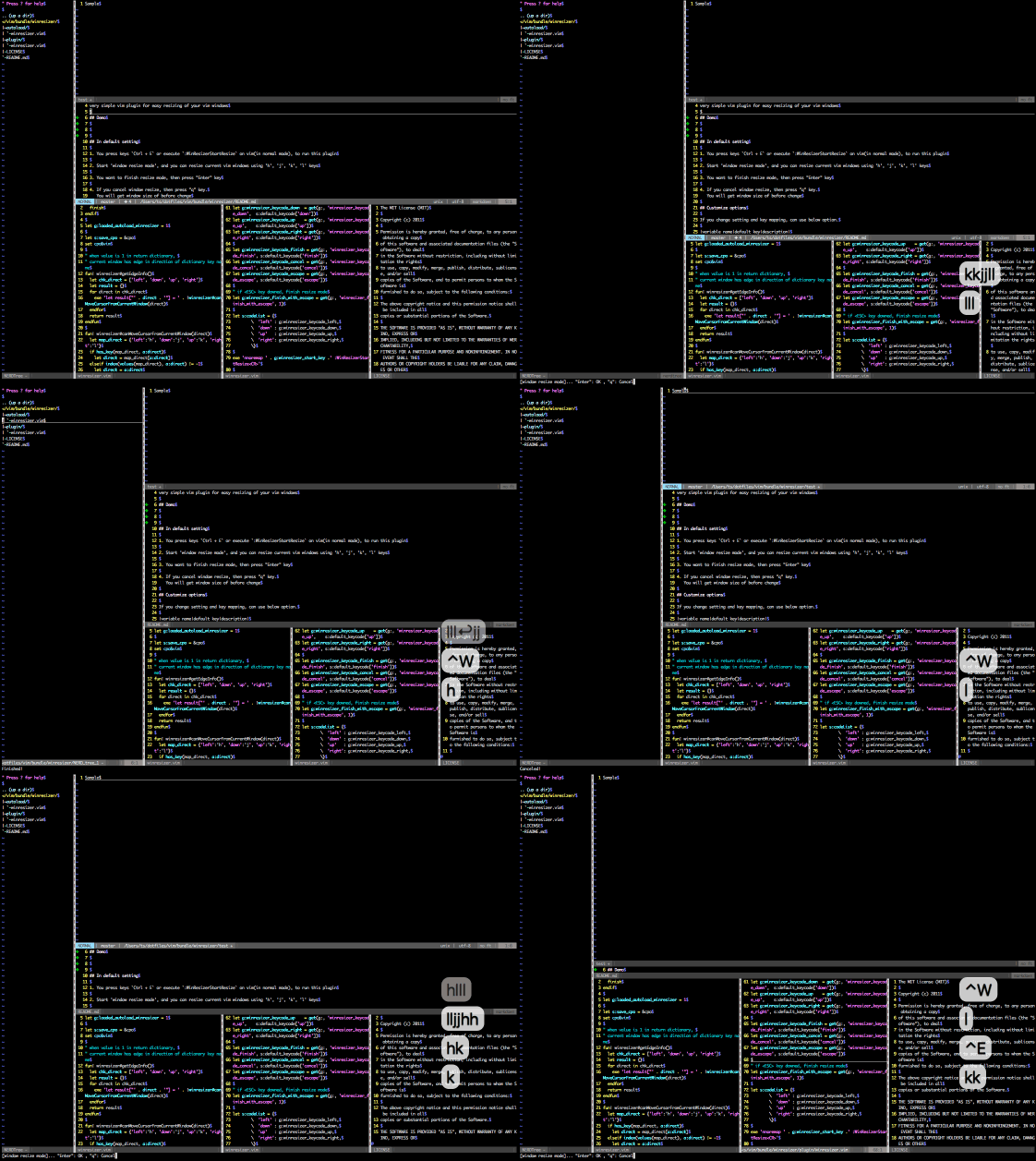
Window Move mode
You can move windows. 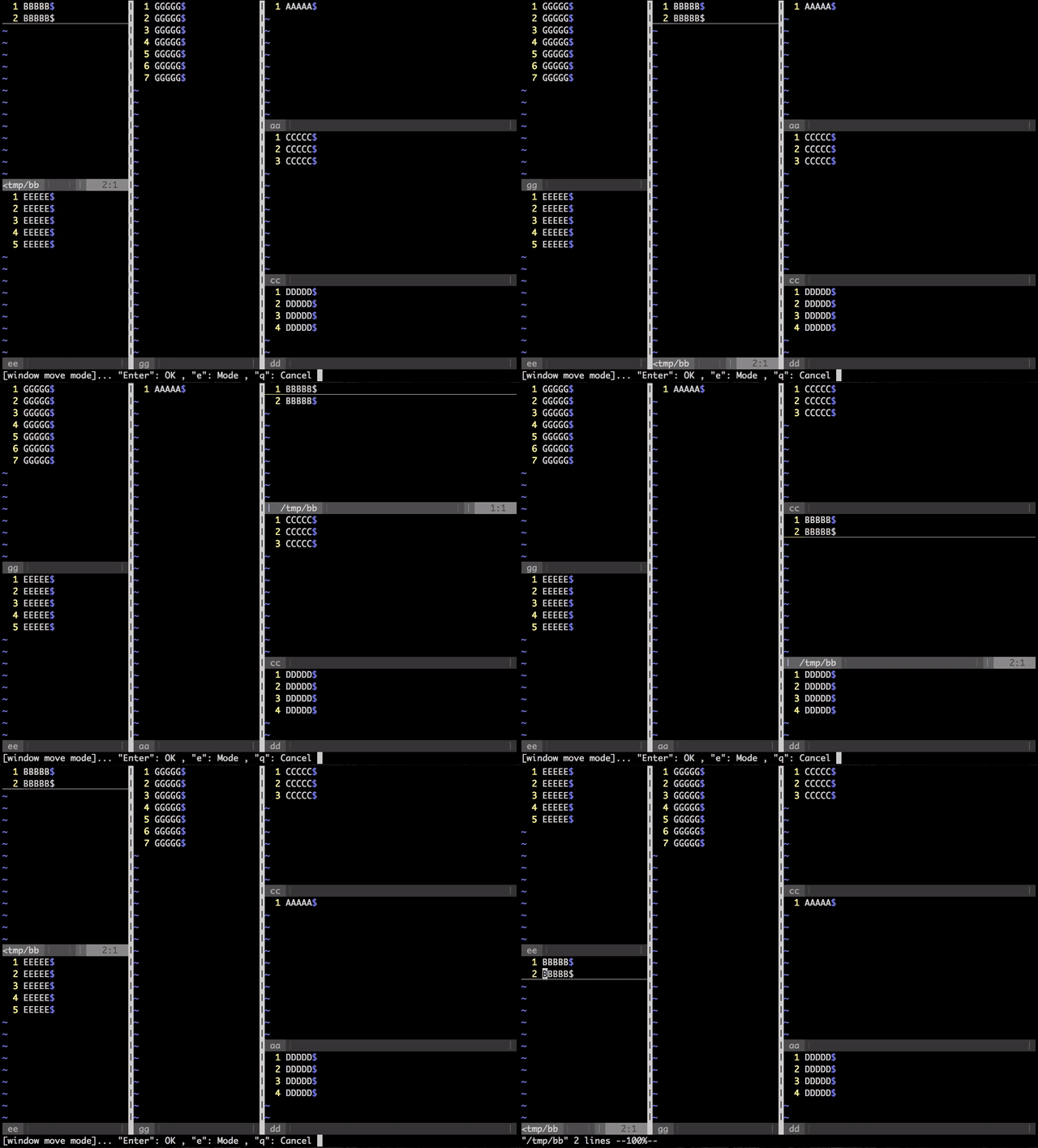
Change the focus & resize window
Focus mode -> Resize mode 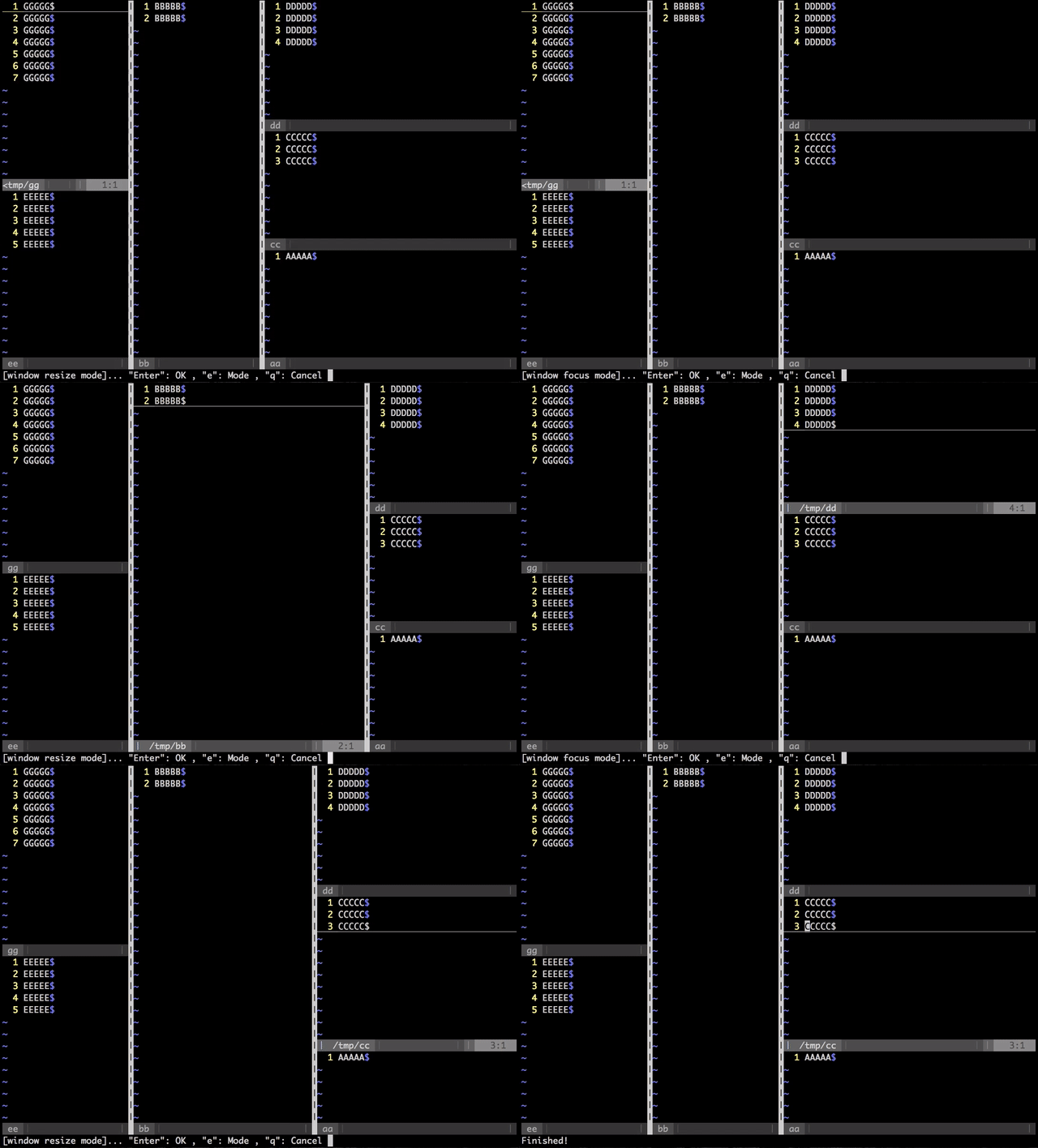
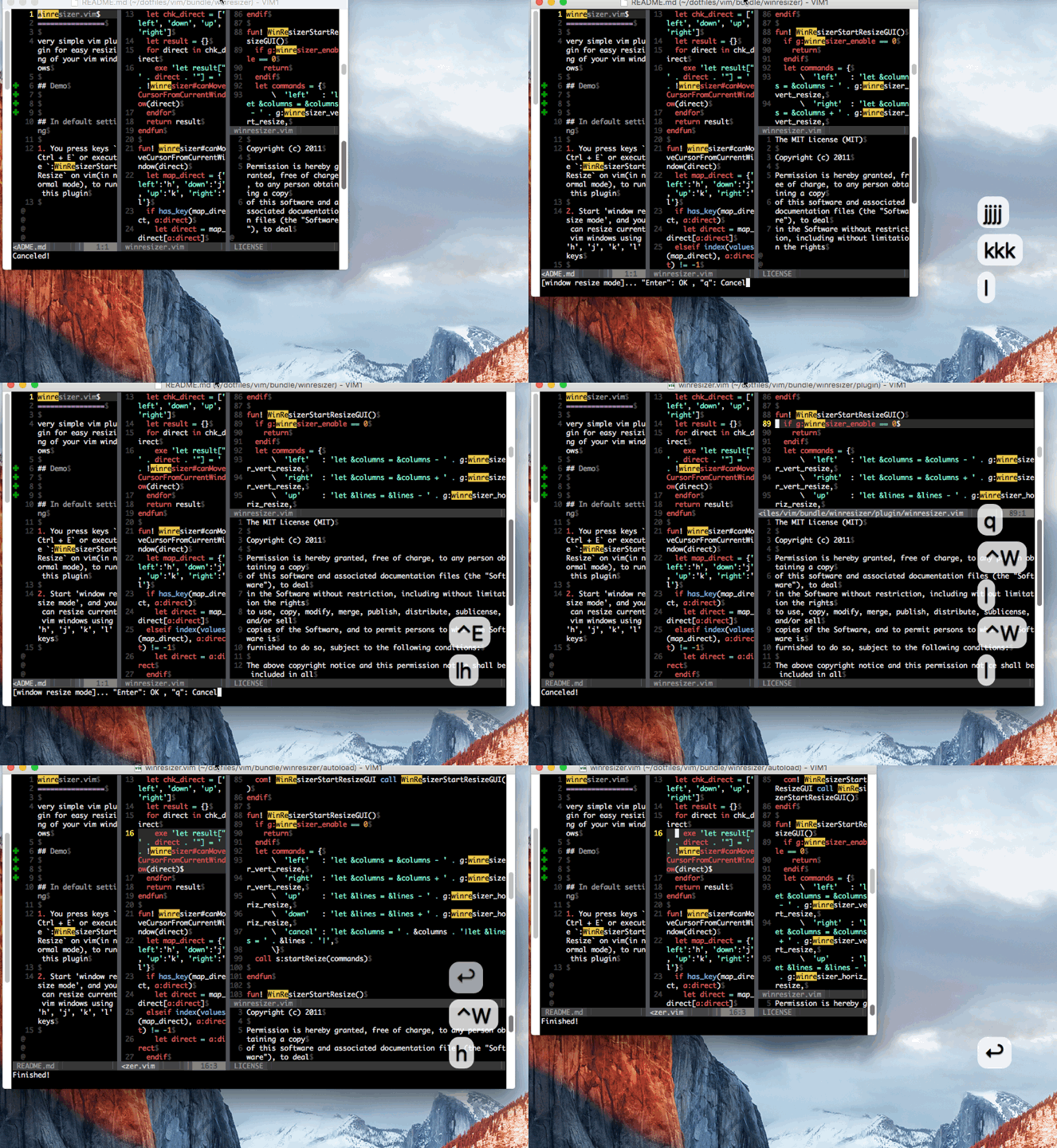
For MacVim(gui vim)
- MacVim Window resize
- Vim window resize
In default setting
- You press keys
Ctrl + Eor execute:WinResizerStartResizeon vim(in normal mode), to run this plugin - Start 'window resize mode', and you can resize current vim windows using 'h', 'j', 'k', 'l' keys
- You want to finish resize mode, then press "Enter" key
- If you cancel window resize, then press "q" key.
You will get window size of before change - You can change the mode if you press "e" in 'window resize mode'
Customize options
You can change setting and key mappings by using below options.(in your vimrc)
| variable name | default value | description |
|---|---|---|
| g:winresizer_enable | 1 | Use winresizer (If this value is 0, this plugin will not work) |
| g:winresizer_gui_enable | 0 | Use winresizer in GUI Vim (If this value is 0, this plugin will not work in GUI Vim such as Mac Vim) |
| g:winresizer_finish_with_escape | 1 | If this value is 1, window resize mode is finished(fixed) by Esc |
| g:winresizer_vert_resize | 10 | The change width of window size when left or right key is pressed |
| g:winresizer_horiz_resize | 3 | The change height of window size when down or up key is pressed |
| g:winresizer_start_key | Ctrl + e | Start window resize mode |
| g:winresizer_gui_start_key | Ctrl + a | Start window resize mode (in GUI Vim) |
| g:winresizer_keycode_left | 104(h) | Expand window size to left |
| g:winresizer_keycode_right | 108(l) | Expand window size to right |
| g:winresizer_keycode_down | 106(j) | Expand window size to down |
| g:winresizer_keycode_up | 107(k) | Expand window size to up |
| g:winresizer_keycode_focus | 102(f) | Change a mode to Focus mode |
| g:winresizer_keycode_move | 109(m) | Change a mode to Move mode |
| g:winresizer_keycode_resize | 114(r) | Change a mode to Resize mode |
| g:winresizer_keycode_mode | 101(e) | Rotate a mode (Resize -> Move -> Focus -> Resize ...) |
| g:winresizer_keycode_finish | 13(Enter) | Fix and escape from window resize mode |
| g:winresizer_keycode_cancel | 113(q) | Cancel and quit window resize mode |
If you want to resize MacVim window itself, you must set below.
let g:winresizer_gui_enable = 1Example in your .vimrc
:memo: If you use winresizer with default settings. Don't have to do any settings.
" If you want to start window resize mode by `Ctrl+T`
let g:winresizer_start_key = '<C-T>'

" If you cancel and quit window resize mode by `z` (keycode 122)
let g:winresizer_keycode_cancel = 122