Ⅰ. 插件描述
Colorful light color scheme for Vim inspired by Apple's WWDC17 pageⅡ. 基本信息
|
Ⅲ. 安装方法
使用Vundle管理器安装
在你的.vimrc下添加:Plugin 'lifepillar/wwdc17':source %
:PluginInstall对于Vundle版本 < 0.10.2,请用上面的Bundle替换Plugin。
使用NeoBundle管理器安装
在你的.vimrc下添加:NeoBundle 'lifepillar/wwdc17':source %
:NeoBundleInstall使用VimPlug管理器安装
在你的.vimrc下添加:Plug 'lifepillar/wwdc17':source %
:PlugInstall使用Pathogen管理器安装
在终端中运行以下命令:cd ~/.vim/bundle
git clone https://github.com/lifepillar/vim-wwdc17-themeⅣ. 文档说明
# WWDC17 Color Scheme for Vim

A colorful light theme for Vim inspired by the colors of 2017's
WWDC event.
Looking for a companion dark theme? Check out
vim-wwdc16-theme!
This color scheme works out of the box everywhere. For the best experience,
you need:
- Vim ≥7.4.1799, or NeoVim, with
termguicolorsset, and - a true-color enabled terminal.
WWDC17 also works in MacVim, gVim, etc…: no configuration is needed.
For terminals not supporting true colors, WWDC17 will fall back to use a (pretty
good) approximate palette based on xterm's 256 colors. And if you happen to
stumble upon an old vt100 terminal emulator, well, WWDC17 will fall back to
black&white at the blink of an eye!
Options
Put the following options in your vimrc to customize the color scheme.
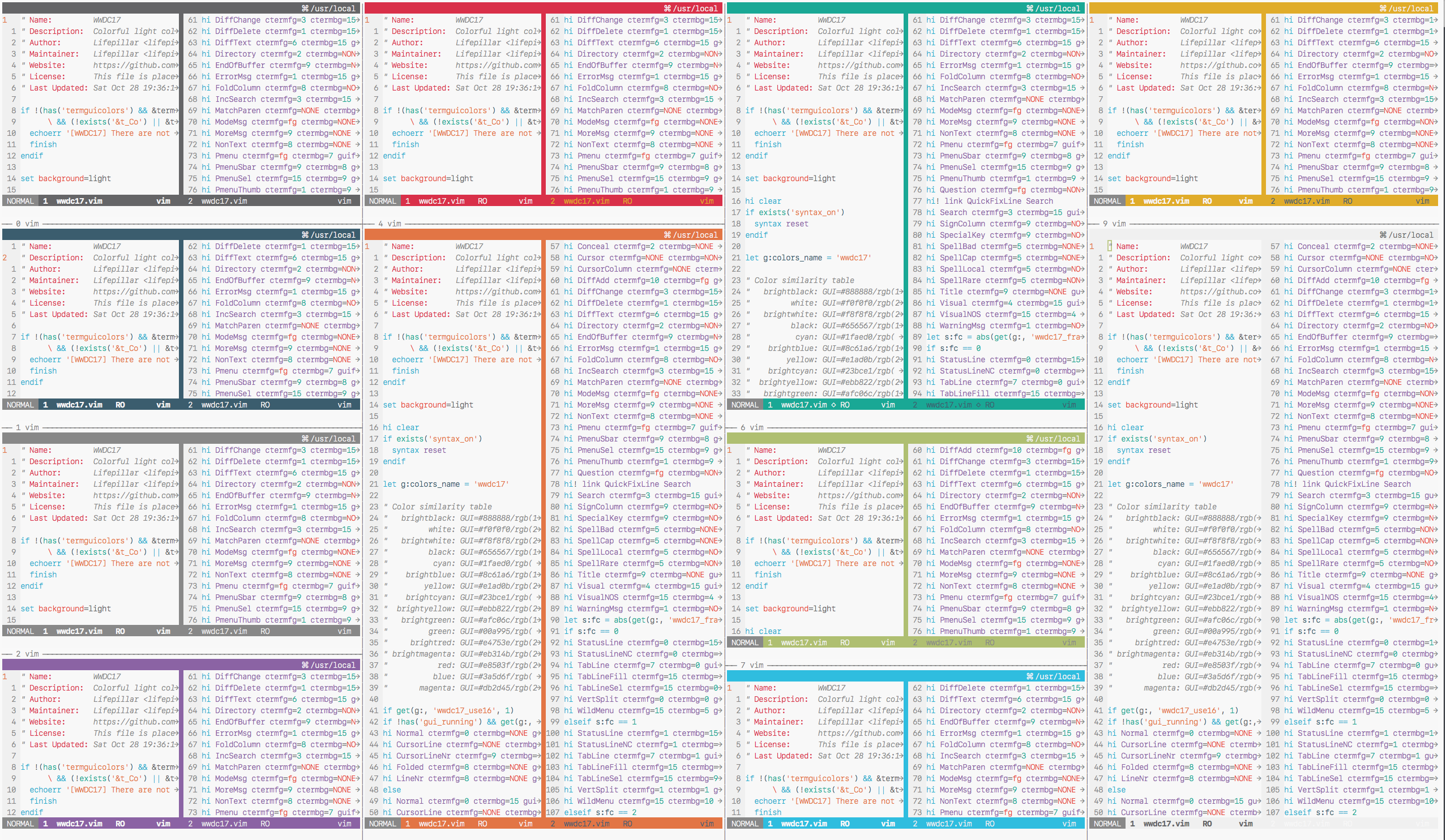
- **Give your theme a unique touch by selecting a different frame
color:**
let g:wwdc17_frame_color = 10
This is the color of the status line, tab line, and vertical splits.
The value of this option should be a number between 0 and 15.
- Use a transparent background in the terminal:
let g:wwdc17_transp_bg = 1
The color palette is available through g:terminal_ansi_colors.
Hacking
Do you want to hack the theme? Install the
Colortemplate ftplugin and
modify wwdc17.colortemplate, then rebuild the colorscheme.
If you extend or improve WWDC17, please consider submitting a pull request!