Ⅰ. 插件描述
fold code block using regexp, multiline supported, best fold plugin for general usageⅡ. 基本信息
|
Ⅲ. 安装方法
使用Vundle管理器安装
在你的.vimrc下添加:Plugin 'zsaberlv0/zfvimfoldblock':source %
:PluginInstall对于Vundle版本 < 0.10.2,请用上面的Bundle替换Plugin。
使用NeoBundle管理器安装
在你的.vimrc下添加:NeoBundle 'zsaberlv0/zfvimfoldblock':source %
:NeoBundleInstall使用VimPlug管理器安装
在你的.vimrc下添加:Plug 'zsaberlv0/zfvimfoldblock':source %
:PlugInstall使用Pathogen管理器安装
在终端中运行以下命令:cd ~/.vim/bundle
git clone https://github.com/zsaberlv0/zfvimfoldblockⅣ. 文档说明
# ZFVimFoldBlock
vim script to fold code blocks using regexp
if you like my work, check here for a list of my vim plugins
preview
see all virtual functions
:ZFFoldBlock //virtual/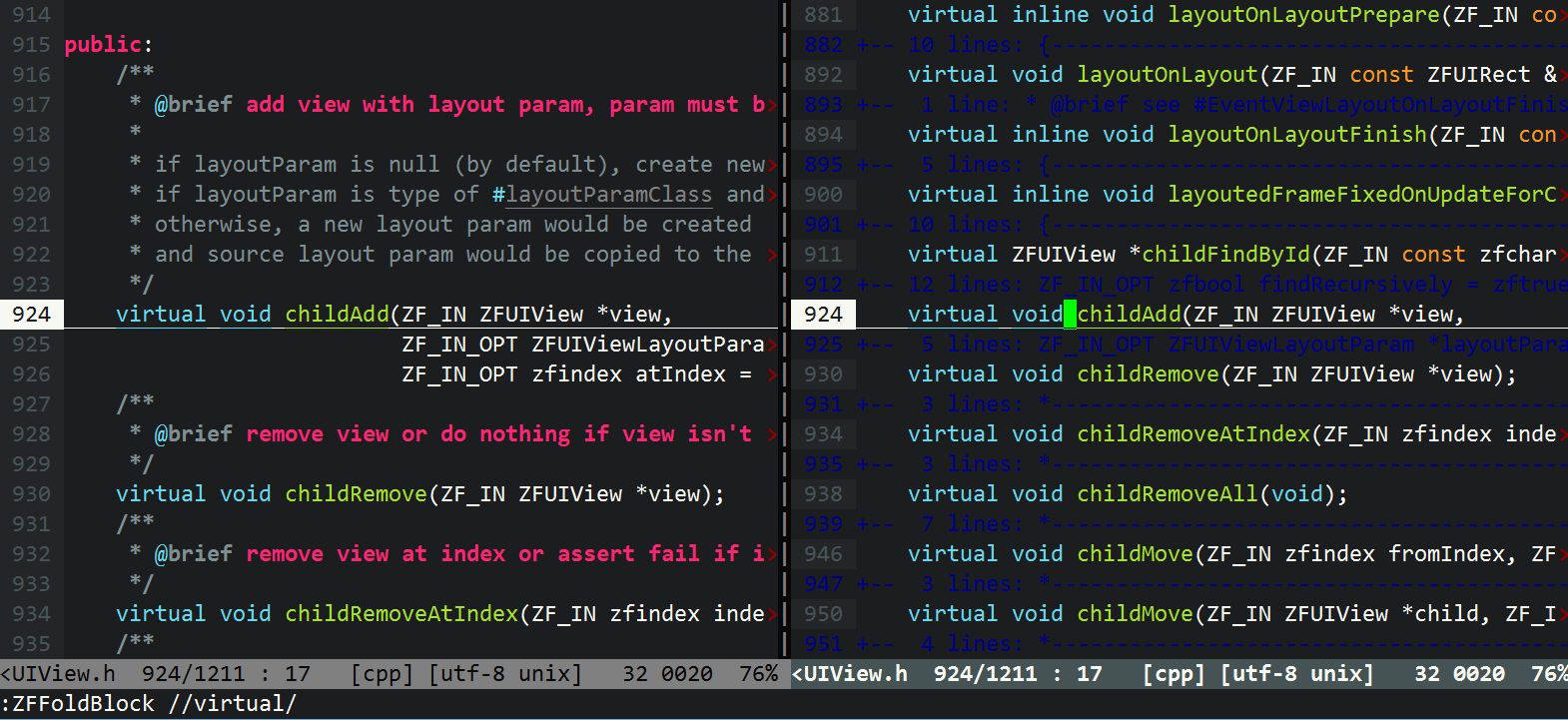filter out all comments
:ZFFoldBlock /^[ \t]*#//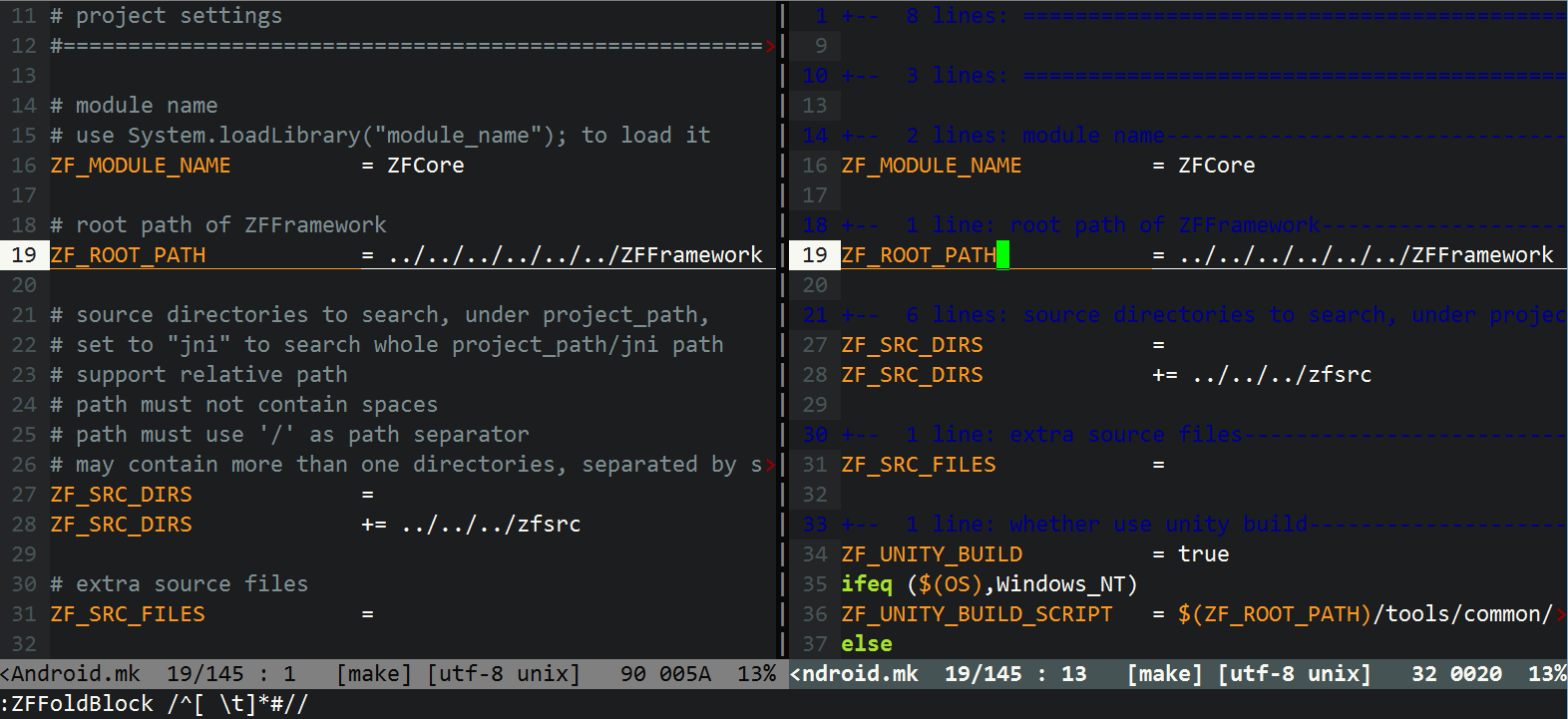fold by xml tags
:ZFFoldBlock /(?<=<[a-z =\"_0-9]+> *\n).*/<\/[a-z0-9_]+>/(withothree/eregex.vim)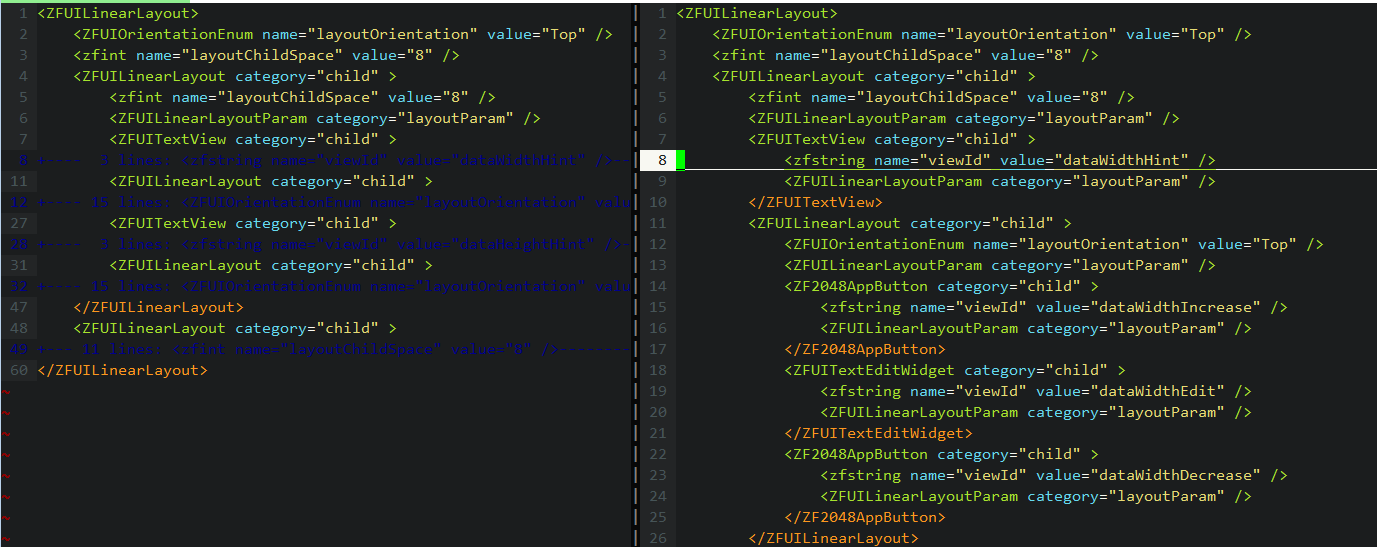
how to use
use Vundle or any other plugin manager is recommended
Plugin 'ZSaberLv0/ZFVimFoldBlock'
when `othree/eregex.vim` installed (recommended), perl style regexp would be used instead of vim style
Plugin 'othree/eregex.vim'foldmethodmust be set tomanualset foldmethod = manual
by default, `foldmethod` would be set to `manual` when `ZFFoldBlock` called,
you may disable it by `let g:ZFVimFoldBlock_resetFoldmethodWhenUse=0`
foldminlinesrecommended set to0, which allow fold even for single lineset foldminlines=0
by default, `foldminlines` would be set to `0` when `ZFFoldBlock` called,
you may disable it by `let g:ZFVimFoldBlock_resetFoldminlinesWhenUse=0`
recommended to have these key map:
nnoremap ZB q::call ZF_FoldBlockTemplate()<cr>
nnoremap ZF :ZFFoldBlock //<left>
or, use the functions directly:
" fold by begin and end regexp
:ZFFoldBlock /begin_regexp/end_regexp/

" same as :ZFFoldBlock /regexp//
:ZFFoldIfMatch regexp

" same as :ZFFoldBlock //regexp/
:ZFFoldIfNotMatch regexp
sample
you may :call ZF_FoldBlockHelp() to show sample at any time
/{/}/: normal block mode{ in fold 1 { in fold 2 } in fold 1 }/rem//: fold if matchrem in fold rem in fold//rem/: fold if not matchin fold in fold rem not in fold rem not in fold/tag/tag/: single tag modetag in fold 1 tag not in fold tag in fold 2 tag
regexp
use vim's regexp by default, see :h magic
if you have othree/eregex.vim installed,
then perl style regexp would be used instead
you may force disable it by let g:ZFVimFoldBlock_disableE2v = 1
advanced
typical advanced usage:
" fold comments accorrding to file type function! ZF_Plugin_ZFVimFoldBlock_comment() let expr='\(^\s*\/\/\)' if &filetype=='vim' let expr.='\|\(^\s*"\)' endif if &filetype=='c' || &filetype=='cpp' let expr.='\|\(^\s*\(\(\/\*\)\|\(\*\)\)\)' endif if &filetype=='make' let expr.='\|\(^\s*#\)' endif let disableE2vSaved = g:ZFVimFoldBlock_disableE2v let g:ZFVimFoldBlock_disableE2v = 1 call ZF_FoldBlock("/" . expr . "//") let g:ZFVimFoldBlock_disableE2v = disableE2vSaved echo "comments folded" endfunction nnoremap ZC :call ZF_Plugin_ZFVimFoldBlock_comment()<cr>- calling
ZFFoldBlockwould append fold instead of replace,
before using the function,
you may want to remove all fold byzEorzDmanually